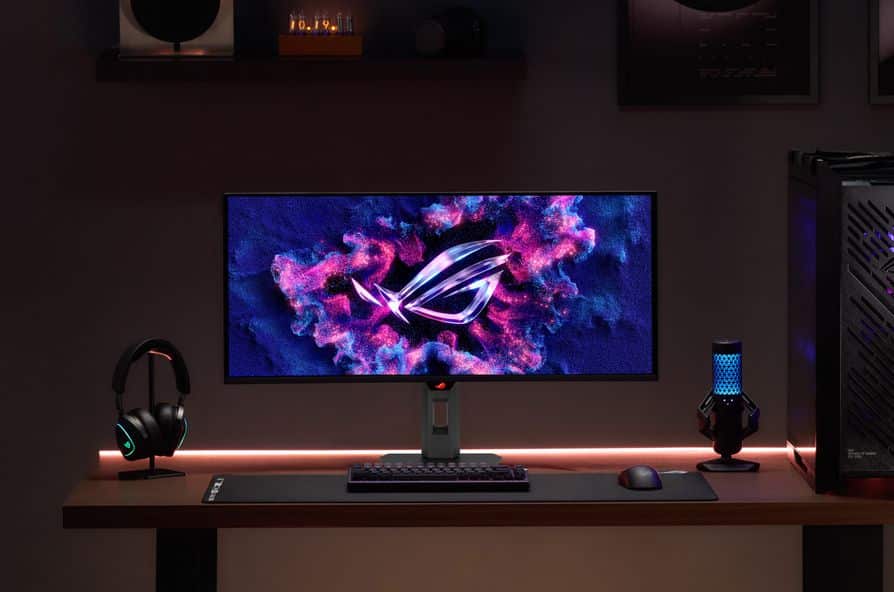
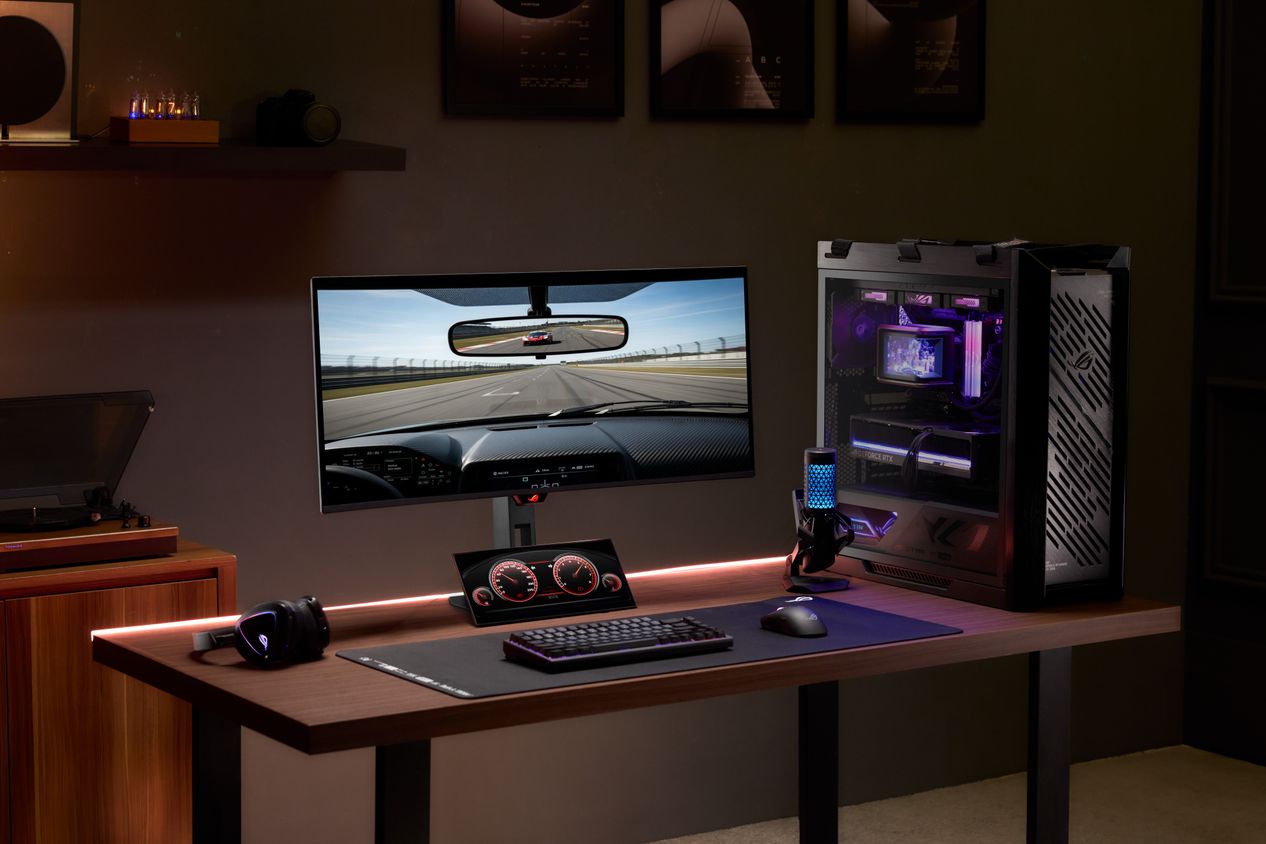
ASUS ROG just added two new displays to its lineup: the Strix OLED XG34WCDMS and the Strix XG129C. Both are aimed at people who want top visuals, whether you’re gaming hard or juggling a bunch of tasks. The XG34WCDMS is a 34-inch ultrawide with a 280Hz refresh rate and a curved screen. The XG129C is a smaller 12.3-inch display meant to sit right under your main monitor. Handy if you want to keep an eye on your system or run streaming controls without cluttering your desk.
Key Takeaways
- The Strix OLED XG34WCDMS features a 34-inch WQHD (3440 x 1440) Tandem RGB QD-OLED panel with an 1800R curvature.
- It offers a 280Hz refresh rate and a 0.03ms gray-to-gray (GTG) response time for smooth gameplay.
- The Strix XG129C is a 12.3-inch IPS touchscreen with a unique 24:9 aspect ratio and 1920 x 720 resolution.
- ASUS includes a one-year AIDA64 Extreme subscription with the XG129C for real-time hardware tracking.
- Both monitors include USB-C connectivity with Power Delivery for simplified cable management.
ROG Strix OLED XG34WCDMS performance and features
The XG34WCDMS uses RGB Tandem QD-OLED tech for high brightness and accurate colors. You get up to 1300 nits peak brightness. It’s VESA DisplayHDR 500 True Black certified. Blacks look deep, and the color coverage hits 99% of DCI-P3. So, whether you’re gaming or editing video, this monitor should handle it.
ASUS has integrated several protective features to handle the nature of OLED panels. The OLED Care Pro suite includes a Neo Proximity Sensor that detects when a user steps away from the desk. When the sensor triggers, the monitor automatically dims to prevent burn-in. Additionally, the display uses BlackShield Film to reduce reflections and increase scratch resistance. Connectivity options are broad, featuring two HDMI 2.1 ports, DisplayPort 1.4 with DSC, and a USB-C port with 15W Power Delivery.
Enhancing setups with the ROG Strix XG129C
The ROG Strix XG129C targets streamers and power users who need more screen real estate without the bulk of a full-sized second monitor. This 12.3-inch IPS panel supports 10-point touch input, allowing users to execute hotkeys or manage streaming apps with finger gestures. Its 24:9 aspect ratio is specifically chosen to sit below a standard primary monitor without blocking the view or taking up too much vertical space.
Color accuracy is solid here too, with 125% sRGB coverage. You get two USB-C ports. One does 20W Power Delivery and DisplayPort Alt Mode, so you can run power, video, and touch through one cable. There’s a built-in kickstand and a standard tripod socket if you want to get creative with mounting.
Advanced AI and cooling integration
Both monitors use ASUS DisplayWidget Center, so you can tweak settings without much hassle. The XG34WCDMS adds some AI features like Dynamic Crosshair and AI Visual to help during fast games. For cooling, ASUS went with a custom heatsink and internal airflow. No noisy fan, which is always a plus.
Related FAQs
Q. What is the refresh rate of the ASUS ROG Strix OLED XG34WCDMS?
A. The monitor supports a maximum refresh rate of 280Hz, providing fluid motion for fast-paced gaming.
Q. Does the ROG Strix XG129C support touch controls?
A. Yes, it features a 10-point projective capacitive touchscreen for intuitive interaction with apps and OSD settings.
Q. What are the connectivity options on the XG34WCDMS?
A. It includes two HDMI 2.1 ports, one DisplayPort 1.4 with DSC, two USB 3.2 Gen 1 Type-A ports, and one USB-C port with 15W Power Delivery.
Q. What software comes with the Strix XG129C for system monitoring?
A. The monitor comes with a one-year subscription to AIDA64 Extreme and features exclusive ROG SensorPanel skins for real-time hardware data.