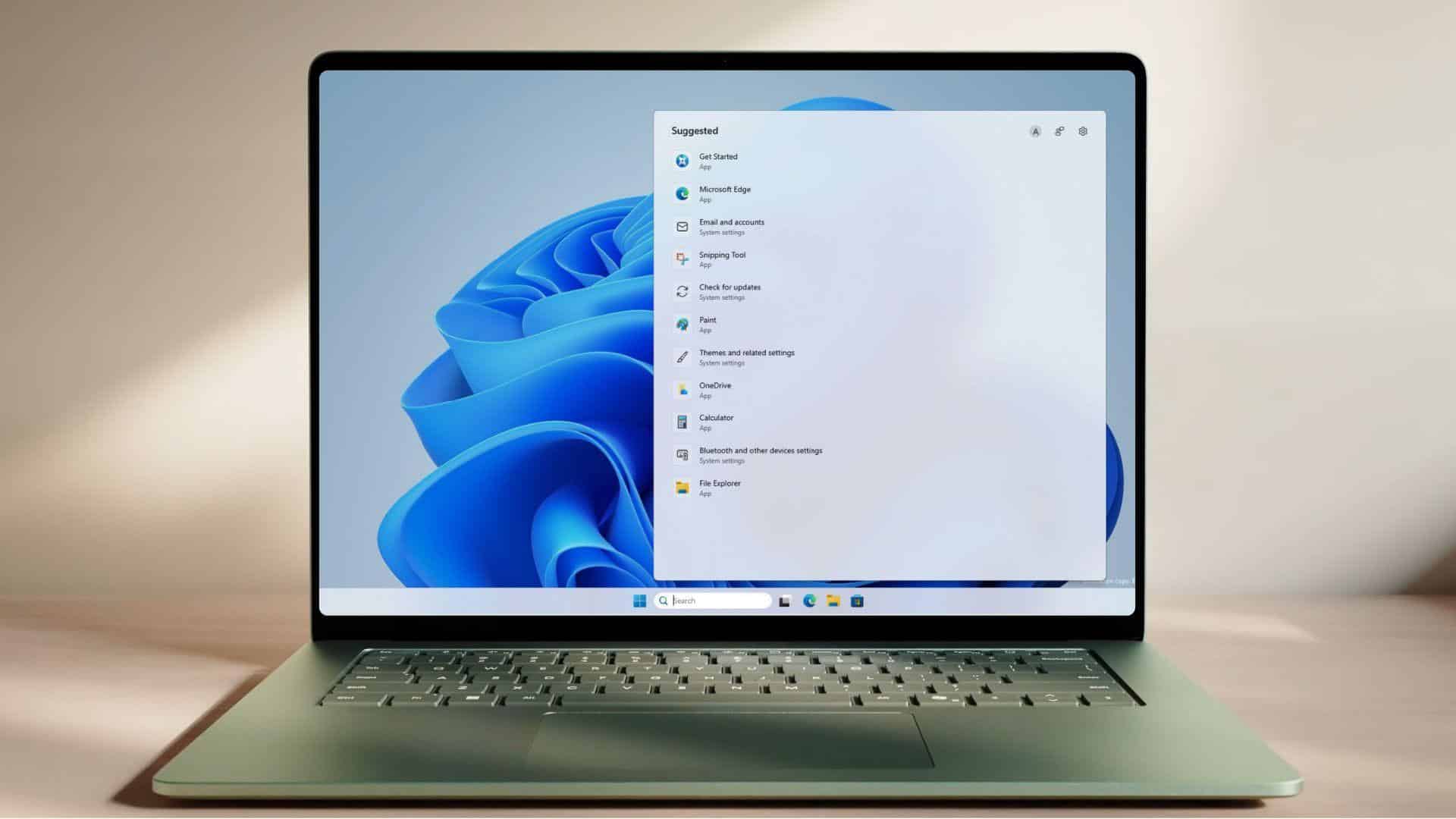
Microsoft announced a major update to the Windows 11 Search Box on July 13, 2026, aiming to clear out persistent visual clutter and give users direct control over their search results. The changes, which are currently rolling out to Windows Insiders in the Experimental channel, strip away long-criticized MSN tiles, promotional shopping links, daily quizzes, and random trending topics. Instead of pushing web links and sponsored content when users search for local programs, the updated tool prioritizes files, settings, and local applications stored on the computer.
Key Takeaways
- Microsoft is removing promotional content, advertisements, and daily trivia tiles from the search home screen.
- A new privacy setting allows users to completely turn off web search and Microsoft Store suggestions.
- Local search results for files, apps, and system settings will now take priority over web links.
- The system handles typos and partial words better, making it easier to find programs with misspelled inputs.
- The update is rolling out gradually to testers in the Windows Insider Experimental channel.
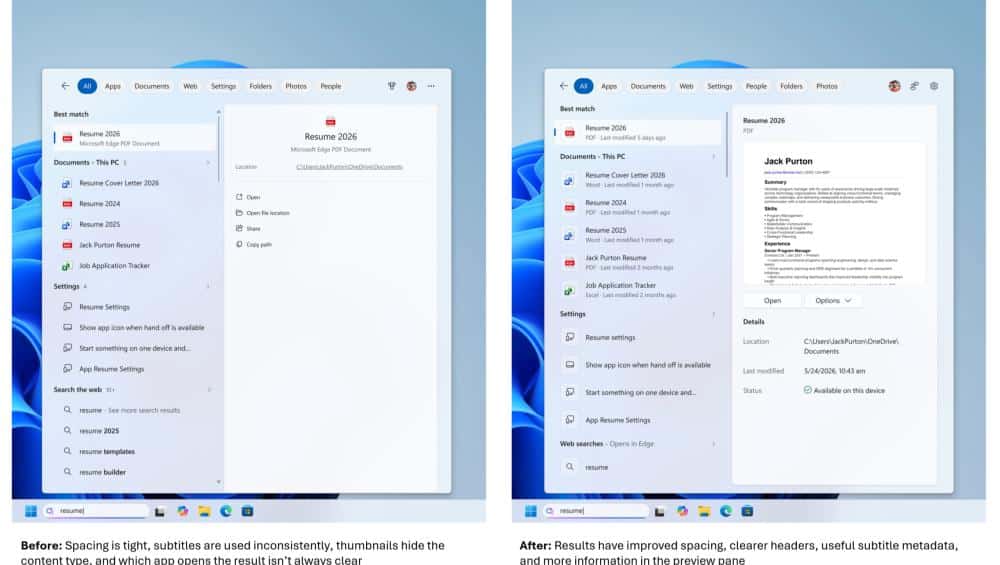
The software giant designed this update after receiving extensive feedback from users who felt the taskbar search tool had become too crowded with advertisements and unhelpful data. Windows engineering manager Jeff Petty and Bing Search manager Anderson Aiziro stated that the primary goal is making search faster and easier to scan. Prior versions of the search panel frequently displayed recommended games, search trends, and sponsored product listings that distracted users from finding their own documents.
The cleaned home screen now displays a simple list of recently accessed applications, folders, and files. Every search result clearly shows its origin, labeling whether a result is a local file, a system setting, an application, a web link, or a store recommendation. The interface also includes wider spacing and provides relevant metadata, such as file paths and modification dates, directly in the preview pane.
User Control and System Fixes
To prevent the search tool from pulling data from the web, Microsoft added two explicit toggles in the operating system settings. Users can navigate to Settings, choose Privacy and Security, and select Search to turn off web searches and Microsoft Store recommendations. Disabling these options restricts the search box to local files and installed programs, which stops online advertisements from appearing.
The update also includes several functional fixes to improve everyday search accuracy. The search box now tolerates dropped letters, extra characters, and word fragments when looking for applications. For instance, typing a misspelled word like “utlook” will still point the user directly to Microsoft Outlook. File search performance receives a boost with support for short, two-character file name queries, and the system now shows cloud-connected files when they match the query well. Technical reliability fixes also reduce the frequency of application crashes and sudden loading delays during searches.
Indian computer users often rely on quick access to local office applications, custom folder structures, and specific system configurations. The previous search layout often mixed local results with international web trends or promotional material that had little relevance to daily workflows. By disabling the web components, the search box operates as a fast, offline indexing tool. Early testing on lower-spec hardware indicates that the removal of heavy web-based components makes the search interface respond much faster, with snappier animations and no sudden freezes.
Microsoft is distributing these updates through a controlled feature rollout, meaning not all Insiders will see the changes immediately. Testers can restart their systems or use feature flags to check if the options are active on their devices. The company plans to refine the search ranking algorithms further before releasing the updates to the broader public.
Related FAQs
Q1. How can users remove advertisements from the Windows 11 Search Box?
A1. Users who have the updated build can open Settings, navigate to Privacy and Security, click on Search, and toggle off the options for web searches and Microsoft Store suggestions.
Q2. When will this clean search update be available to all Windows 11 users?
A2. The update is currently limited to testers in the Windows Insider Experimental channel. Microsoft intends to gather feedback and refine the system before launching it globally to all users.
Q3. Will disabling web suggestions slow down the search box?
A3. No, removing web integration actually makes the search box faster because the interface no longer needs to load external web data, promotional graphics, or online advertisements.
Q4. Can the updated Windows search find files with short names?
A4. Yes, the new system supports two-character file searches and handles partial words or typos better when scanning for local programs and documents.