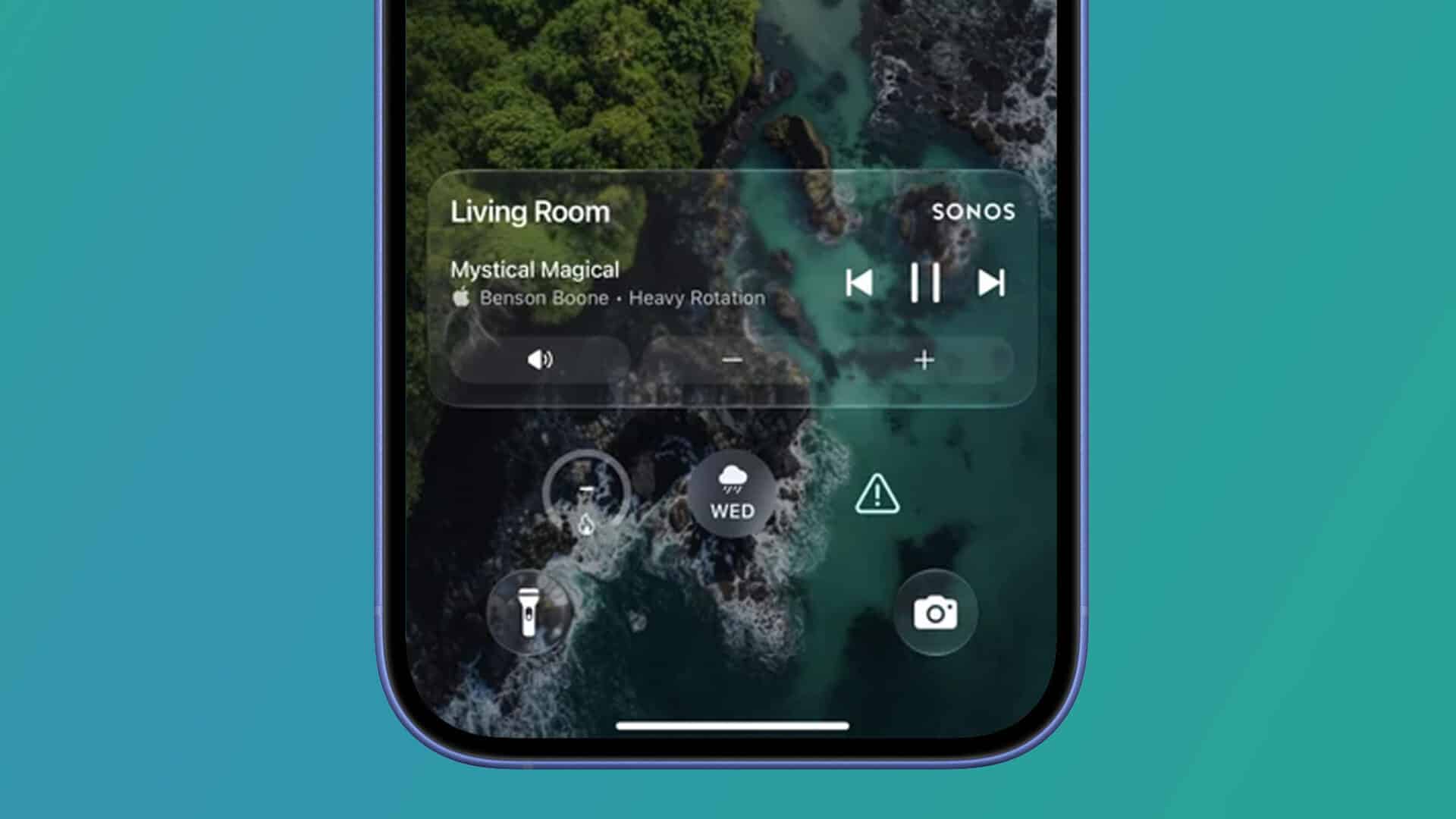
Sonos has released an update for its iOS app that brings music playback controls back to the iPhone lock screen and Dynamic Island through Apple’s Live Activities feature. The update allows users to see current track details, pause playback, and skip songs directly without launching the full Sonos app. This function returns to iOS devices after a three-year absence, addressing one of the most frequent requests from sound system owners.
Key Takeaways
- Sonos now supports Apple Live Activities on iOS for lock screen and Dynamic Island music controls.
- Users must manually turn on the feature inside the Sonos app settings before it appears.
- The controls let listeners play, pause, and skip tracks for the active room or group.
- Album art is not included in this release, but future updates may expand the display options.
- The control widget stays on the lock screen for 15 minutes after audio stops.
How the Feature Works and How to Enable It
Sonos removed standard lock screen controls in 2023 because the older background audio method conflicted with Apple operating system rules. The new approach relies on the official Live Activities framework that Apple introduced for tracking real-time events.
The feature is turned off by default. To turn it on, open the updated Sonos app, tap the Settings icon, go to Account, select App Preferences, and toggle on Live Activity. Users should also verify in iOS system settings that the Sonos app has permission to display Live Activities and lock screen notifications.
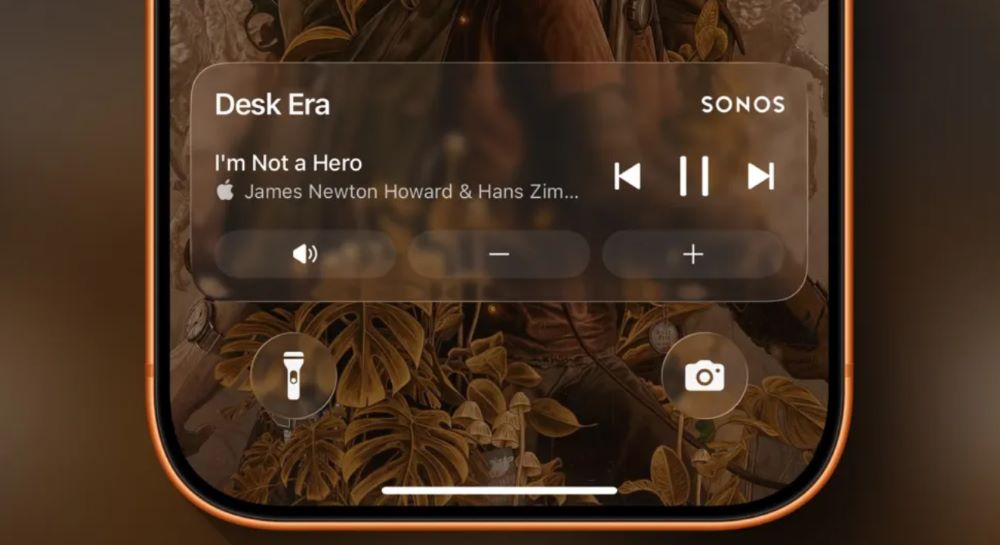
Once active, starting music in any room will generate a persistent widget on your lock screen. If you use an iPhone 14 Pro or newer model, the active track will also appear in the Dynamic Island. From there, you can pause the track or skip to the next song.
Current Limits and Compatibility
The initial release comes with specific design limits. The widget displays the song title, artist, and basic playback buttons, but it does not show album artwork. When you stop playing music, the Live Activity remains visible for 15 minutes before clearing automatically.
While the Live Activity can mirror onto Apple Watch displays and Apple CarPlay interfaces, direct track controls on those secondary screens remain inactive for now. Sonos plans to refine these features in upcoming software releases throughout the year.
Frequently Asked Questions
Q1. How do I get Sonos controls on my iPhone lock screen?
A1. Update your Sonos app to the latest version, go to Account, open App Preferences, and enable the Live Activity toggle.
Q2. Why did Sonos remove lock screen controls earlier?
A2. Sonos disabled its original lock screen tool in mid-2023 because the setup did not comply with Apple background playback guidelines.
Q3. Can I see album artwork on the new lock screen widget?
A3. No, the current version displays track text and playback buttons only, though Sonos is working on visual updates.
Q4. Does the feature work on the Dynamic Island?
A4. Yes, if you use an iPhone model with Dynamic Island support, your current audio status will appear there as well.