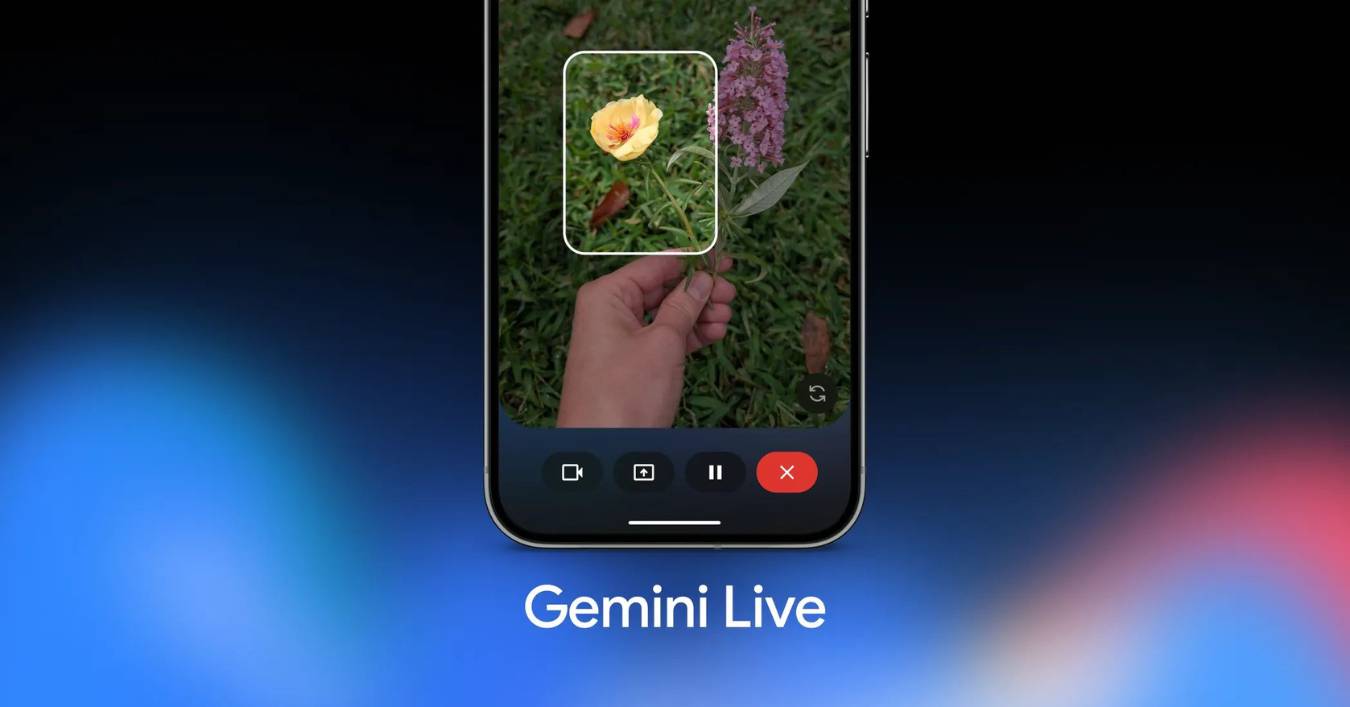
Google has updated its Gemini Live feature, now shifting to the Gemini 3.1 Flash Live model. This change allows users to have voice conversations that are quicker and more natural. In addition to the update, Google also increased its Search Live tool to over 200 countries. Users in India can utilize the tool in multiple regional languages to receive live responses via voice queries and through their mobile phone’s camera.
Key Takeaways:
- Gemini Live currently operates on the Gemini 3.1 Flash Live model, which leads to quicker response times.
- Live Search is newly accessible across 200+ countries on both Android and iOS devices.
- The most recent update now supports 10 additional languages, including Hindi, Bengali, and Tamil.
- Google Lens has also been updated with a brand new camera functionality which allows users to communicate visually in real time.
- All AI-generated audio will now include the SynthID watermark which indicates that the audio has been artificially generated.
Faster Voice Chats with Better Memory
The improvements made to the AI voice chat application, as a direct result of the change to the 3.1 Flash Live model, will result in faster response times for voice AI assistants. There will be a reduction in the number of pauses that users experience. The AI has increased abilities to understand and respond to the nuances of a user’s voice, including their confusion and frustration.
Google has also increased the memory for storage of prior conversations. The AI assistant can remember what has been said in the memory for twice as long as before. This updated technology will be beneficial while users are performing long brainstorming activities while attempting to remember an idea presented more than ten minutes prior. The new model will be even more useful for users attempting to give long and complicated instructions to the voice AI as it has improved abilities to follow the instructions given and to be undistracted by background sounds like traffic.
Global Expansion and Support for Indian Languages
Search Live now has even more prospective users. Users have to go to the Google application and click on the Live icon to engage in a dialogue with the search engine. In India, this Update is noteworthy because it has also included support for Hindi, Bengali, Gujarati, Kannada, Malayalam, Marathi, Odia, Tamil, and Telugu, and Urdu.
This gives users the ability to ask questions and listen to the answers in the language they are most comfortable communicating in. The hands-free function is also beneficial for periods when both hands are occupied like while walking or cooking. If the answer provided is not detailed enough, the assistant also shares the answer’s web link so the user can read more about it.
Camera Assistant Updates
Users can now utilize their phone cameras in a different way. Instead of taking a picture of an object to explain it to an assistant in your phone, you can use Google Lens and choose the Live setting. Then you can explain to the assistant what the object is and you can even ask the assistant questions. For instance, you can ask the assistant a question about the step that you are on when you are assembling a piece of furniture.
The assistant can ‘see’ what you are seeing through the camera and will explain what to do to you in a conversational way. You will no longer have to upload pictures and search in order to explain a problem to an assistant, and identification of plants, translations of texts, and the solving of household issues will be a lot less time consuming and easy.
Safety and Transparency of AI Audio
Google has implemented new safety measures related to AI voices sounding more human. Each audio file produced by the 3.1 Flash Live model will have a SynthID watermark. This watermark is a digital identification that will remain inaudible to humans but detectable by computers. This watermark is a countermeasure to the circulations of fakes audio files and identifies audio produced by AI.
Additionally, developers and companies will be able to access this new model via the Gemini Live API. This capability will allow developers to create voice-based customer service tools or applications that require real-time voice interactions with users. This feature is currently being released in all supported locations.
Related FAQs
Q1: How do I use the new Search Live feature?
A1: Open the Google app on your Android or iPhone. You will see a Live icon under the search bar. Tap it to start talking to the AI. You can ask questions out loud and get spoken answers back.
Q2: Which Indian languages does Gemini Live support now?
A2: The system now supports 10 Indian languages. These include Hindi, Bengali, Gujarati, Kannada, Malayalam, Marathi, Odia, Tamil, Telugu, and Urdu. You can change your language settings in the Google app.
Q3: Can the AI see what I am looking at?
A3: Yes, if you use the camera feature. Open Google Lens and tap the Live option. The AI will look at your video feed and answer questions about the objects or text in front of you.
Q4: What is the Gemini 3.1 Flash Live model?
A4: This is Google’s latest voice and audio AI. It is built to be much faster than older versions and can handle long, complex conversations with very little delay.