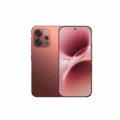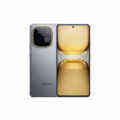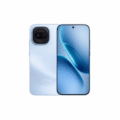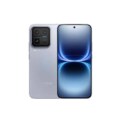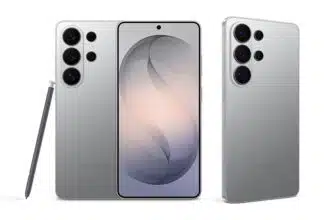

Samsung will start the rollout of the software feature on March 231, in Korea first, before bringing it to the Europe, Hong Kong, Japan, Latin America, North America, Southeast Asia, and Taiwan. Region-specific Quick Share AirDrop compatibility will be available first on the Galaxy S26 series before being available on other Samsung devices.
Key Takeaways:
- First step to cross-compatibility: Galaxy S26 owners will begin to see Apple devices in their Quick Share menu.
- Initially Supported Devices: Galaxy S26, S26+, and S26 Ultra. More devices to come
- Because of Wireless P2P technology, no data is logged or recorded to any server, meaning no data is recorded on device transfer.
- No additional apps or internet connection are required. Uses local wi-fi and Bluetooth like the AirDrop technology on Apple devices.
- Transfer settings will need to be adjusted by the user to allow for cross transfer. This is done in Quick Share settings by enabling the Apple device toggle.
The updating and improving Quick Share settings shows the development in the relationship and interaction of the two distinct and largest smartphone ecosystems. This enhances the user experience when moving videos between Samsung and iPhone devices, as prior to the update, users had to move videos using WhatsApp to transfer videos and move to the Apple device, which dropped the quality. This is a welcomed update by users as Samsung is finally following Google’s lead. Google implemented AirDrop technology on Apple devices for the Pixel 10 series only a few months ago.
Galaxy S26 users wishing to use this feature must upgrade the system software on their phone, as well as ensure that the version of Quick Share that is on their phone is version 13.8.51 or higher. Then, a feature that allows users to share information via Quick Share to Apple devices will appear. To use the feature, the user must turn on the option. When the option is turned on, the device will use Bluetooth Low Energy to detect Apple devices that are in the vicinity and establish a local Wi-Fi connection to transfer the files.
On the recipient Apple device, their airdrop must be set to either “everyone” and for “10 min” using the “visibility” feature on airdrop or else the Galaxy device will be unable to detect the Apple device. Also, an iPhone user on their airdrop cannot use “Contacts Only” because that airdrop setting cannot detect Android devices. That particular setting would be in the Apple framework and to be integrated with the Google account database. When the user of the Galaxy devices selects the Apple device from the share sheet, the Apple device user gets an airdrop request to either accept or decline the file transfer.
Samsung confirmed that while the Galaxy S26, S26+, and S26 Ultra are the first to get this capability, they intend to bring it to older flagship models and possibly the A-series models later this year. Samsung noted that this is part of a commitment to improve the Galaxy ecosystem’s interoperability with other operating systems. This is in response to long-standing customer feedback regarding the need for cross-platform tool enhancements.
Frequently Asked Questions
Q1: How do I enable AirDrop on my Samsung Galaxy S26?
A1: Open Settings and go to Connected Devices. Press on Quick Share, then on the Share with Apple devices toggle to turn it on. You must also update your Quick Share app to the latest version on the Galaxy Store.
Q2: Can I receive files from an iPhone on my Samsung phone?
A2: Yes, it works both ways. If you set your Galaxy S26 Quick Share visibility to Everyone for 10 minutes, an iPhone user will be able to see your device in the AirDrop list to share files.
Q3: Will this work with older Samsung phones, such as the Galaxy S24?
A3: Feature exclusivity is provided to the Galaxy S26 series at launch. Additional Galaxy devices sharing will be provided as announced by Samsung. This is likely to occur through future One UI updates.
Q4: Is an internet connection required for this transfer?
A4: No, it is a direct wireless connection between the devices. It will not use your mobile data or require an internet connection which makes it a good way to share large files in remote regions.