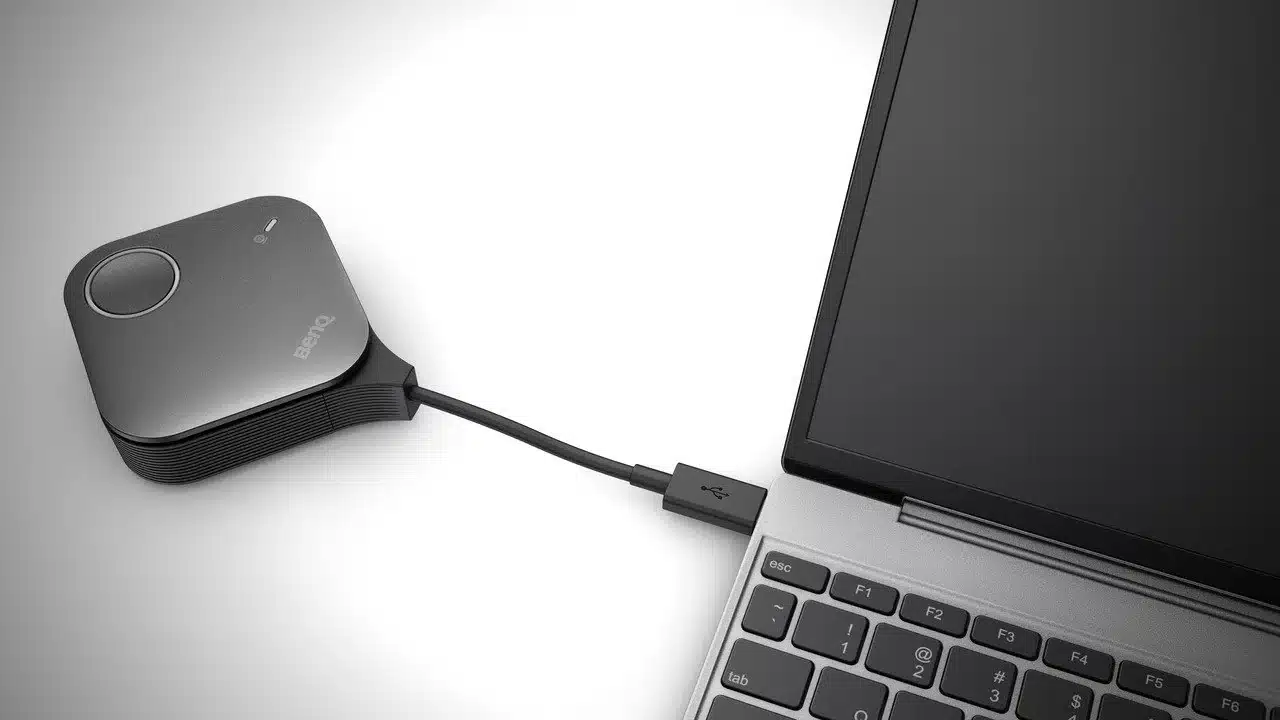
Currently, most Indian office employees utilize video conferencing rooms on a weekly basis. Studies, however, indicate that most video conferencing sessions are initiated with a delay of approximately five to seven minutes due to tech-related issues. BenQ India responds to this concern with the deployment of a new wireless system, the InstaShow VS25. This system makes it possible for presenters to share screens without the use of connecting cables; nor do they have to download software. Consequently, this leads to teams being able to commence their discussions without delay.
Key Takeaways:
- According to data, 74% of professionals use video conferencing rooms every week.
- Due to technical issues, meetings begin five to seven minutes late on average.
- Conventional meeting rooms are designed with partitioned cables and certain laptop connectors which frequently do not align.
- The BenQ InstaShow VS25 offers the ability to wirelessly share screens in 4K and access the camera.
- The system does not require any support from IT nor any software permission restrictions.
The Struggle with Traditional Meeting Setups
Numerous meeting spaces in India still use technology that is aimed at an older way of working. These meeting spaces often feature a lone HDMI cable or a VGA wire that is incompatible with modern laptops. When a presenter comes with a different device, they sometimes have to search for adapters. In some cases, the cable can fit but firewall or security configurations block a laptop from displaying to the office screen.
Frustration from delays is experienced and productivity is wasted for the entire organization. While remote participants are waiting on a digital call, people seated in the meeting are almost always distracted by the screen they have to operate or by a frozen application. Using the latest technologies to allow hybrid working is a business expectation that employees have to experience. Using the latest technologies in meeting spaces should not be a privilege.
How Wireless Hardware Changes the Room
BenQ India’s InstaShow VS25 seeks to simplify these hardware issues. It features a small button that gets plugged into a laptop’s USB-C or HDMI port. When the button is pressed, the laptop’s display is shared to the main room display. It is not subjected to the regular IT security blocks because it needs no app or driver installation.
VS25 also aids in not compromising the quality of audio and video to those working from home. Using the device, the laptop can connect to the room’s professional audio and video hardware (i.e. camera, microphone, and speakers) via Bluetooth. This means the presenter does not have to connect multiple cables to start the video conference.
Improved Collaboration for Hybrid Teams
Compatible with resolutions up to 4K, this new tool is ideal for designers and engineers who need to share high-quality files. In addition, this tool enables up to four users to simultaneously share their screens on a single display. This is beneficial for teams to analyze data or view multiple sections of a project simultaneously, eliminating the need to swap display cables repeatedly.
The systems developed by BenQ India are able to operate on their own dedicated networks. This alleviates the office Wi-Fi from excessive video traffic and improves connection stability. The unit’s ability to simplify the meeting process by eliminating physical wires and complex software is a great time saver.
FAQ
Q1: Does the InstaShow VS25 require a Wi-Fi connection to work?
A1: The system will automatically create a private wireless communication channel between the button and the receiver, so your office Wi-Fi connection will not be used during screen sharing. This improves video quality and ensures the video sharing process is kept private.
Q2: Can I use this device with a laptop that has strict security settings?
A2: Certainly. This is a hardware solution, and since it does not involve any required software, client, driver, or executable, it will work with any laptop, even one that has third party installations blocked by the IT department.
Q3: Does it support both Mac and Windows laptops?
A3: The system is compatible with any device that has a regular HDMI or USB-C connection, meaning Windows laptops, MacBooks, or even some tablets. It’s a plug and play device, so it’s compatible with any operating system.
Q4: How many people can share their screens at once?
A4: The system allows screen sharing mode with up to four participants. This mode is especially useful during group collaboration, or a comparative analysis of multiple data sets.