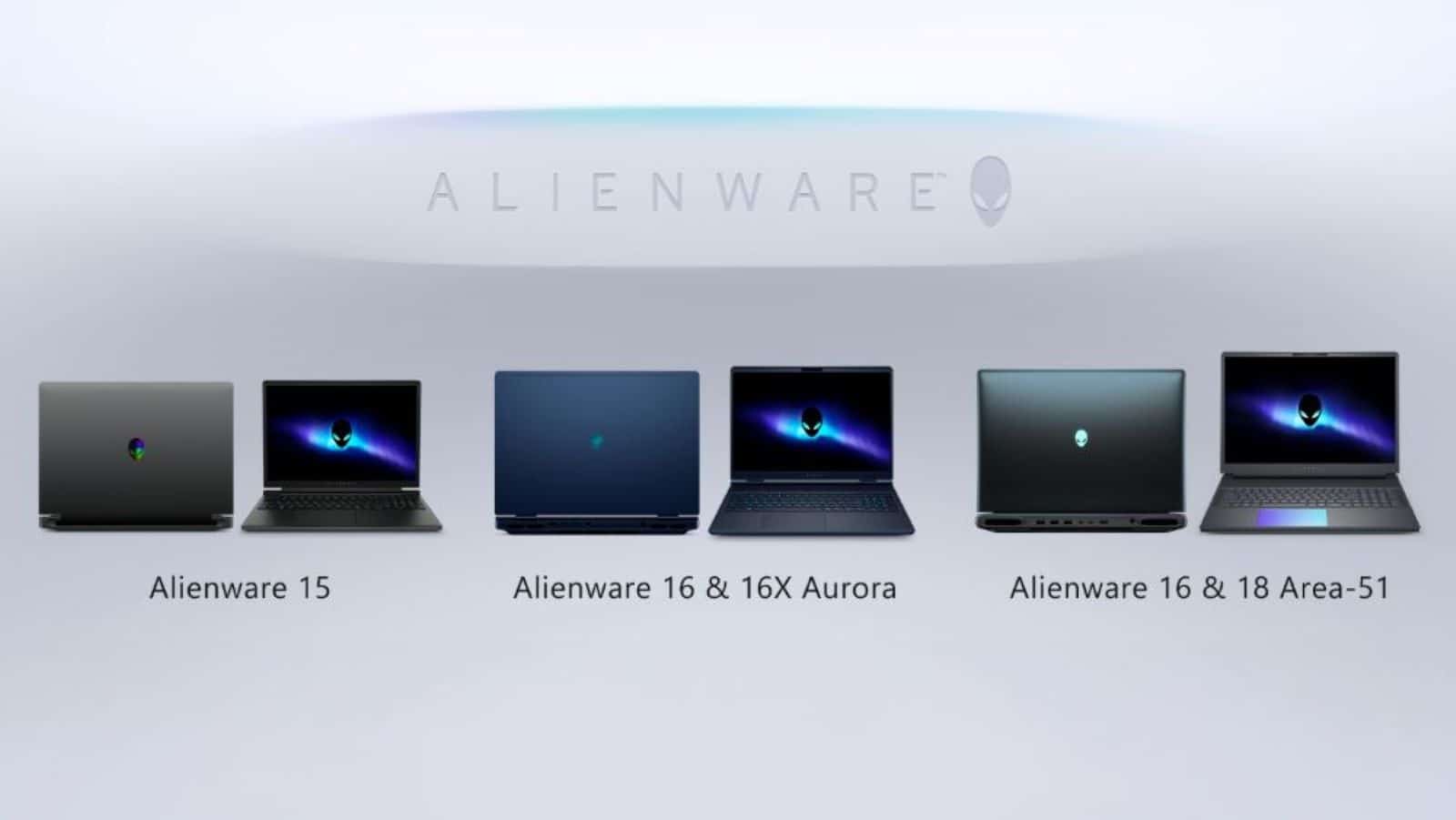
Dell expanded its personal computing lineup today with the introduction of three new laptops designed for different types of users. The company revealed the Dell 14S and Dell 16S, which focus on portability and office work, alongside a new Alienware 15 model aimed at making premium gaming more accessible. These devices use the latest hardware from Intel and AMD, featuring dedicated hardware to handle artificial intelligence tasks locally.
Key Takeaways
- Dell 14S and 16S feature Intel Core Ultra Series 3 processors with up to 50 TOPS NPU performance.
- Alienware 15 offers a choice between Intel Core Series 2 and AMD Ryzen 200/500 series chips.
- The Dell 14S provides up to 24 hours of battery life, while the 16S reaches up to 26 hours for video.
- Alienware 15 includes NVIDIA GeForce RTX 5060 graphics and a 165Hz display.
- Prices start at Rs. 1,21,537.85 for the 14S and Rs. 1,26,325.62 for the Alienware 15 AMD version.
Performance and AI capabilities
The Dell 14S and 16S are the first to feature the Intel Core Ultra 9 386H processors from the Series 3 family. These machines are classified as Copilot+ PCs, meaning they handle AI features like live captions or background noise removal directly on the hardware. Dell claims the 14S shows a 97% improvement in multitasking over previous models. For those who prefer AMD, versions with Ryzen AI 400 Series processors will arrive later this month.
The Dell 14S is a compact 14 inch machine weighing 1.45 Kgs, while the 16S is a larger 16 inch version weighing 1.76 Kgs. Both use a thin 15.3mm aluminum chassis available in Celestial Blue or Frost Blue.
Visuals and Battery life
Dell provides several screen options for these work laptops. The standard panels are FHD+ with 400 nits of brightness. High end configurations offer QHD+ resolution with 120Hz refresh rates or OLED panels that cover 100% of the DCI P3 color range. Audio is handled by Dolby Atmos tuned speakers.
Battery performance varies by model and task. The 14S is tuned for productivity with 24 hours of runtime. The 16S is better for entertainment, offering 26 hours of video streaming but 14 hours for standard office work.
Alienware 15 gaming features
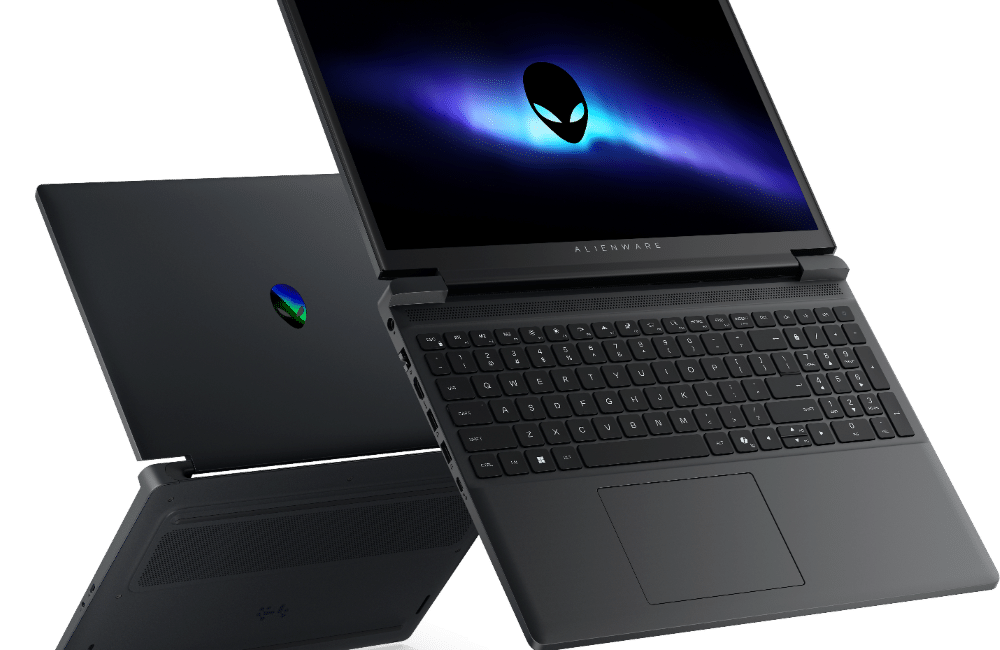
Alienware, Dell’s gaming brand, introduced the Alienware 15 to provide a high-quality experience at a lower price point than its flagship Area 51 series. It features a 15.3 inch 16:10 WUXGA screen with a 165Hz refresh rate.
The laptop uses Cryo-tech cooling with two fans and three copper heat pipes to manage heat during long play sessions. Gamers can choose between NVIDIA GeForce RTX 4050, 5050, or 5060 graphics cards. The design includes a 180-degree hinge and a backlit keyboard with a full number pad. To help with durability, the company tested the hinges for 20,000 cycles and the keyboard for 40,000 presses.
Pricing and availability
The Dell 14S starts at Rs. 1,26,325 and the 16S starts at Rs. 1,26,327.79. The Alienware 15 is available now starting at Rs. 1,24,339 for AMD configurations and Rs. 1,29,125 for Intel models.
FAQ
Q1. What is the difference between the Dell 14S and 16S battery life?
A1. The Dell 14S lasts longer for office work (24 hours), while the Dell 16S is better for watching movies, lasting up to 26 hours on a single charge.
Q2. Does the Alienware 15 support the latest NVIDIA graphics?
A2. Yes, the Alienware 15 can be configured with the new NVIDIA GeForce RTX 5050 and RTX 5060 graphics cards, which support DLSS for better frame rates.
Q3. What makes these “AI PCs” different from older laptops?
A3. These laptops include a Neural Processing Unit (NPU) with up to 50 TOPS. This allows the computer to run AI features like image generation or video effects without using as much power or needing the internet.
Q4. What colors are available for the new Dell S series?
A4. The Dell 14S and 16S come in two metallic finishes: Celestial Blue and Frost Blue.
Q5. Can I upgrade the storage on the Alienware 15?
A5. While the base models start with 512GB or 1TB SSDs, the Alienware 15 is designed with a layout that allows for standard maintenance and handshake connections to core components.