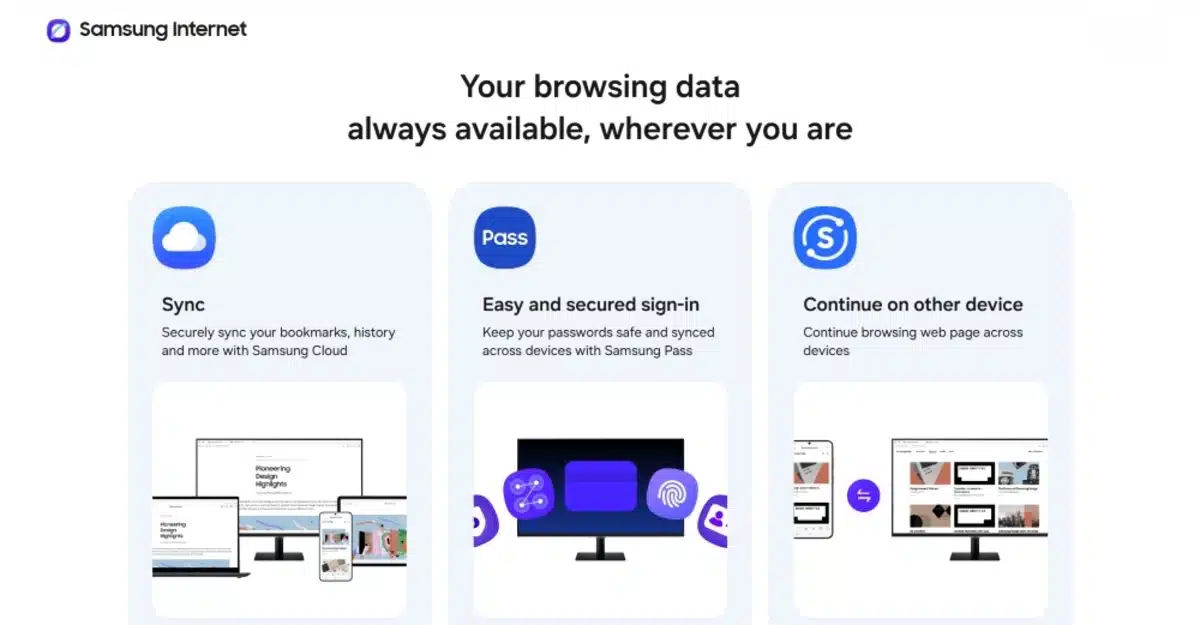
Samsung Electronics has officially introduced its Samsung Browser for Windows-based computers. This mobile browsing experience from Galaxy devices has now been brought to the desktop. Samsung users can now browse the web on their Windows devices and take advantage of new AI features from their Galaxy devices via Perplexity’s AI partnership with Samsung. This is geared to streamline web-based tasks using natural language commands and other simple cross-device functionalities.
Key Takeaways
- The browser works on computers running Windows 10 and Windows 11.
- Users can sync history, bookmarks, and open tabs from Galaxy mobile devices.
- Built-in AI helps summarize multiple tabs and answer questions about page content.
- Samsung Pass is included for quick and secure logins on the desktop.
- AI features are currently available for users in the U.S. and South Korea.
Seamless browsing across devices
The Samsung Browser for Windows integrates browsing from mobile devices to desktop PCs. Users have the ability to start reading on their phone and continue on their PC. The application syncs history and open tabs. In addition to bookmarks, history and tabs are kept ready for continual movement along devices.
Samsung Pass is also included in the application. It allows users to store passwords secure in the application. It allows users to sign into websites and fill forms without the manual effort of typing. By incorporating mobile browser functionality, Samsung enables their devices ecosystem to work better after the addition of Windows support. The experience of utilizing mobile and desktop devices seamlessly becomes a more fluid experience.
New AI tools for web tasks
AI-enabled browser extensions have been developed on Perplexity AI that can respond to questions in everyday conversational language. AI extensions are able to scan individual web pages that users are interacting with to formulate tailored responses to users. As an example, if an individual is utilizing a webpage to plan a trip to Mumbai, users can tell the browser AI to plan a three day trip. The AI scans the web page and composes an editable list for the user
There is a new AI integration for tab management. Instead of relying on their memory to recall the date or the web page title, users can use plain conversational language to describe what they are looking for. For example, one could say, “find the blue shoes I viewed last Tuesday,” and the AI will return the relevant web page. Additionally, the AI can analyze a specified number of open web pages to compare values or attributes and provide a consolidated summary.
Finding details in videos
The new AI tools can process video content. The new browser has the capability of identifying activities occurring in videos. If a user is searching for a particular segment of a lengthy video, there is the option to ask the AI. The new video browser plays the video when the relevant information is displayed. This new tool greatly reduces time spent on watching the video or searching the progress bar manually.
Availability and requirements
The new browser is available for computer users with Windows 11 or Windows 10 (version 1809 and above). The standard version of the browser has global availability; however, the AI-based tools have a limited scope. Currently only users in South Korea and the USA have access to the Perplexity assistant features. Samsung intends to expand the availability of these features in the coming months.
Frequently Asked Questions
Q1: Can anyone download the Samsung Browser for Windows even if they do not have Samsung products?
A1: The Samsung Browser for Windows is compatible with Samsung, and also, any other brand of Windows 10 and 11, given the system requirements are satisfied.
Q2: What is the process to have my mobile data merged with the PC browser?
A2: To merge data, both the Galaxy device and the Windows Browser must have the user signed in to the same Samsung account.
Q3: Are there any costs associated with using the Perplexity AI assistant?
A3: The AI functionality is embedded in the browser, though currently, there is a regional restriction to where this particular feature is available.
Q4: Will I be able to install Chrome extensions on Samsung Browser for Windows?
A4: Since the Samsung Browser operates on the same core technology as Google Chrome (the Chromium engine), it should be able to accommodate the same web functionalities and add-ons.