Apple is reportedly gearing up to release the first public beta of iOS 26 next week, with multiple sources suggesting a launch around Wednesday, July 23. This timeline, cited by Bloomberg’s Mark Gurman, comes despite the beta not surfacing yet—even though Apple had earlier promised a July release.
Key Takeaways:
- iOS 26 public beta likely launching around July 23, 2025.
- General users will get access to test new features like “Liquid Glass” design and Apple Intelligence.
- The public beta follows the developer beta, typically with about a one-month delay.
- Backing up your device before installation is strongly advised.
For those eager to get a head start with iOS 26, the upcoming public beta is shaping up to be a pretty exciting opportunity. Apple usually opens this program to non-developers a few weeks after the developer version goes live, allowing a wider audience to explore the new OS and provide feedback that ultimately helps refine the final release.
This year is no different—well, perhaps just a little delayed. The developer beta 3 came out on July 7, and while many expected the public beta to follow sooner, Apple seems to be taking a bit more time, likely ironing out some critical kinks first.
What to Expect from iOS 26
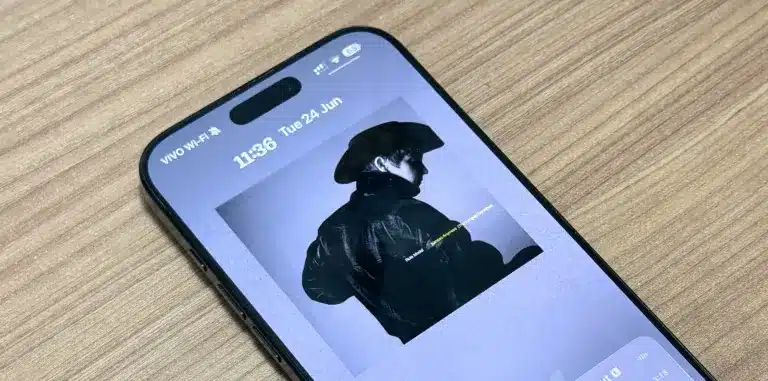
iOS 26 is packed with updates and a fresh aesthetic. The most noticeable change? A striking new “Liquid Glass” design that brings a soft, translucent feel across major areas of the interface—including the Lock Screen, Home Screen, Control Center, and core apps. It gives everything a slightly surreal, almost fluid vibe.
But visuals aside, there’s a deeper shift happening. Apple is also weaving in a major AI layer they’re calling Apple Intelligence. It’s a suite of on-device AI features aimed at making the iPhone feel much more responsive, helpful, and, frankly, a bit smarter.
Some highlights include:
- Live Translation: Instant translation across messages, phone calls, and FaceTime chats.
- Visual Intelligence: You can interact directly with content on your screen—whether that means identifying an object in an image, searching for a product, or adding something to your calendar.
- Enhanced Messaging: Messaging gets an upgrade with custom backgrounds, interactive in-message polls, and Apple Cash transactions right inside group chats. Call screening is also getting smarter, helping users avoid unwanted interruptions.
- Camera App Redesign: A simpler, two-tab layout now separates Photo and Video modes. You can even use AirPods Pro 2 or the upcoming AirPods 4 as a remote shutter.
- Preview App for iPhone and iPad: Bringing over functionality from the Mac, the new Preview app allows users to manage PDFs and image files—whether stored locally or in iCloud.
- CarPlay Updates: Drivers will now see pinned conversations, Tapbacks, and widgets, creating a more unified experience behind the wheel.
How to Install the Public Beta
Once the iOS 26 public beta goes live, joining in is relatively straightforward. Head to the Apple Beta Software Program and enroll your iPhone. Then go to Settings > General > Software Update. Under the Beta Updates section, select “iOS 26 Public Beta.” Refresh the page, hit install, and you’re off to the races.
Important Considerations Before Installing
Testing early software can be exciting, but it also comes with its share of headaches. Beta versions can be buggy, might cause unexpected crashes, and some apps may not work properly. Battery life may take a hit too. So, if this is your daily-use device, proceed with caution. Always, always back up your phone beforehand. If possible, using a secondary device might be the safer bet.
FAQs:
Q1: When is the final version of iOS 26 expected to be released?
A1: Apple generally rolls out the final version alongside new iPhone launches in September.
Q2: Which iPhone models will support iOS 26?
A2: iOS 26 will be available for iPhones with an A13 chip or newer. That includes the iPhone 11 series and later. Older devices like the iPhone XR, XS, and XS Max won’t be supported.
Q3: Can I go back to the stable iOS version after installing the beta?
A3: You can, but it’s not seamless. It usually requires erasing your device and restoring from a pre-beta backup. Keep in mind, backups made on the beta can’t be restored to the stable version.
Q4: How can I share feedback on the iOS 26 public beta?
A4: Apple includes a “Feedback Assistant” app with every beta build. It appears right on your Home Screen and lets you report bugs or submit suggestions directly to Apple.