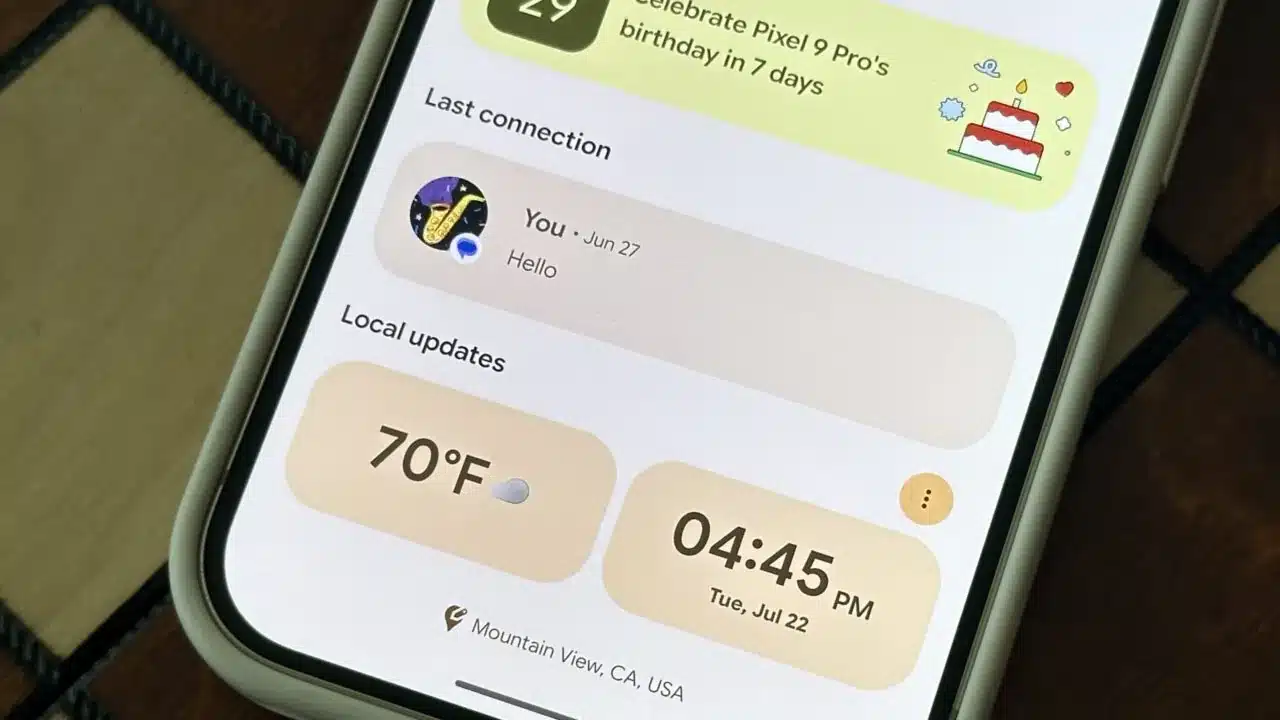
Google is now rolling out a redesigned interface for Pixel VIPs, an exclusive contact tool for Pixel smartphone users. The software update, arriving under version 2.0.97 following Google’s September Pixel Drop, introduces a floating navigation bar for rapid switching between favorite contacts, brings weather updates to the top of the contact card, and adds one-tap calling directly from the home screen widget. The update is currently reaching Pixel 6 and newer devices globally, including users in India.
Key Takeaways
- Google has started distributing the revamped Pixel VIPs tool via version 2.0.97 for Pixel 6 and newer phones.
- A floating bottom navigation bar lets people swipe or tap between saved contacts without returning to the main widget.
- The home screen widget now includes direct one-tap call and message buttons.
- Google removed the old “Things to do together” activity suggestions to declutter the interface.
- The visual design adopts Material 3 Expressive styling, featuring scalloped avatar frames and outlined icons.
A Cleaner Layout and Faster Contact Navigation
The original Pixel VIPs tool allowed owners of Google phones to pin up to eight priority contacts, giving those contacts permission to bypass Do Not Disturb rules and surface priority alerts. In the previous build, checking details across multiple saved contacts felt tedious because users had to tap a person, inspect their card, back out to the home screen, and tap the next person.
The refreshed design solves that issue with a floating pill-shaped strip at the base of the VIP screen. Users can tap any contact photo in the bottom bar or swipe horizontally across the screen to transition smoothly between people. Holding a finger on the bar reveals directional arrows for step-by-step navigation.
Google also reorganized the card content. The “Local updates” module, which displays the contact’s local time, weather conditions, and shared location coordinates, now sits at the top right beneath their name. High-contrast background cards make these details legible at a glance. An edit pencil icon in the upper corner now lets users adjust phone numbers or addresses quickly.
Updated Home Screen Widgets and Visual Changes
Home screen functionality sees equal attention. When users expand the VIP widget across their display, direct shortcut buttons for phone calls and text messages appear alongside each contact, removing the extra tap previously required to start a call. Small badge counters also show pending unread texts.
Visually, the tool adopts Google’s Material 3 Expressive language. Contact avatars now sit inside flower-shaped scalloped borders rather than standard circles. Action icons for voice, video, and text communication use clean outlines instead of solid colored fills. Google also eliminated the “Things to do together” panel, which previously suggested nearby restaurant outings and movie streaming options, resulting in a lighter app experience.
The update relies on a server-side switch alongside Google Contacts version 4.77 or newer, reaching users in batches.
Frequently Asked Questions
Q1. Which phone models support the new Pixel VIPs redesign?
A1. The update is available for Google Pixel 6, Pixel 7, Pixel 8, Pixel 9, Pixel 10, and Pixel 11 series devices. Older hardware does not support the feature.
Q2. How many contacts can I add to Pixel VIPs?
A2. You can add up to eight contacts to your VIP list. Keep in mind that setting up the widget to display one-tap calling buttons works best with up to four contacts visible at full width.
Q3. Why are the new call and message buttons missing on my widget?
A3. Ensure Google Contacts is updated to version 4.77 or newer. Because Google enables the feature through a gradual server-side rollout, the buttons will appear automatically once the server switch reaches your device.
Q4. Did Google remove any features in this update?
A4. Yes, Google removed the “Things to do together” section that previously recommended local activities and media.