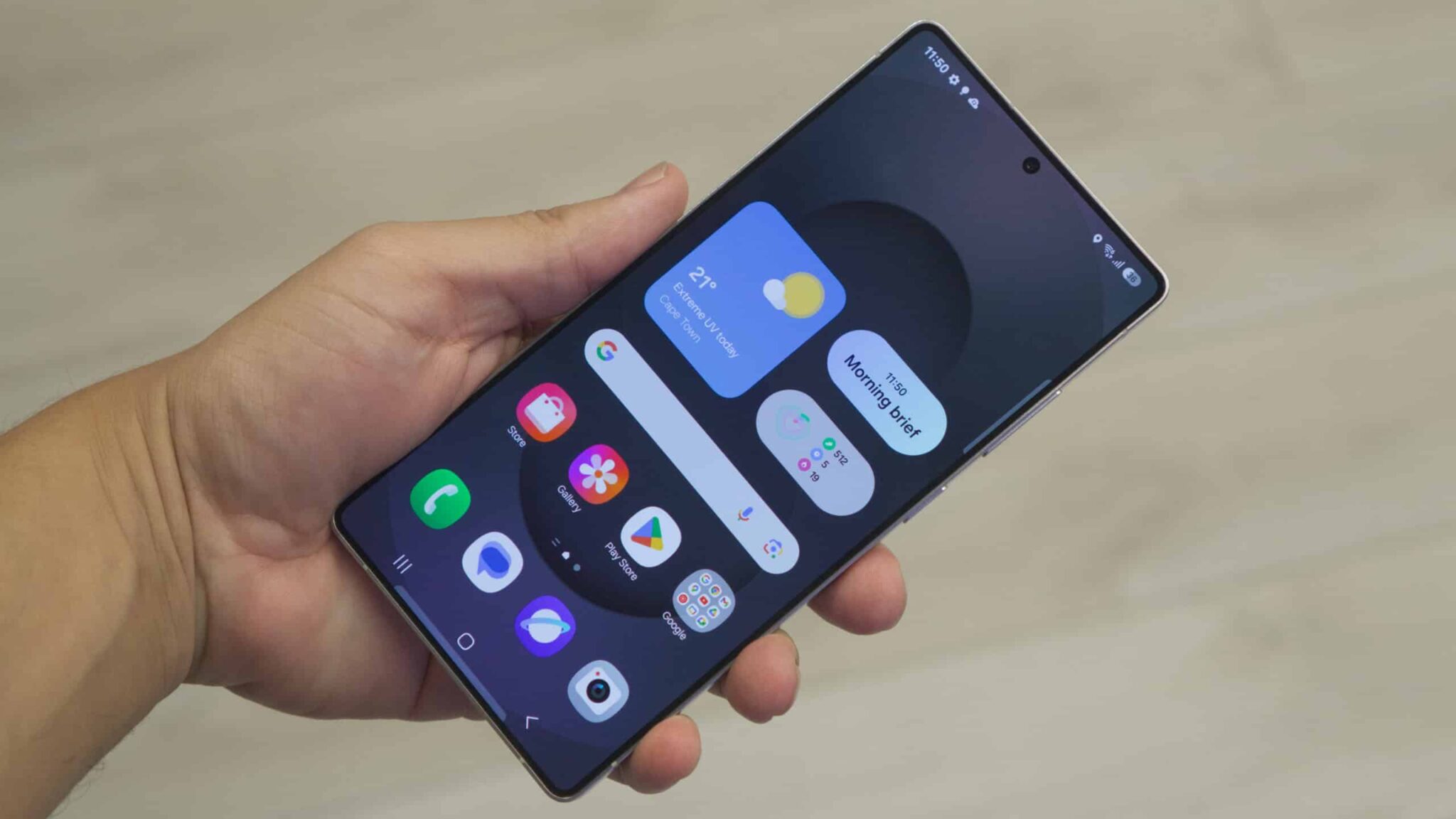
Samsung Galaxy S25 owners, prepare for a delightful surprise! The much-anticipated April 2025 software update has begun rolling out, bringing with it the latest iteration of Samsung’s beloved Android skin, One UI 7. This isn’t just a routine security patch; it’s a significant upgrade packed with fresh features, refined aesthetics, and under-the-hood improvements designed to elevate your smartphone experience.
- Smarter Than Ever: Enhanced AI Integration
- Your Phone, Your Rules: Deeper Customization Options
- A Polished Experience: Refinements to the User Interface
- Powering Through the Day: Enhanced Battery Management
- Capture the Moment: Camera Enhancements
- Security First: Robust Protection
- Early User Reactions and How to Get the Update
For weeks, whispers and speculations have circulated within the tech community about what One UI 7 would bring to the table. Now, the wait is over, and early adopters are already sharing their excitement about the changes. This update underscores Samsung’s continued commitment to providing timely and meaningful software support for its flagship devices, ensuring that the Galaxy S25 remains a cutting-edge smartphone well into its second year.
So, what exactly can you expect to find in this exciting update? Let’s dive into the key highlights of One UI 7 for the Samsung Galaxy S25.
Smarter Than Ever: Enhanced AI Integration
One of the most talked-about aspects of One UI 7 is its deeper integration of artificial intelligence. Building upon the already impressive AI capabilities introduced with the Galaxy S24 series, this update takes things a step further. Expect to see improvements in Bixby, Samsung’s voice assistant, making it more conversational, contextually aware, and capable of handling complex tasks.
For instance, imagine asking Bixby to summarize a lengthy article you just opened in your browser. With One UI 7, Bixby can now intelligently extract the key points and present them to you in a concise format, saving you valuable time. Similarly, the update brings enhanced AI-powered photo editing tools within the Gallery app. You can now effortlessly remove unwanted objects from your photos with greater precision, fill in backgrounds seamlessly, and even remaster old, blurry images to bring them back to life.
Furthermore, One UI 7 introduces intelligent text summarization across various apps, including Samsung Notes and Messages. This feature can be incredibly useful for quickly understanding the gist of long documents or catching up on group chats. The keyboard also gets a boost with improved predictive text and grammar checking, making typing faster and more accurate.
Your Phone, Your Rules: Deeper Customization Options
Samsung has always been known for its extensive customization options, and One UI 7 takes this to a new level. The update introduces new lock screen widgets that provide at-a-glance information without needing to unlock your phone. You can now customize these widgets with information that matters most to you, such as weather updates, calendar events, or even quick access to your favorite contacts.
The theme engine has also been revamped with more granular control over various UI elements. You can now fine-tune the color palette, icon styles, and even the animation effects to create a truly personalized look and feel for your device. Additionally, One UI 7 brings new always-on display styles and clock faces, allowing you to express your individuality even when your screen is off.
A Polished Experience: Refinements to the User Interface
While One UI has always been visually appealing, One UI 7 brings subtle yet significant refinements to the overall user interface. Expect smoother animations, more intuitive navigation gestures, and a cleaner, more modern aesthetic. The notification panel has been redesigned for better readability and easier access to quick settings.
The multitasking experience also sees improvements with enhanced split-screen and pop-up view functionalities. Switching between apps and managing multiple tasks simultaneously feels more fluid and responsive. These subtle tweaks collectively contribute to a more polished and enjoyable user experience.
Powering Through the Day: Enhanced Battery Management
Battery life is a constant concern for smartphone users, and Samsung has addressed this in One UI 7 with intelligent power management features. The update introduces a more sophisticated AI-powered battery optimization system that learns your usage patterns and adjusts power consumption accordingly. This can lead to noticeable improvements in battery life, allowing you to go longer on a single charge.
Furthermore, One UI 7 provides more detailed insights into your battery usage, allowing you to identify apps that are consuming excessive power and take necessary action. New battery care options are also included to help prolong the overall lifespan of your device’s battery.
Capture the Moment: Camera Enhancements
The Samsung Galaxy S25 already boasts an impressive camera system, and One UI 7 enhances its capabilities even further. Expect improvements in image processing algorithms, resulting in better low-light performance, more accurate color reproduction, and enhanced dynamic range.
The update also introduces new shooting modes and features within the Camera app. For instance, a new “Pro Video” mode offers more manual control over video recording parameters, allowing for greater creative flexibility. Additionally, improvements have been made to the portrait mode, resulting in more natural-looking bokeh effects.
Security First: Robust Protection
As always, security remains a top priority for Samsung. The April 2025 update includes the latest Android security patch, along with Samsung’s own proprietary security enhancements. These updates help protect your device from the latest threats and vulnerabilities, ensuring the safety of your personal data.
Early User Reactions and How to Get the Update
Early reports from Galaxy S25 users who have already received the One UI 7 update have been overwhelmingly positive. Many users have praised the improved performance, enhanced AI features, and the overall smoother user experience.
The update is rolling out in stages, so it might not be immediately available for all Galaxy S25 users. To check if the update is available for your device, navigate to Settings > Software update > Download and install. Make sure your phone is connected to Wi-Fi and has sufficient battery before initiating the download.
The release of the One UI 7 update for the Samsung Galaxy S25 in April 2025 demonstrates Samsung’s ongoing dedication to providing its users with the latest software innovations. This significant update brings a wealth of new features and improvements that enhance the overall smartphone experience, making the already excellent Galaxy S25 even better. If you own a Galaxy S25, be sure to check for the update and experience the power of One UI 7 for yourself! You might just find your phone has become even smarter than you thought possible.