Google introduces six customized production tools inside its creative studio, Google Flow, developed directly with professionals from film, architecture, audio production, and digital design. The release allows editors, architects, and visual artists to bypass generic prompts in favor of specialized workflows tailored to complex media production tasks. Users can run these ready-made systems directly, duplicate and tweak parameters, or describe their own custom tasks to create bespoke workflows.
Key Takeaways
- Google launches six purpose-built creative workflows inside Google Flow, crafted by working designers, filmmakers, and audio engineers.
- The tools cover specialized tasks including multi-track audio generation, multilingual subtitles, thumbnail creation, architectural surfaces, and motion graphics.
- Every workflow is customizable, letting users remix parameters or prompt Google Flow to assemble completely new custom tools.
- All Google Flow accounts can run the tools, while custom tool building and remixing require an eligible Google AI subscription.
 Google Flow Adds Six Creator-Built Tools for Audio, Video, and Spatial Design
Six Specialized Tools for Production Tasks
Rather than providing one-size-fits-all media generators, the update introduces focused instruments targeting common production bottlenecks.
Mondo Sónico
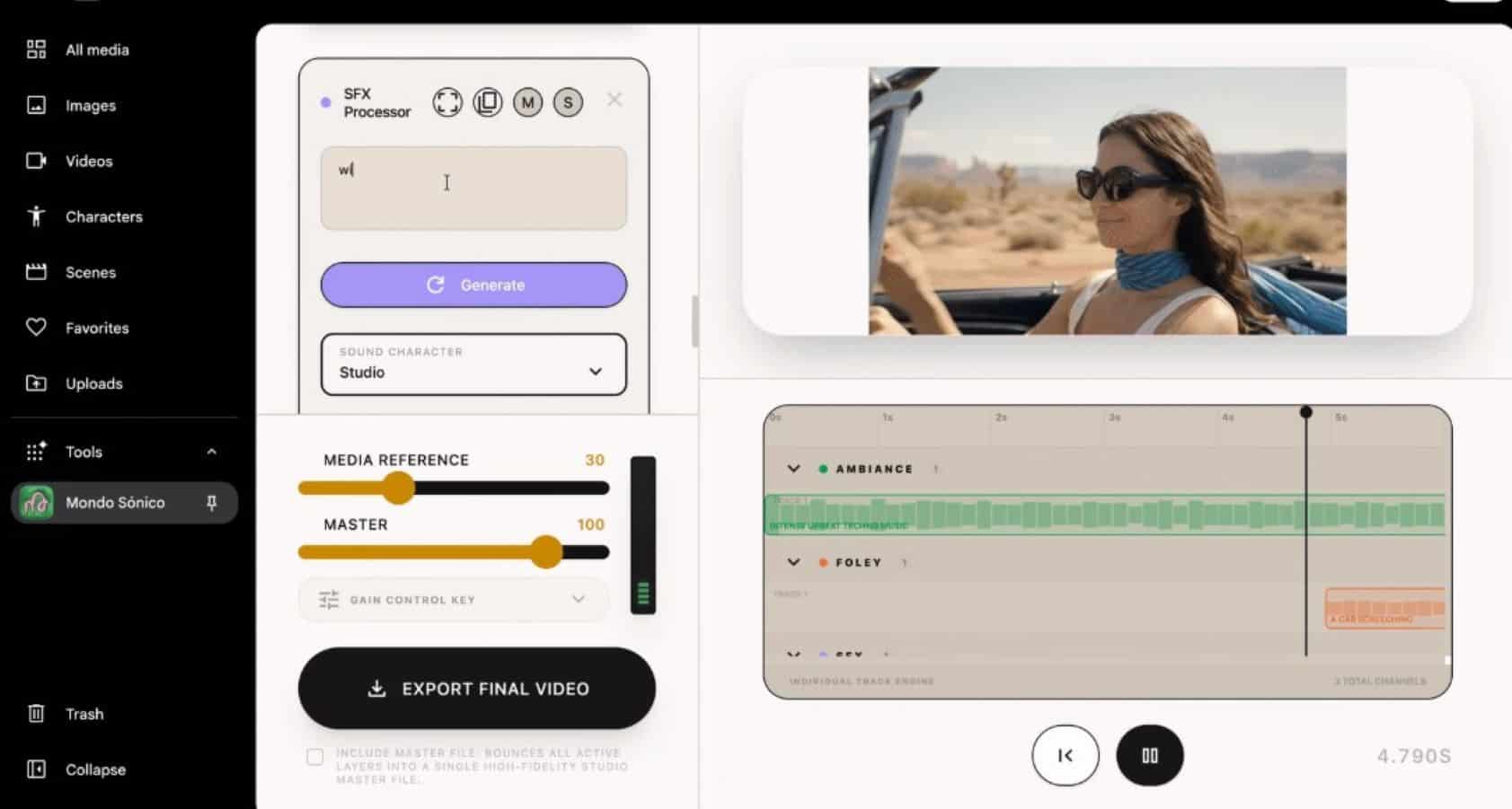
Built by creative director Ricardo Villavicencio and sound designer Sebastián Carvallo, Mondo Sónico generates synchronized tracks for ambience, foley, and contextual sound effects. Editors can separate and export individual audio stems into external digital audio workstations for fine-tuning, avoiding flattened audio files.
CaptionCast
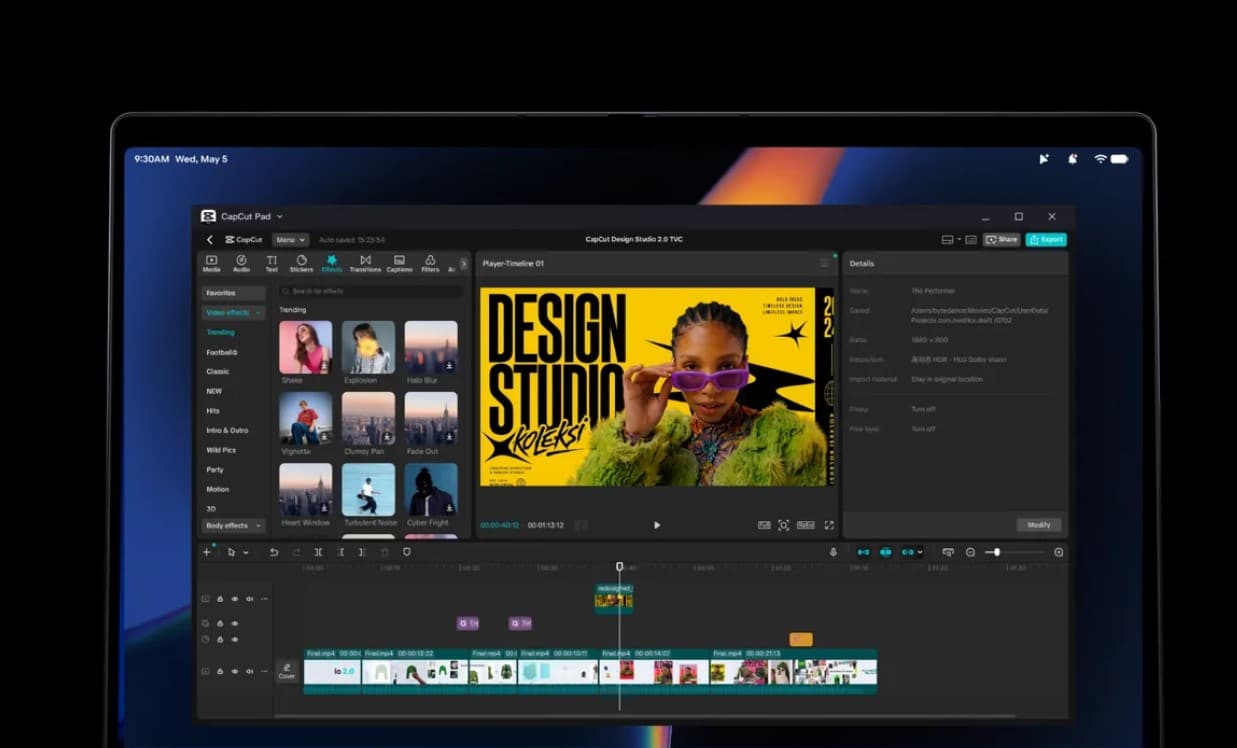
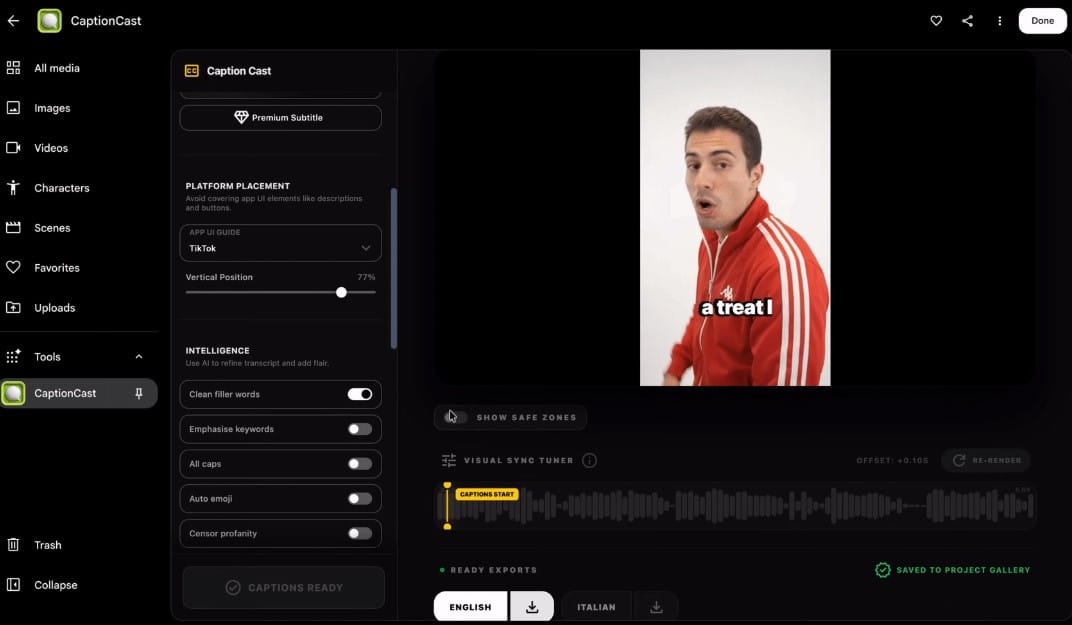
Developed by digital storyteller Jay Pirabakaran, CaptionCast transcribes spoken dialogue, styles typography, and produces animated subtitles across multiple languages. It aims to cut down the manual effort required for short-form social video subtitling.
ThumbnailForge
Also created by Pirabakaran, ThumbnailForge generates platform-ready social media covers using a base image, title text, and style prompt. It automates aspect ratio formatting and graphic treatments.
Surface
Constructed by interior designer Vojtek Morsztyn, Surface produces architectural materials and maps them directly onto 3D floors, walls, and ceilings in real time. It allows design studios to visualize material concepts early in spatial planning.
CollageMotion Pro
Filmmaker Hashem Al-Ghaili designed this motion tool to convert text prompts into stylized, animated mixed-media collages without manual layer cutting.
SwissFlow Studio
Also built by Al-Ghaili, SwissFlow Studio transforms written scripts into clean, Swiss-style typography and graphic motion sequences, removing the need for manual keyframing.
How to Access and Remix Workflows
The six tools are available globally in the Google Flow Tools gallery. Basic accounts can generate assets with existing workflows using their standard credit allotment. Google AI subscribers can open the Tool builder, inspect the logic behind each creator tool, modify the prompt steps, and publish new variations.
Frequently Asked Questions
Q1. What is Google Flow?
A1. Google Flow is an artificial intelligence creative studio built by Google that helps users generate video, images, music, and custom production workflows using text instructions and reference assets.
Q2. Who can use the six new creator tools?
A2. All Google Flow users can access and run the six tools from the built-in gallery. Modifying, remixing, or building new tools requires an active Google AI subscription.
Q3. Can sound designers export separate audio tracks from Mondo Sónico?
A3. Yes, Mondo Sónico creates distinct, synchronized stems for ambient noise, foley, and sound effects that users can export independently for final audio mixing.
Q4. What is the main use case for the Surface tool?
A4. Surface helps interior designers and architects test materials by generating realistic textures and projecting them onto 3D floors, ceilings, and walls in real time.