

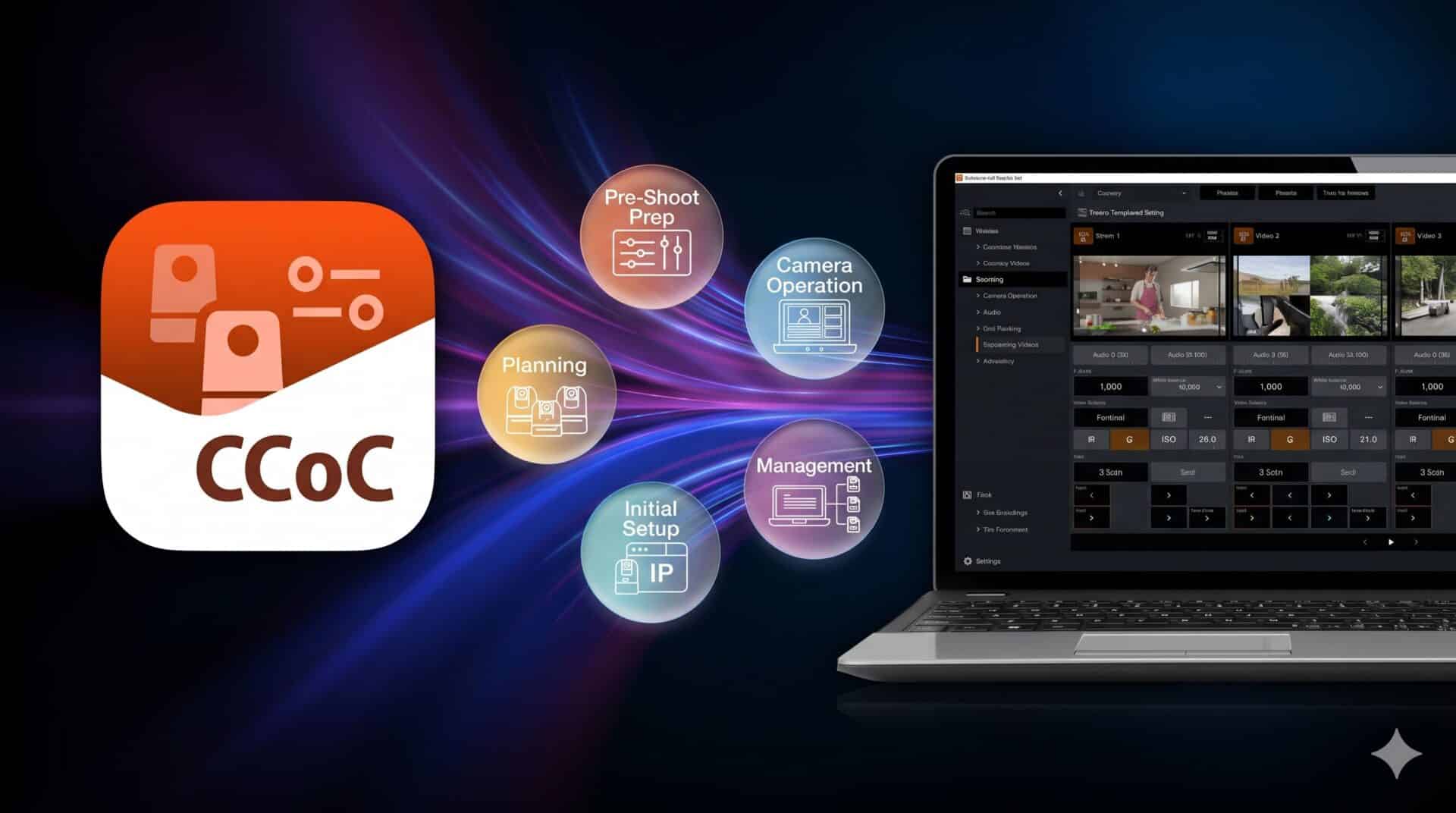
Canon announced a free computer software application named Camera Control Centre to simplify how studios configure, control, and maintain remote cameras. The imaging company revealed in New Delhi that the tool will release in early January 2027. It targets video production crews, broadcast stations, and content creators who operate multi-camera environments. The platform brings setup, pan-tilt-zoom control, color calibration, and device maintenance into one window, eliminating the need to run multiple separate programs.
Key Takeaways
- Canon will release the free Camera Control Centre software for computers in early January 2027.
- The software merges four separate tools into one interface: Camera Search Tool, Remote Camera Control Application, Multi-Camera Management Application, and Camera Colour Matching Application.
- Compatible hardware includes Canon remote PTZ cameras, digital cinema cameras, professional camcorders, and hardware controllers.
- Brand new tools include FOV Calculation, Multicam Setups profiles, and Quick Adjustments for up to four live feeds at once.
Video production teams face tighter turnarounds and shortages of experienced technical crew members. Managing several cameras previously required crew members to install and juggle different utilities depending on the task. Canon formerly provided the Camera Search Tool for initial IP configuration, the Remote Camera Control Application for PTZ motion, the Multi-Camera Management Application for firmware updates, and the Camera Colour Matching Application for LUT generation and color charts. Camera Control Centre combines all of those functions into a single desktop dashboard.
The combined interface connects with Canon remote PTZ cameras, Cinema EOS cameras, professional digital camcorders, and dedicated hardware remote controllers. Operators can monitor hardware status and apply firmware updates without hopping between utilities.
Three new software functions help teams plan and execute shoots faster. The FOV Calculation tool simulates angles of view before anyone sets up hardware. Crew members input the specific camera model and distance to subject, helping studios place tripods and select lenses early.
The Multicam Setups tool lets users store image profiles and hardware configurations across several cameras by scene. Operators can recall an entire studio setup with a single click during repeat shoots. The Quick Adjustments feature shows feeds from up to four cameras side by side. Operators can tweak white balance, shutter speed, and iris on the fly while comparing the images directly on one screen.
Canon India, which has operated since 1997 with offices across 10 Indian cities, confirmed the software release timeline as part of its ongoing expansion across broadcast and professional imaging segments.
Frequently Asked Questions
Q1. What is Canon Camera Control Centre?
A1. It is a free desktop software application from Canon that manages the entire workflow of remote PTZ cameras and professional video equipment from setup to live control.
Q2. When will Canon Camera Control Centre be available for download?
A2. Canon will launch the application in early January 2027.
Q3. Is Canon Camera Control Centre free to use?
A3. Yes, Canon confirmed the application will be free to download for computer users.
Q4. Which camera models work with the application?
A4. The software works with Canon remote PTZ cameras, digital cinema cameras, professional digital camcorders, and hardware remote controllers.
Q5. How many cameras can you balance at the same time using Quick Adjustments?
A5. The Quick Adjustments tool displays live video from up to four cameras simultaneously for rapid tuning of shutter speed, white balance, and iris.