Smartphone maker OPPO has started rolling out its September monthly update for ColorOS 16, introducing a series of functional additions to its native Photos application and security settings. The Android-based custom interface gives users greater control over photo management, letting owners manually alter photo capture dates, hide custom albums from the main grid, favourite multiple pictures simultaneously, and clean up scanned documents directly from the gallery. The phased deployment began on September 1 and runs through September 30 across premium Find series handsets and Reno lineup models.
Key Takeaways
- Timestamp Editing: Users can change the date and time of any stored image directly within the Photos app.
- Album Privacy: Customised albums can be hidden from the primary gallery screen to keep personal media out of view.
- Batch Favourites: Gallery controls now allow users to select and favourite or unfavourite multiple pictures in a single action.
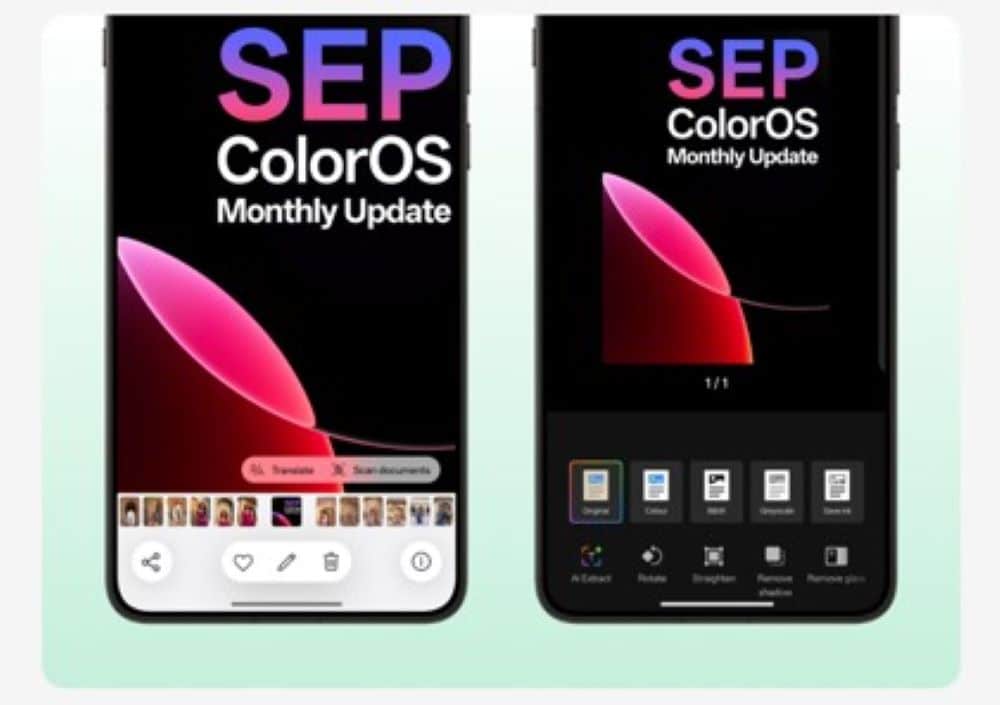
- Document Cleanup: An integrated Scan Text tool lets users extract text, remove shadows or glare, and straighten document captures.
- Private Safe Upgrades: Multi-format files can be imported together and automatically sorted by format.
- Rollout Schedule: The update targets nine OPPO devices in phases throughout September.
Better Tools for Gallery Organization
The core focus of this ColorOS 16 build is everyday media handling. Many smartphone users collect thousands of pictures, often received through messaging platforms or transferred from older hardware without proper metadata. To solve this, the new Time Adjustment option lets users manually correct incorrect timestamps or reorder historical photographs right inside the gallery.
Privacy controls receive a similar tune-up. Users who maintain specific collections can hide customised albums from the main view. For general navigation, ColorOS 16 adds a flexible viewing toggle, letting people switch between an edge-to-edge Immersive layout and a structured By Date timeline. The system also tunes scrolling behavior to prevent accidental selections while browsing through long photo streams.
Built-in Text Extraction and File Protection
Beyond regular photo sorting, the updated software expands utility tools. The Scan Text feature allows one-tap extraction of written information from photos for copying or sharing. For physical paperwork photographed on a phone, the tool includes correction toggles to rotate, straighten, and eliminate harsh glare or background shadows.
OPPO has also refined its built-in Private Safe vault. Users can navigate to Settings, open Security and Privacy, and tap Private Safe to batch-import mixed file types. The system then categorizes and stores them automatically by extension.
Eligible Devices and Rollout Window
The phased rollout covers flagship and upper mid-range smartphones:
- OPPO Find X9 Ultra, Find X9 Pro, Find X9s, and Find X9
- OPPO Find X8 Pro and Find X8
- OPPO Reno16 5G, Reno15 Pro 5G, and Reno15 5G
Because software rollouts occur in batches, availability notifications depend on carrier testing, region, and specific hardware variants.
Frequently Asked Questions
Q1. How do I change the date and time of an image in ColorOS 16?
A1. Open the photo inside the stock Photos app, select the time information, tap Adjust, pick your preferred date and time, and save the changes.
Q2. Where can I find the new Private Safe batch import option?
A2. Go to phone Settings, tap Security and Privacy, select Private Safe, and tap the Add icon located in the bottom right corner to import multiple files.
Q3. Does the Scan Text tool work on documents with bad lighting?
A3. Yes, the tool includes settings to remove surface glare and unwanted shadows while straightening the document frame.
Q4. Which phones receive the September ColorOS 16 update?
A4. Supported models include the Find X9 series, Find X8 series, Reno16 5G, and the Reno15 family.