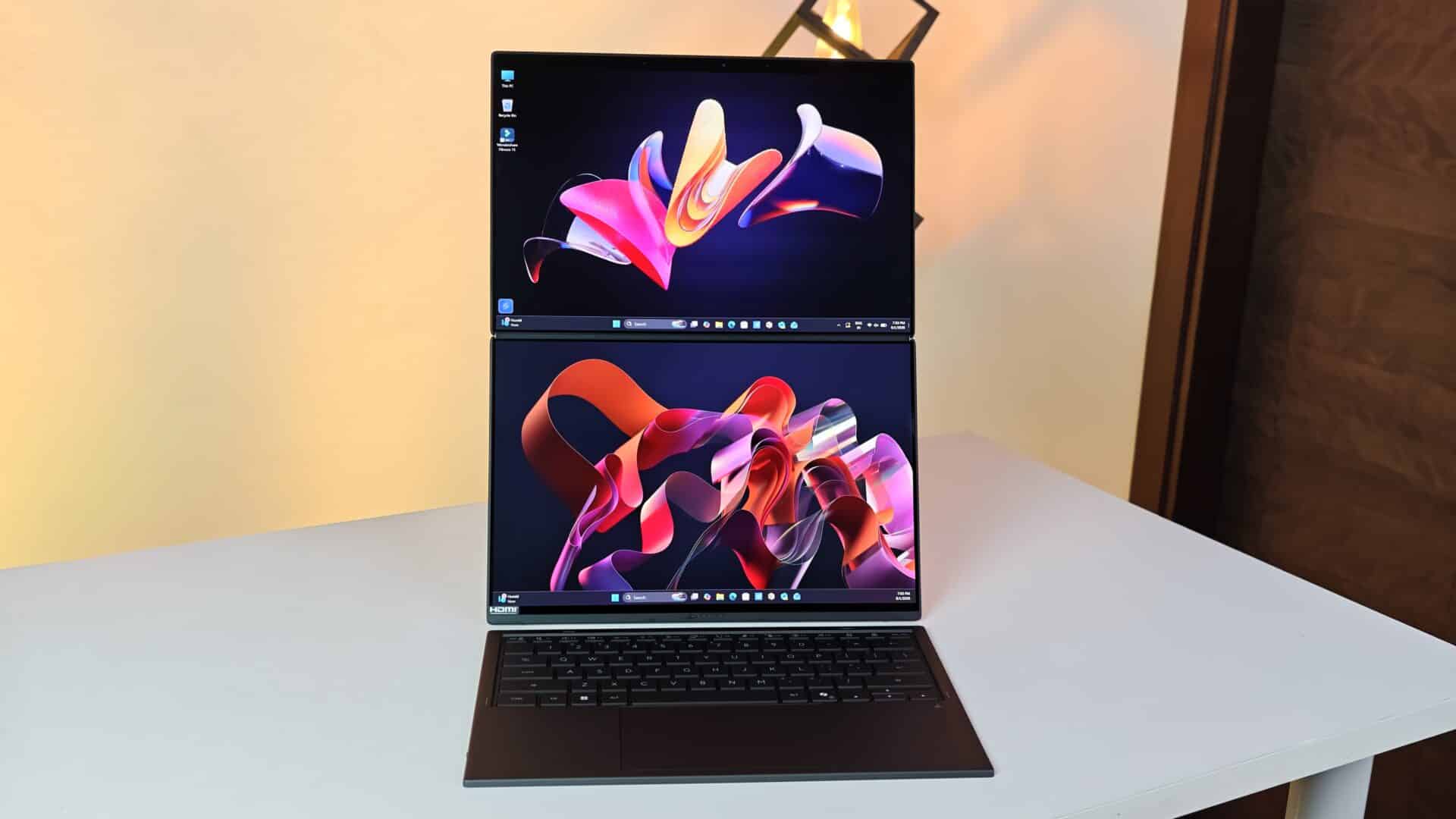
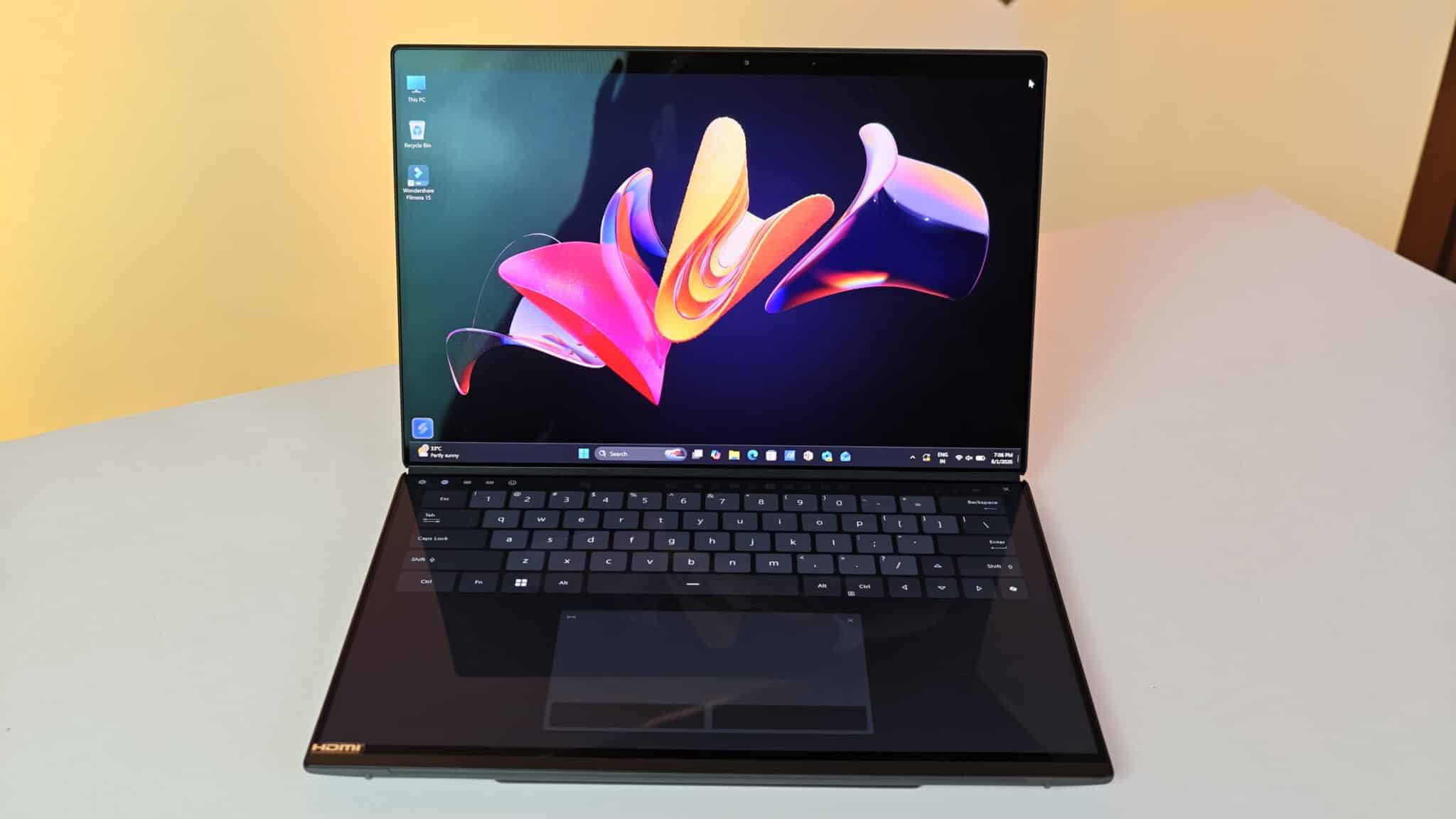
I used the Asus Zenbook Duo UX8407AA for a month straight. Office desks, cramped coffee shop tables, even those tiny airplane trays – I tried them all. Usually, dual-screen laptops feel like unfinished experiments. This one tries to fix that. It aims to be a real tool for people who juggle a lot or do creative work every day.
Key Takeaways
- Features two identical 14-inch 3K OLED touchscreens with a smooth 144Hz refresh rate.
- Powered by the Intel Core Ultra 7 355 processor with up to 50 TOPS NPU performance.
- Upgraded 99Wh battery capacity provides noticeable runtime improvements over older generations.
- Includes a full-size detachable Bluetooth keyboard and active stylus pen inside the package.
- Weighs 1.65 kg, which remains reasonable for a hardware setup with dual displays.
The Zenbook Duo UX8407AA gives you two 14-inch 144Hz OLED screens and Intel Panther Lake power. You get double the workspace, but you don’t lose out on battery life or basic usability. That’s rare for a dual-screen laptop.
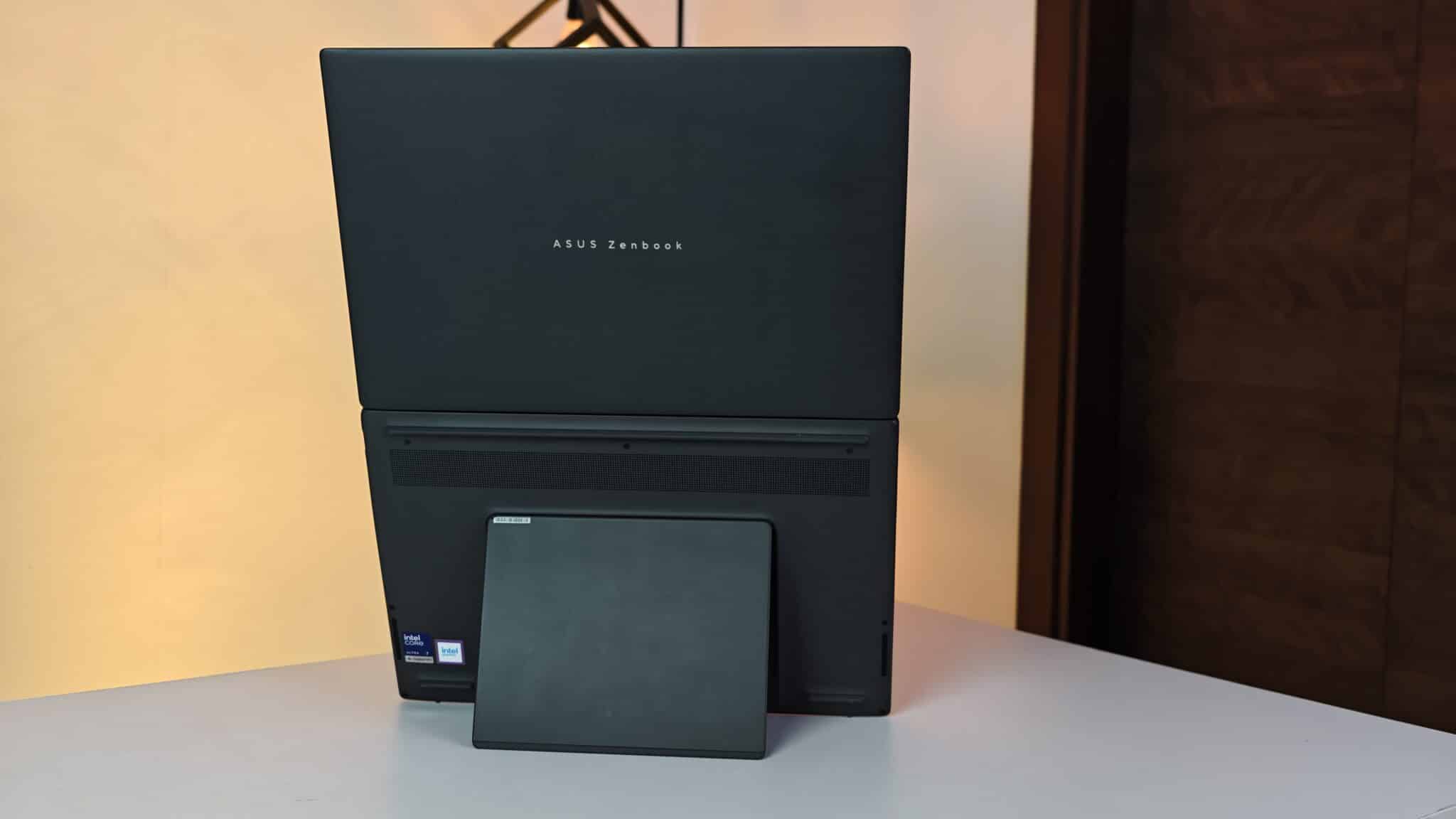
Key Specifications
- Processor: Intel Core Ultra 7 Processor 355 (8 cores, up to 4.7 GHz)
- AI Engine: Intel AI Boost NPU up to 50 TOPS
- Displays: Dual 14-inch 3K (2880 x 1800) ASUS Lumina OLED touchscreens, 16:10 aspect ratio, 144Hz refresh rate, 500 nits brightness (1000 nits HDR peak), 100% DCI-P3 color gamut
- Memory: 32GB LPDDR5X onboard RAM
- Storage: 1TB M.2 NVMe PCIe 4.0 SSD
- Graphics: Integrated Intel Graphics
- Battery: 99Whrs 4-cell Li-ion battery
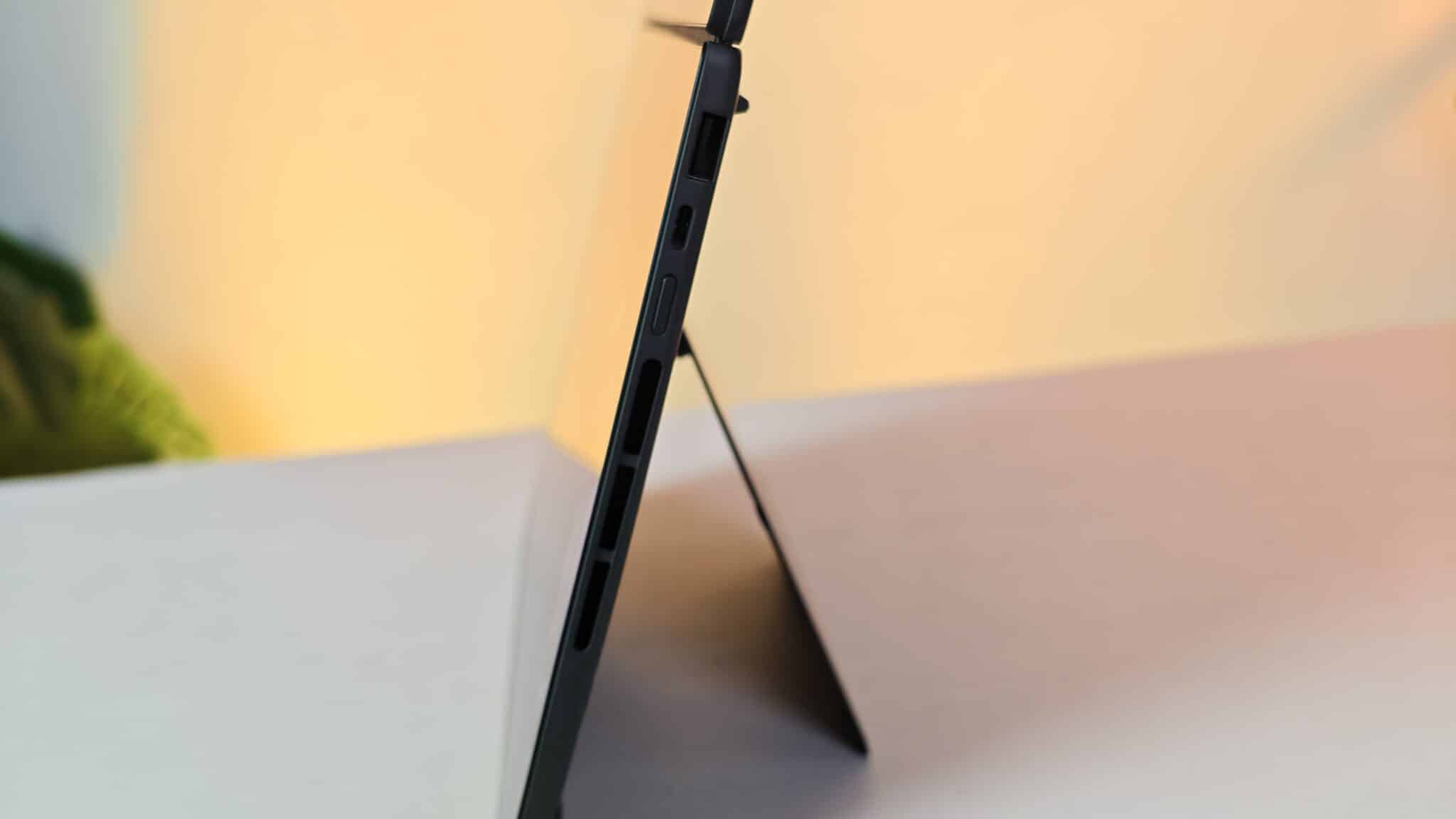
- Ports: 2x Thunderbolt 4 (DisplayPort and Power Delivery), 1x USB 3.2 Gen 2 Type-A, 1x HDMI 2.1 FRL, 1x 3.5mm combo audio jack
- Wireless: Wi-Fi 7 (802.11be), Bluetooth 5.4
- Chassis Material: Ceraluminum (ceramized aluminum-magnesium alloy) in Moher Gray
- Dimensions: 31.01 x 20.86 x 1.96 to 2.34 cm
- Weight: 1.65 kg
- Price in India: ₹2,99,990
Chassis Design and Kickstand Stability
ASUS uses something called Ceraluminum for the finish. It’s a mix of ceramic and magnesium-aluminum alloy. The Moher Gray color looks businesslike and doesn’t pick up fingerprints easily. It feels sturdy. At 1.65 kg, it’s a bit heavier than a regular 14-inch ultrabook. Still, I didn’t notice any real strain carrying it around, especially since you’re getting two full screens.
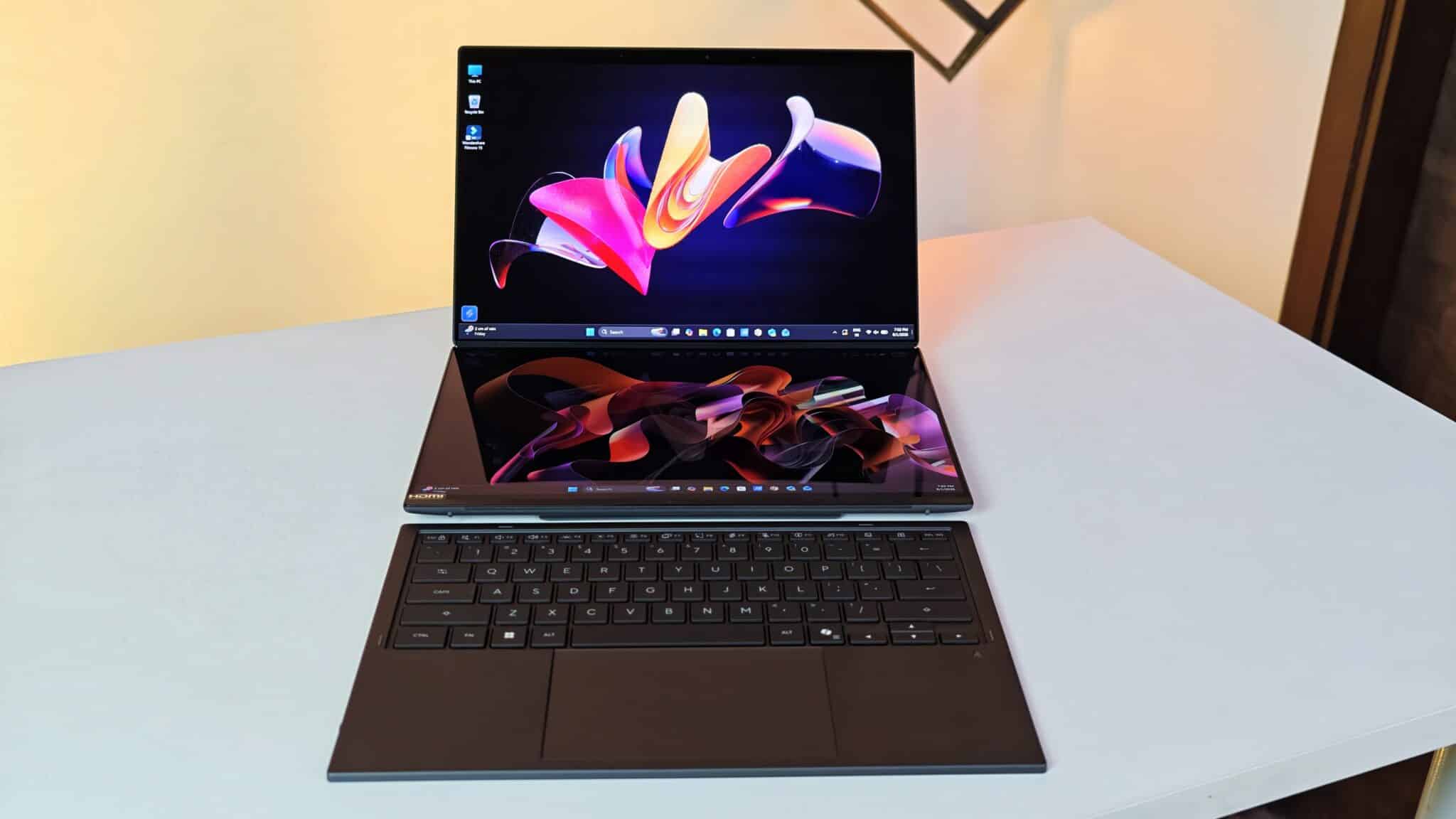
There’s a metal kickstand underneath. I tried it on wood, glass, even a bed. It kept the laptop steady at angles from 40 to 70 degrees. No slipping. The hinge is stiff enough that you can tap the top screen with your finger or the stylus and it won’t budge.
Dual 3K OLED Displays and Visual Quality
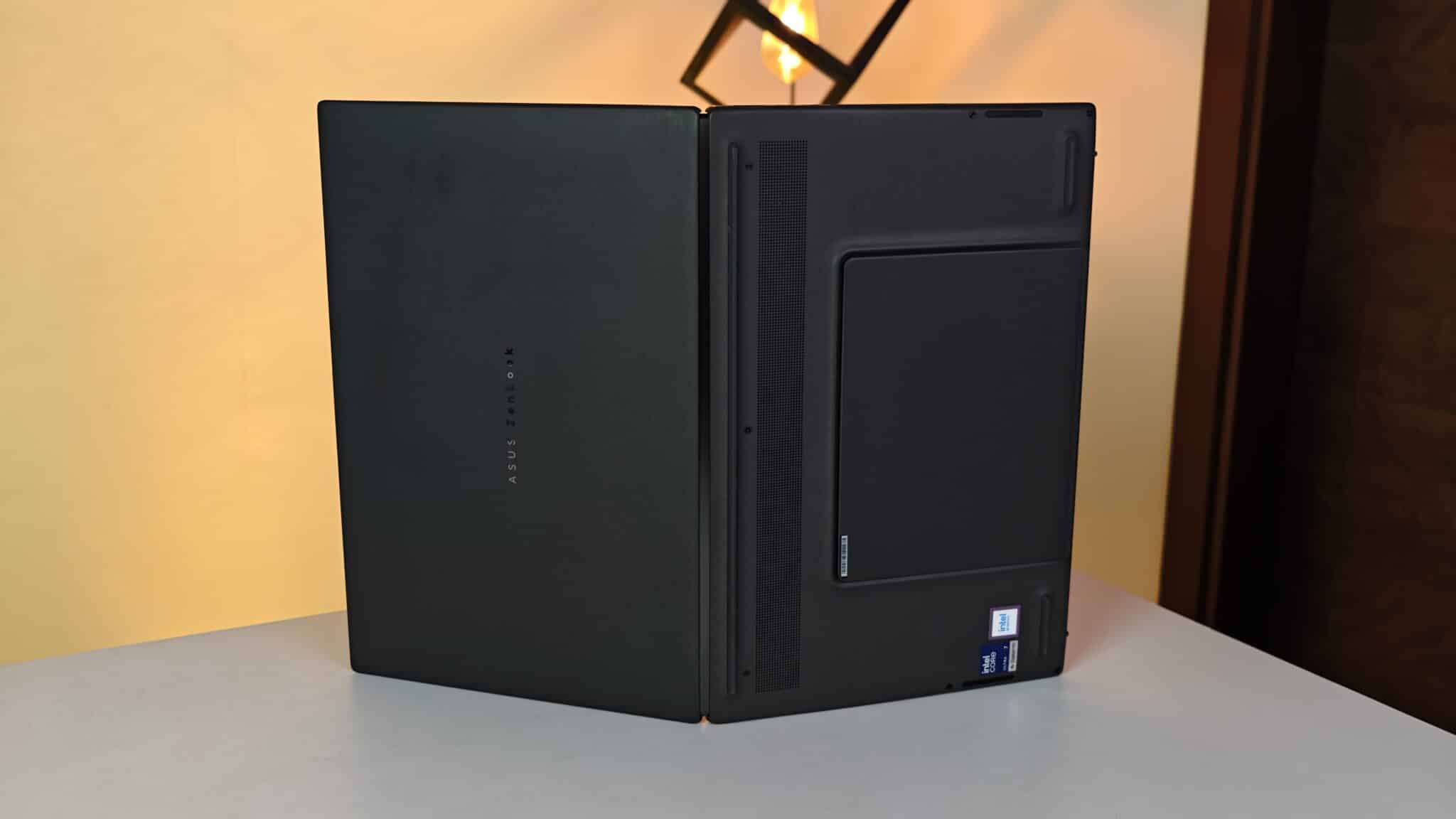
The big deal here is the two identical 14-inch 3K OLED touchscreens. Both have 2880 x 1800 resolution, 144Hz refresh, and full DCI-P3 color. No mismatched panels like you’d see on older dual-screen laptops. That’s a relief.
Colors look punchy indoors, with those deep blacks you expect from OLED. I edited photos in Lightroom on both screens and the colors matched up. At 500 nits brightness (1000 nits for HDR), you can see everything clearly even near a window. The glossy glass does reflect overhead lights, though. That’s one thing to watch for.
Hardware Performance and Daily AI Processing
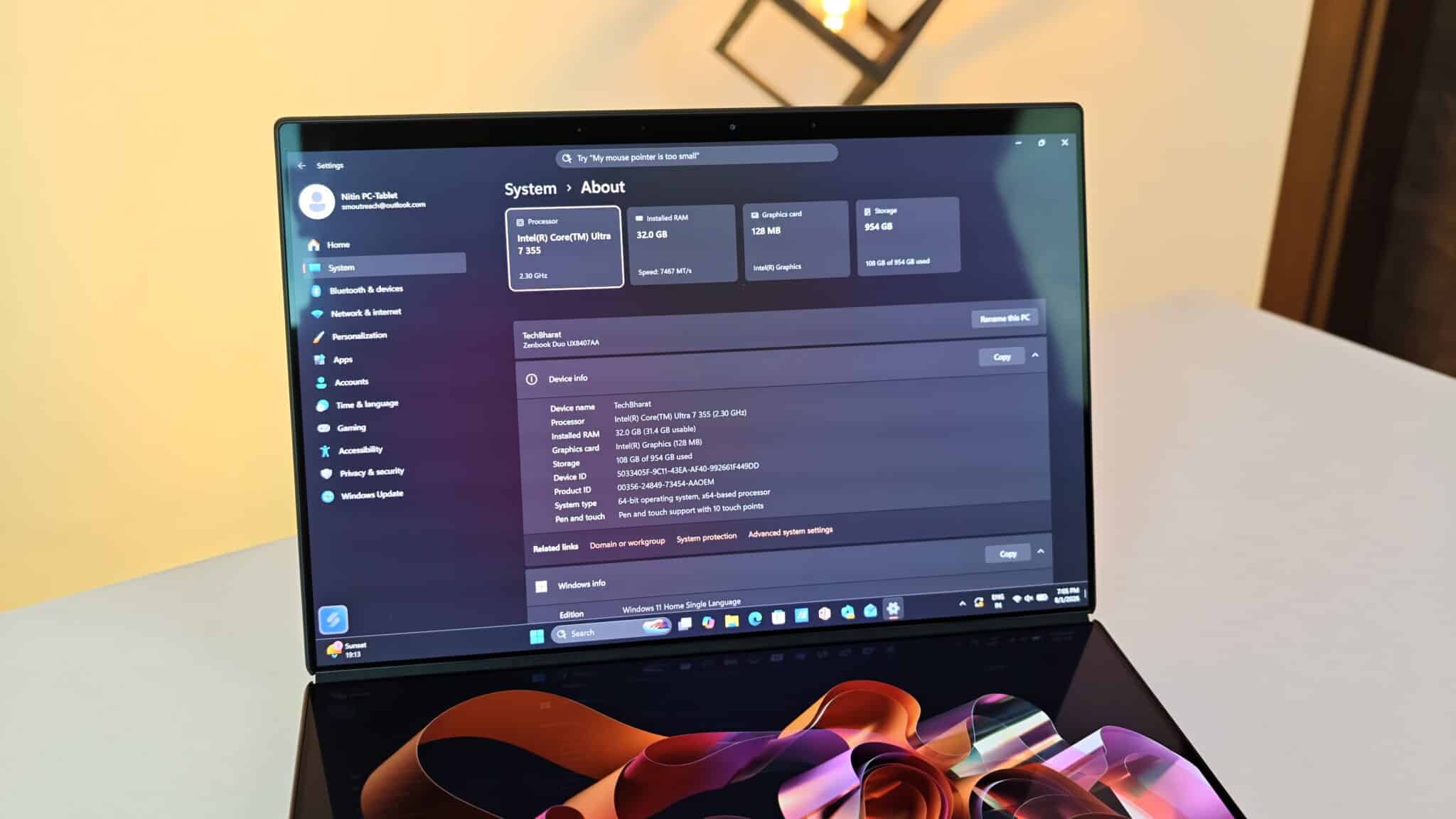
Inside, you get an Intel Core Ultra 7 355, 32GB RAM, and a 1TB SSD. I pushed it pretty hard – 30 Chrome tabs, Spotify in the background, and some light 4K video editing in Premiere Pro, all at once across both screens. No slowdowns. No dropped frames. It just worked.
The built-in NPU handles AI stuff locally, up to 50 TOPS. Things like background blur on video calls, transcribing audio, or generating images all run on the NPU. The main CPU doesn’t get bogged down. Heat is managed well for office work. The fans do spin up during heavy exports, but it’s just a soft whir. My palms never got hot, since the hottest parts are behind the lower screen.
Detachable Keyboard and Stylus Ergonomics
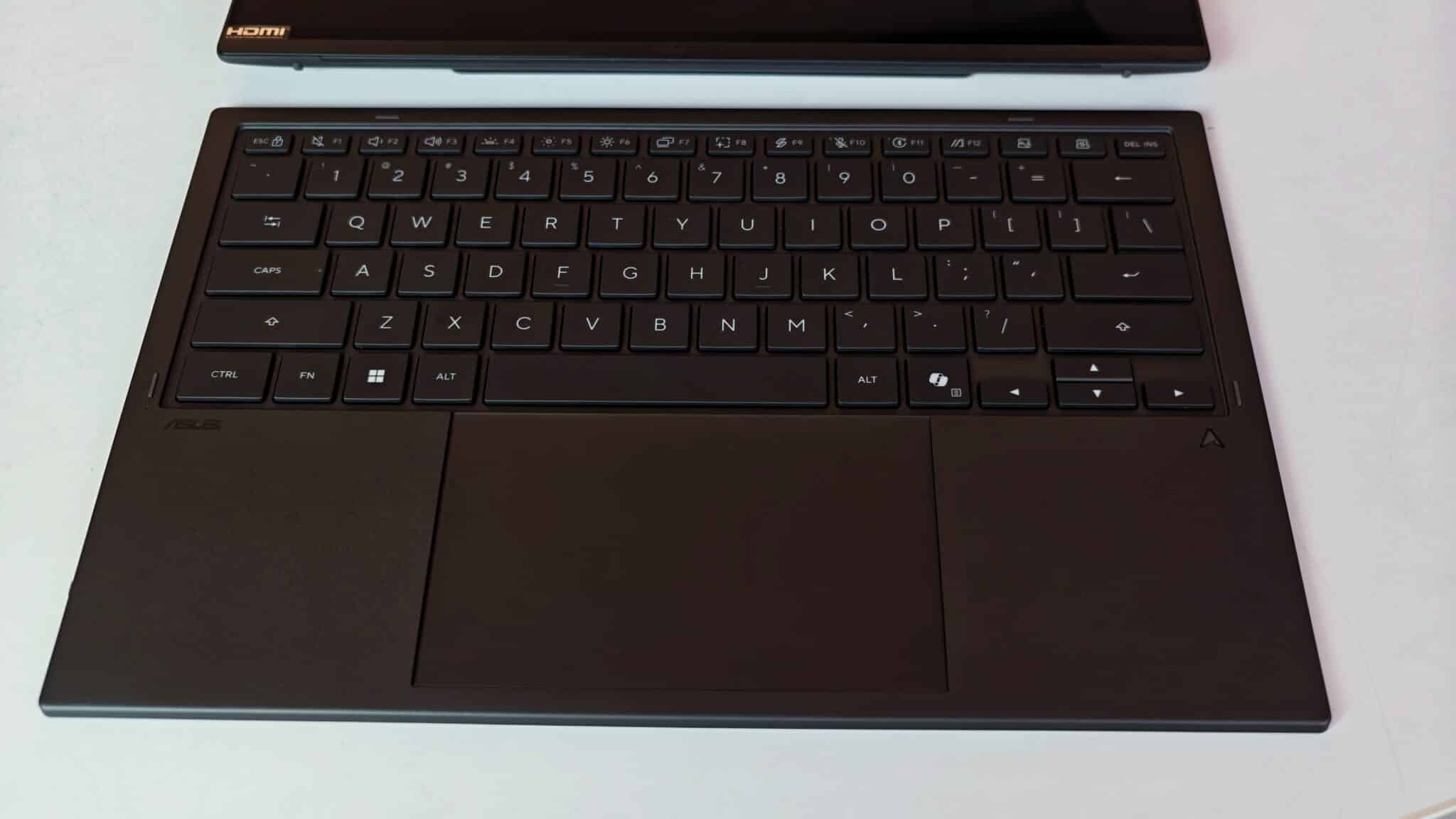
ASUS includes a detachable Bluetooth keyboard that snaps on top of the lower screen. Once it’s in place, the laptop works just like a regular clamshell. The keyboard charges through pogo pins when attached. Key travel is 1.7mm, so typing for hours actually feels fine. I didn’t get tired fingers.
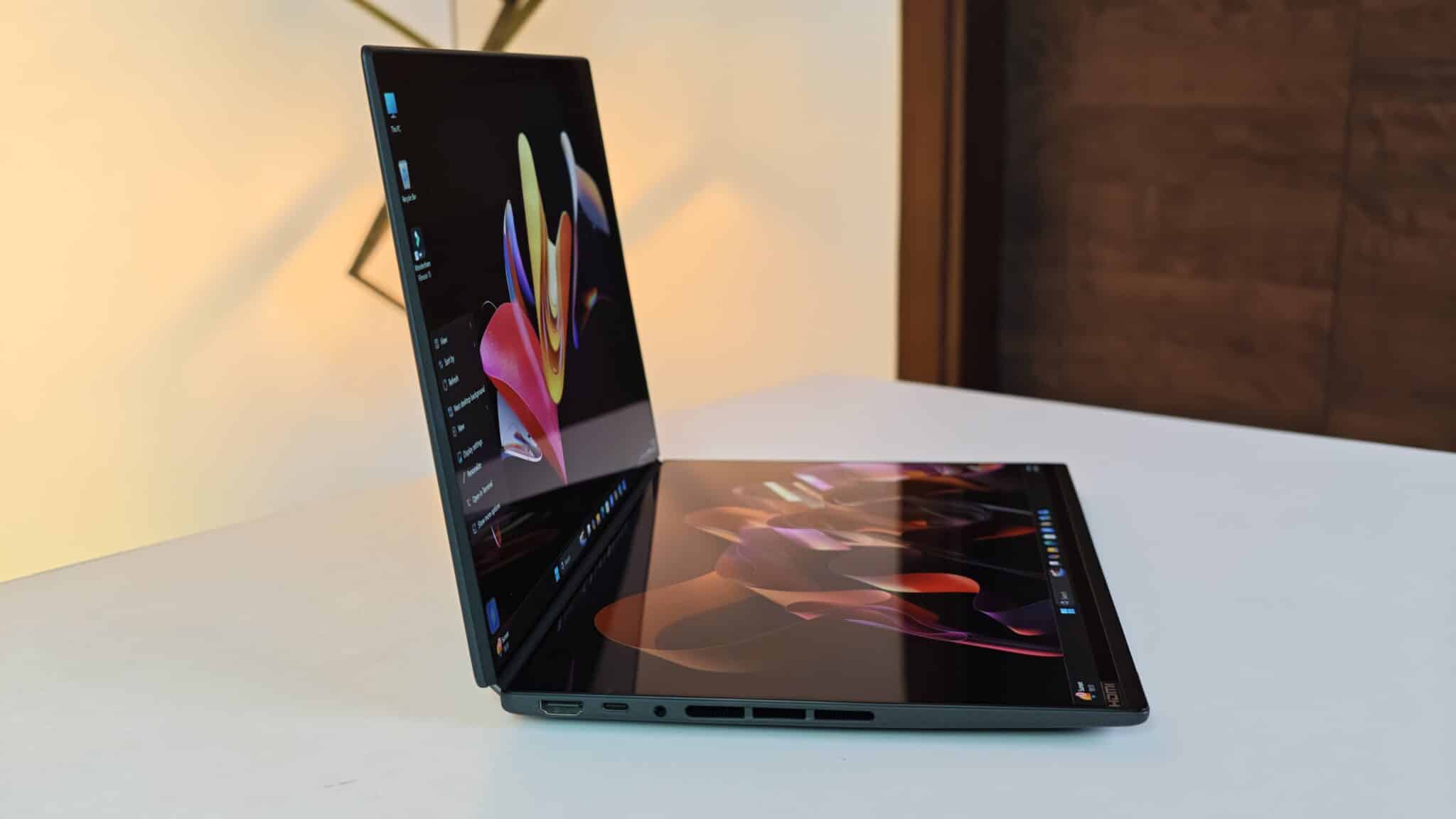
Take the keyboard off and it switches to wireless mode by itself. I tried stacking the two screens vertically on my desk and kept the keyboard on my lap. It helped my neck, honestly. The ASUS Pen stylus is included and works with MPP 2.6. It’s responsive for notes or quick sketches. You can also use three-finger gestures on the lower screen to bring up a virtual touchpad or keyboard if you don’t want to use the physical one.
Battery Life and Port Connectivity
Two OLED screens use a lot of power, so ASUS put in a big 99Wh battery. With both screens at 50 percent brightness, doing regular work and browsing, I got about 7 hours and 45 minutes. If you use just one screen with the keyboard attached, you can get close to 11 hours. That’s a big jump.
The 100W USB-C charger gets you from zero to 60 percent in under 50 minutes. You don’t need dongles for most things. There are two Thunderbolt 4 ports, HDMI 2.1, USB-A, and a headphone jack. That covers the basics.
Verdict
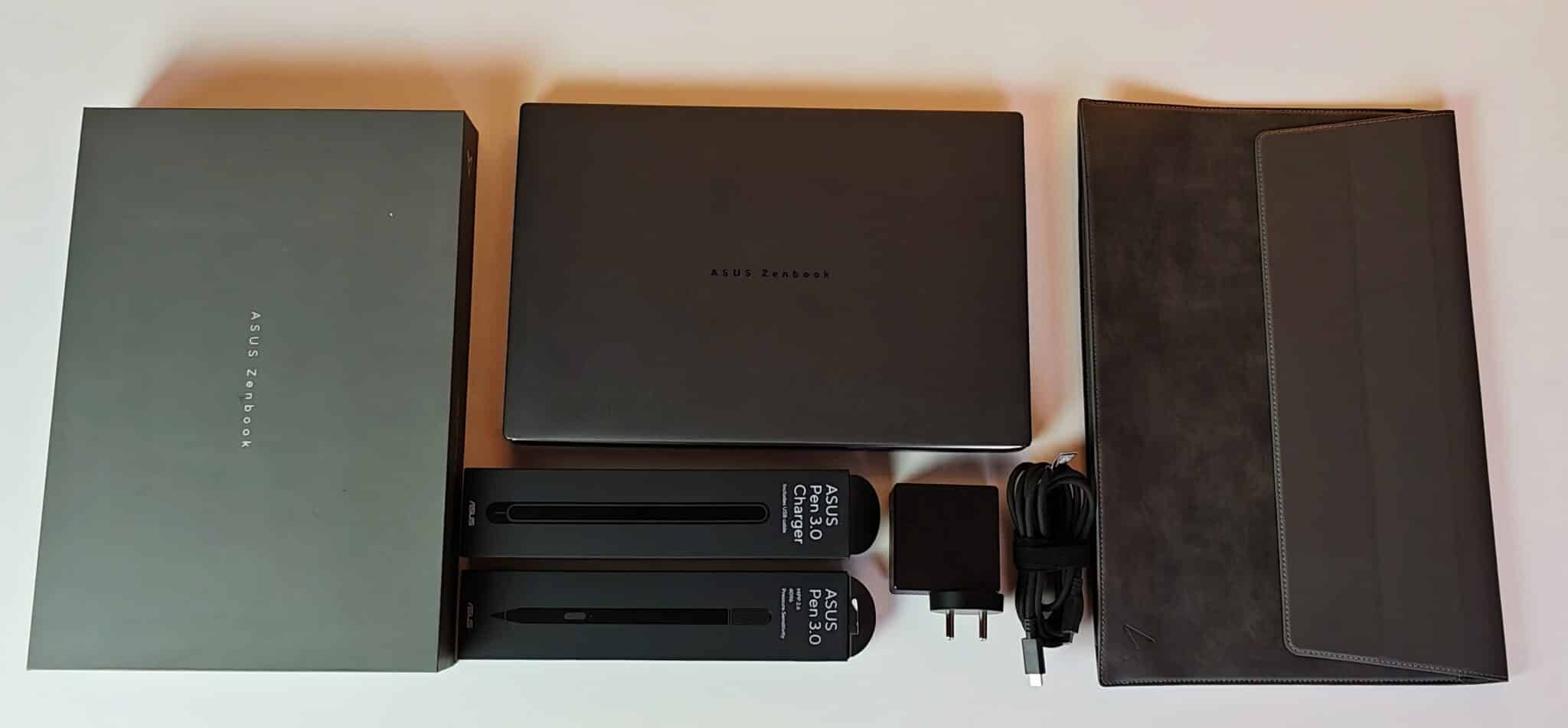
The Zenbook Duo UX8407AA actually makes dual-screen laptops useful for real work on the move. Both 14-inch 3K 144Hz OLED screens match, the 99Wh battery lasts, and you get a solid magnetic keyboard in the box. Sure, ₹2,99,990 is a lot. But if you travel and need a multi-monitor setup, this is one of the few laptops that really delivers.
Frequently Asked Questions
Q1. What is the screen size and resolution of the ASUS Zenbook Duo UX8407AA?
A1. The laptop features two 14-inch 3K OLED touchscreens, each with a resolution of 2880 x 1800 pixels and a 144Hz refresh rate.
Q2. How long does the battery last on the ASUS Zenbook Duo UX8407AA?
A2. The 99Wh battery lasts approximately 7.5 to 8 hours when using both screens simultaneously, and up to 11 hours when using a single screen in traditional laptop mode.
Q3. Can you upgrade the RAM or SSD on this laptop?
A3. The 32GB LPDDR5X RAM is soldered onboard and cannot be upgraded. However, the 1TB M.2 PCIe 4.0 NVMe SSD sits in a standard slot and can be replaced or upgraded.
Q4. Is the physical keyboard wireless and chargeable?
A4. Yes, the full-size backlit keyboard connects via Bluetooth when detached and charges automatically through magnetic pogo pins when placed on top of the lower screen.
Q5. Does the package include a stylus pen in India?
A5. Yes, ASUS includes the active ASUS Pen stylus supporting MPP 2.6 protocol inside the retail box.