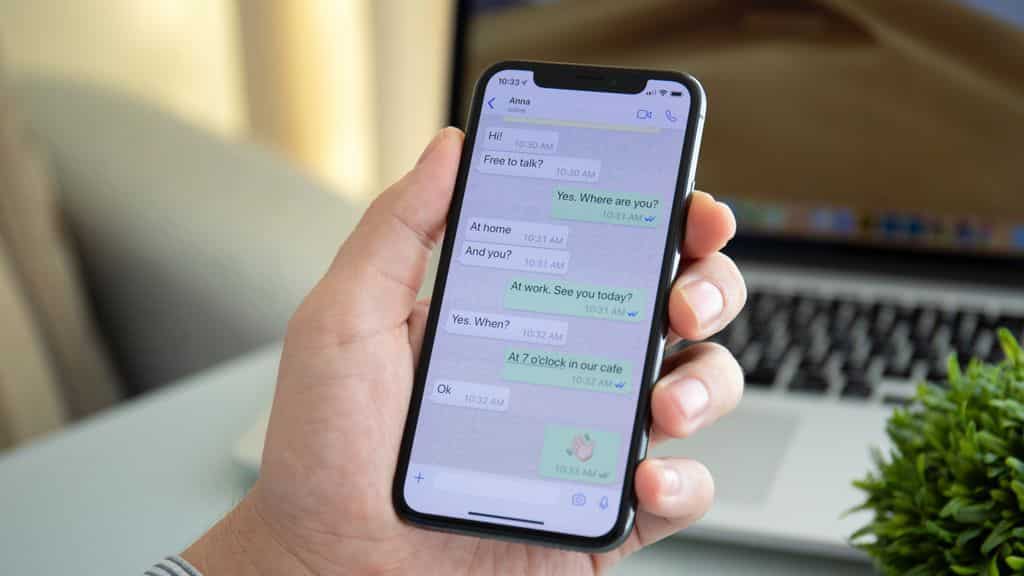
WhatsApp launched multiple updates on the same day, aimed at simplifying the management of multiple accounts and incorporating artificial intelligence into everyday messaging. WhatsApp’s parent company, Meta, began the rollout on March 26, 2026. The update will help iPhone users set up two accounts on one device and provide Meta AI tools for photo editing.
Key Takeaways:
- iPhone users can now operate two different WhatsApp accounts on one device.
- Users can transfer chats from iOS to Android devices.
- Private message replies can be drafted using Meta AI.
- AI image editing to remove objects or alter backgrounds is available.
- Storage management features allow users to delete large media files while retaining the text history.
Meta Platforms Inc. is updating the app for millions of users in India. WhatsApp is the most used messaging tool in the country for personal and work talks. The dual account feature is a major part of this update. iPhone users can now stay logged into two accounts at the same time. This helps people keep their work and personal chats separate without needing two phones. Android users already had this feature, and now it is available for iOS.
New AI Functions in the Meta App
Meta AI is branching out into new roles in the app. One new feature is called Writing Help. The Drafts feature creates a response to a message. The app claims that her Private processing technology is designed to keep the draw safe, which, in theory, is supposed to keep the AI from reading – or the photos from the Private Meta or WhatsApp processing.
The new AI updates also include image editing. Users can now edit photos that they want to send in the app. Users can remove unwanted things from photos, replace a different background, and change the entire style of a picture to a different art style. Meta claims that these AI tools are rolling out now. These tools might come to you last which means how these tools are promised and designed is not how they are released. With AI tools designed to change the background of the photo to lbeach, ljungle, etc, these tools also include sketch and photography digital art style transformations. These are also designed to all appear in the send the photo editor before you send the photo.
Storage and Data Transfer Updates
For users who are concerned about phone storage, there are expanded options in the Manage Storage feature. Users can locate and remove large files that consume excessive amounts of phone storage. The system highlights files that exceed 5MB. Users can select multiple files and remove them at once. Additionally, users can remove files from a clear media. This enables the media files to be deleted while the text chat history remains. This feature enhances the app performance without the loss of important chats.
The app now enables chat transfers from iPhone to Android, making phone brand switching easier. Additionally, the company released new stickers that can be used in everyday conversations.
Frequently Asked Questions
Q1: Can I use two WhatsApp numbers on one iPhone?
A1: Yes. With the latest update, you now have the option to log into two accounts on one iPhone. However, you will need a second phone number or a phone that has multi-SIM or eSIM capabilities.
Q2: How does Writing Help work in WhatsApp?
A2: AI from Meta drafts a response to your message, and it will do this without Meta or WhatsApp seeing your message or the suggestions that are created. Your message will remain private.
Q3: Can you transfer chats from iPhone to Android?
A3: Yes, WhatsApp has now added features to transfer chats from iPhone to Android.
Q4: How do I free up space without deleting messages?
A4: Open the Manage Storage feature. Here, you can select the option to delete only your videos and photos, and your messages will remain untouched.