For years, our televisions served as a window to entertainment, passive boxes in the corner of the room. But the landscape of how we interact with our technology is shifting dramatically. Google TV, the software powering many modern streaming devices and smart televisions, just brought a significant piece of this connected future to one of its most popular gadgets: the Chromecast with Google TV. A feature once confined to a preview program and a newer, dedicated streaming box is now arriving for many users, and it fundamentally changes how you might view that screen in your living room.
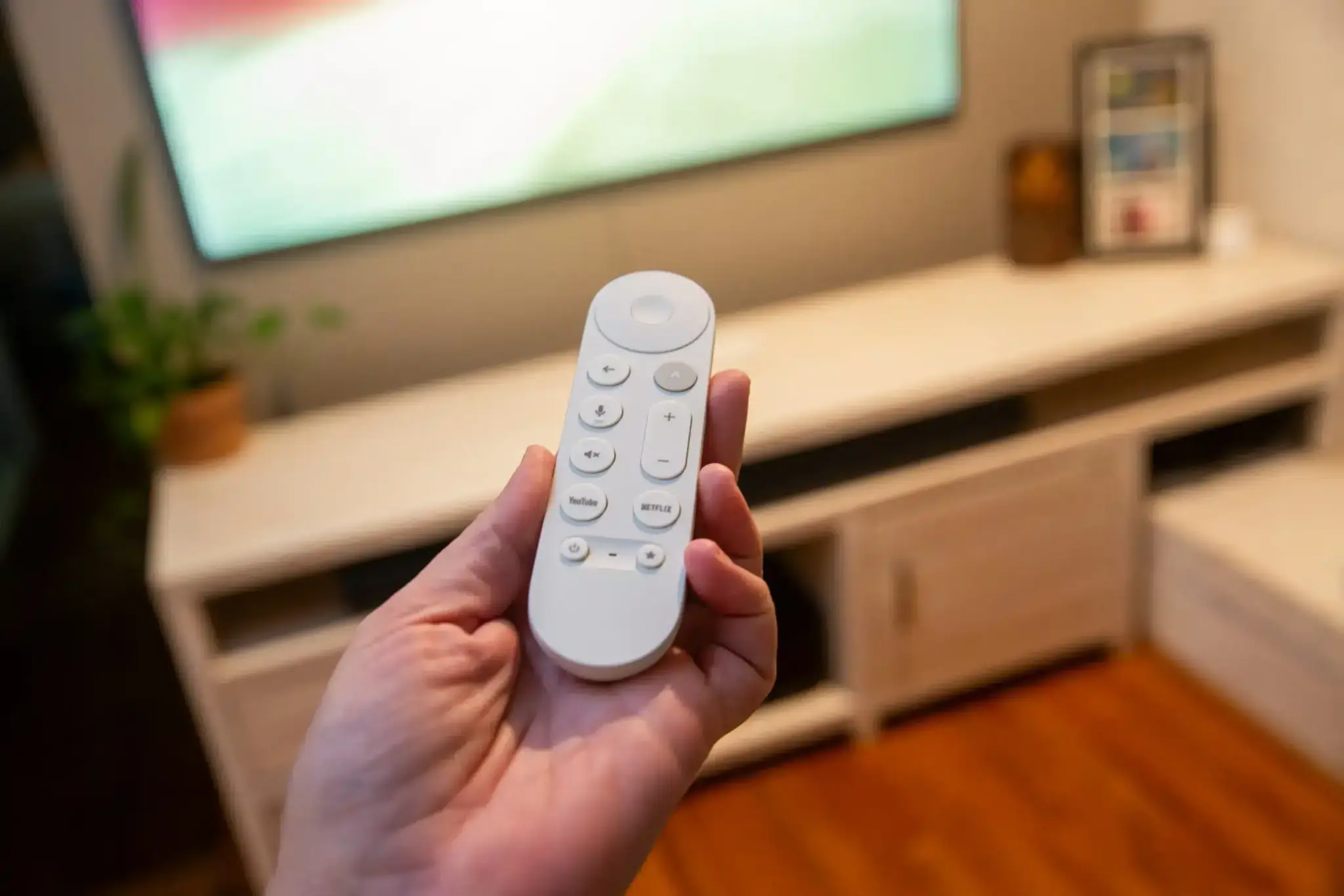
This isn’t just another app update or a minor tweak to the interface. This is the widespread rollout of the Home Panel, a built-in control center for your smart home devices, directly accessible from your television. Imagine settling in for a movie night, the lights are a touch too bright, or you forgot to adjust the thermostat. Instead of fumbling for your phone, unlocking it, finding the right app, and making the adjustment, you can now simply hold down the home button on your Chromecast remote. A panel slides in from the side of the screen, presenting you with controls for your connected lights, thermostats, cameras, and more.
Think about the convenience this offers. The television, often the focal point of a room, transforms into a command center for your smart environment. You can dim the lights to create the perfect movie ambiance without interrupting what you’re watching. See who is at the front door via your Nest Doorbell camera feed pop up directly on your TV screen – a feature previously exclusive to the newer Google TV Streamer. Check the live view from other security cameras around your home with just a few clicks of the remote. Adjust the temperature without ever leaving the comfort of your couch.
This integration feels natural and long overdue. Our homes are becoming increasingly connected, filled with smart gadgets designed to make our lives easier. Yet, managing these devices often requires jumping between different apps on our phones or relying solely on voice commands, which aren’t always ideal depending on the situation. The Home Panel on Google TV provides a visual, intuitive way to interact with your smart home while you’re already engaged with your primary entertainment screen.
The rollout of the Home Panel to the Chromecast with Google TV (both the 4K and HD versions) is particularly significant because of the device’s popularity. The Chromecast has been a go-to affordable streaming solution for millions of people. Bringing this advanced smart home control feature to such a widely adopted device instantly elevates the user experience for a massive audience. It’s a move that makes the Chromecast with Google TV a more central part of the connected home ecosystem, extending its utility beyond just streaming movies and shows.
Accessing the Home Panel is straightforward. Once the update arrives on your device, you typically hold down the home button on your Google TV remote. This action, which previously brought up a basic quick settings menu, now includes a dedicated section for your smart home devices linked to your Google account. During the initial setup or after the update, you may see a prompt on your TV asking if you want to configure the Home Panel. The setup process guides you through connecting your compatible smart home devices.
For this feature to work, you need smart home devices that are compatible with Google Home. This includes a wide range of products from various manufacturers, such as smart lights from Philips Hue or C by GE, thermostats from Nest or ecobee, and cameras like the Nest Cam. Your Chromecast with Google TV also needs to be linked to the same Google account that manages your smart home devices in the Google Home app. This ensures that the Home Panel on your TV has access to the correct list of devices and their current status.
While the Home Panel offers a convenient subset of controls, it doesn’t entirely replace the Google Home app on your phone. For more in-depth settings, device setup, or managing routines and automations, you will still need the mobile app. However, for quick, on-the-fly adjustments and monitoring while you’re using your TV, the Home Panel is incredibly useful. It streamlines common interactions and makes your smart home feel more immediately accessible.
The arrival of this feature highlights Google’s commitment to integrating its various product ecosystems. By bringing the Google Home experience to the Google TV interface on a popular device like the Chromecast, Google makes its smart home platform more visible and easier to use for a broader audience. It’s a smart strategic play that adds significant value to the Chromecast with Google TV, potentially encouraging more users to invest in Google Home-compatible devices.
Think about the small, everyday frustrations this update alleviates. No more pausing your show because you heard a noise at the door and need to check the camera feed on your phone. No more getting up from a cozy spot to manually adjust the lights. The Home Panel puts these controls literally at your fingertips, integrated into the device you’re already using. It makes the promise of a seamlessly connected smart home feel a little more real and a lot more convenient.
Reports indicate that this rollout is happening now, reaching users who were not part of the earlier public preview. If you own a Chromecast with Google TV, keep an eye out for the update. You might see a notification on your screen, or you can check for system updates in the device’s settings. Once installed, explore the Quick Settings menu by holding the home button on your remote to discover the new Home Panel and start controlling your smart home from your TV.
This feature is a clear indication of where Google sees the future of the living room. The television is no longer just for watching; it’s becoming a central hub for managing and interacting with your entire home. The Home Panel on Chromecast with Google TV is a significant step in that direction, offering a practical and user-friendly way to experience the benefits of a connected home. It’s a feature that users have wanted, and its widespread availability on the Chromecast makes it one of the most impactful Google TV updates in recent memory.
The simplicity of the interface, the speed of access, and the integration with existing Google Home setups make the Home Panel a genuinely useful addition. It’s the kind of feature that once you start using it, you wonder how you managed without it. This rollout makes the Chromecast with Google TV an even more compelling device for anyone looking to build or enhance their smart home, proving that even popular, established hardware can gain powerful new capabilities through software updates.