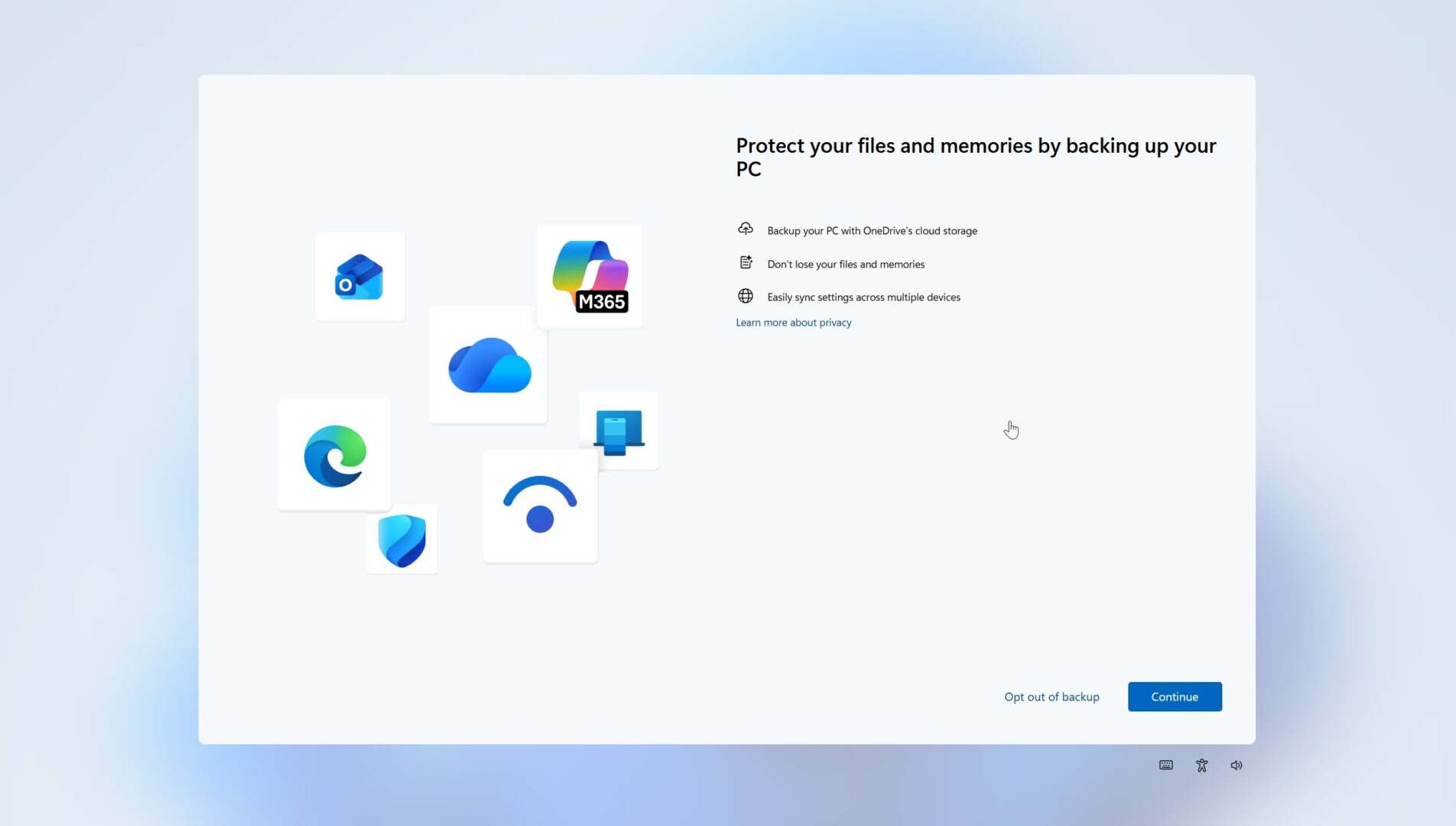
Microsoft Corporation, the American technology firm that develops the Windows operating system, is rolling out a system change in Windows 11 that finally lets users permanently dismiss recurring OneDrive backup prompts. For a long time, Windows 11 users faced repetitive full screen setup screens and system banners nudging them to back up desktop folders, pictures, and documents to OneDrive, Microsoft’s cloud storage platform.
Key takeaways
- Windows 11 introduces a direct opt out option for cloud backup prompts.
- Users can stop recurring OneDrive pop-ups without temporarily snoozing them.
- The system change lets individuals keep local storage configurations without repeated alerts.
- The update applies across stable Windows 11 installations through regular servicing updates.
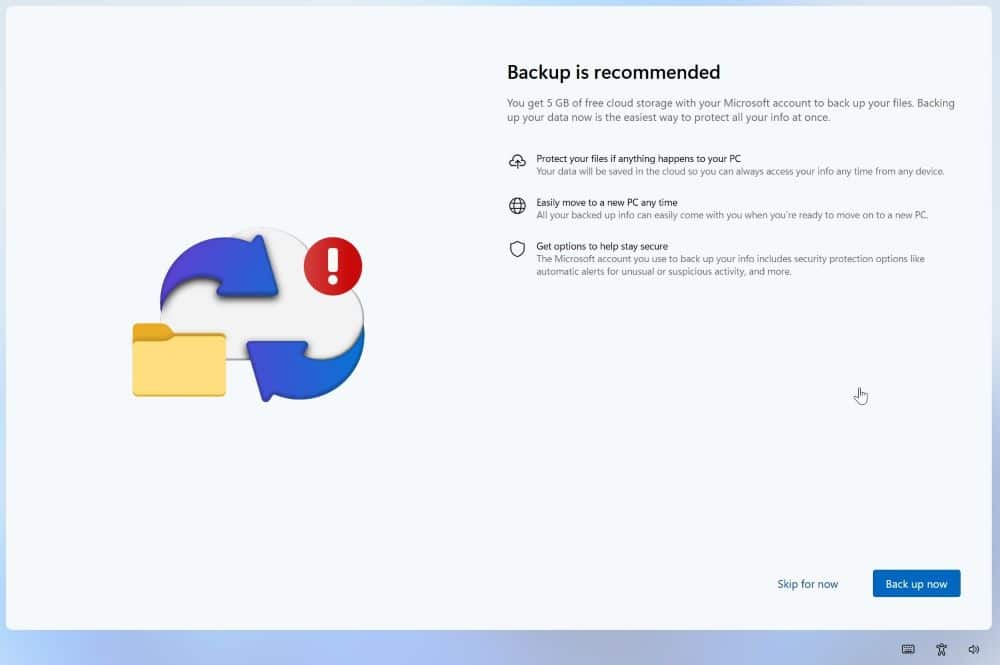
Windows users around the world have voiced frustration over aggressive cloud backup promotions inside the OS interface. Microsoft integrated OneDrive directly into file management workflows, automatically asking users to sync their personal libraries during setup or after major system patches.
Many computer owners prefer storing files exclusively on local physical storage drives, solid state drives, or alternate third-party cloud services like Google Drive. When the backup reminder appears now, selecting the opt out button registers the user preference and keeps the alert from returning.
This adjustment directly addresses feedback from desktop owners who want greater control over their computing interface without unwanted interruptions. While Microsoft continues to offer five gigabytes of free cloud space with standard Microsoft accounts, users who do not want the service will no longer experience nagging alerts across their screen.
The update reaches users through standard Windows Update channels. Anyone running a compatible Windows 11 device can verify their system status in settings to receive the latest build improvements.
Frequently Asked Questions
Q1. What is the new OneDrive setting in Windows 11?
A1. The new setting provides an opt out of backup button that permanently stops repetitive cloud backup reminders on Windows 11.
Q2. How did the prompt work before this update?
A2. Previously, the prompt only gave choices like remind me in three days or skip for now, which caused the notification to reappear repeatedly.
Q3. Does opting out disable OneDrive completely?
A3. No, opting out only stops the automatic backup prompt, leaving the OneDrive application installed and available if you want to use it later manually.
Q4. Will this affect files already stored in OneDrive?
A4. No, files already saved to your OneDrive cloud storage remain secure and accessible online or in your local folder.
Q5. How do I get this update on my PC?
A5. Open the Windows Settings menu, go to the Windows Update section, and select Check for updates to download the latest system build.