Over the past three weeks, I used the Logitech MK250 compact Bluetooth wireless combo as my primary daily driver for office work, spreadsheet entry, article writing, and casual web browsing. Purchased for ₹1,295 in India in the Black colour option, this desk combo aims to deliver a clean workspace by doing away with physical cables and USB receiver dongles. With modern laptops offering fewer USB ports, having desktop peripherals that connect directly over Bluetooth Low Energy technology provides a practical option for budget buyers. My primary goal during this review period was to test how this budget peripheral pair holds up under continuous daily typing, long work hours, host device reconnections, and standard optical mouse tasks on various desk surfaces.
- Key Takeaways
- Unboxing and Initial Setup Experience
- Keyboard Design Build Quality and Layout
- Typing Feel and Everyday Ergonomic Performance
- Mouse Performance Tracking and Daily Handling
- Wireless Connection Reliability and Battery Life
- Real World Performance in Indian Workspaces
- Key Product Specifications
- Verdict
- Frequently Asked Questions
Key Takeaways
- Connects directly using Bluetooth Low Energy technology without requiring any USB receiver dongle.
- Compact keyboard frame preserves a dedicated numeric keypad while reducing overall desk space footprint.
- Rated battery life extends up to 12 months for both devices using standard alkaline batteries.
- Foldable tilt legs on the keyboard offer a seven degree angle for improved typing posture.
- Mouse features a 1,000 DPI optical tracking sensor with line by line mechanical scroll wheel control.
- Printings on keys support multi OS layouts across Windows, macOS, and ChromeOS platforms.
- Priced at ₹1,299 in India, providing an affordable option for work from home setups and students.
Unboxing and Initial Setup Experience
Unboxing the package revealed a straightforward setup experience. Inside the standard box, I found the compact keyboard, the optical mouse, two AAA batteries pre-installed inside the keyboard battery compartment, one AA battery pre-installed in the mouse, and a standard setup safety guide. Setting up the set required no technical expertise or driver installations.
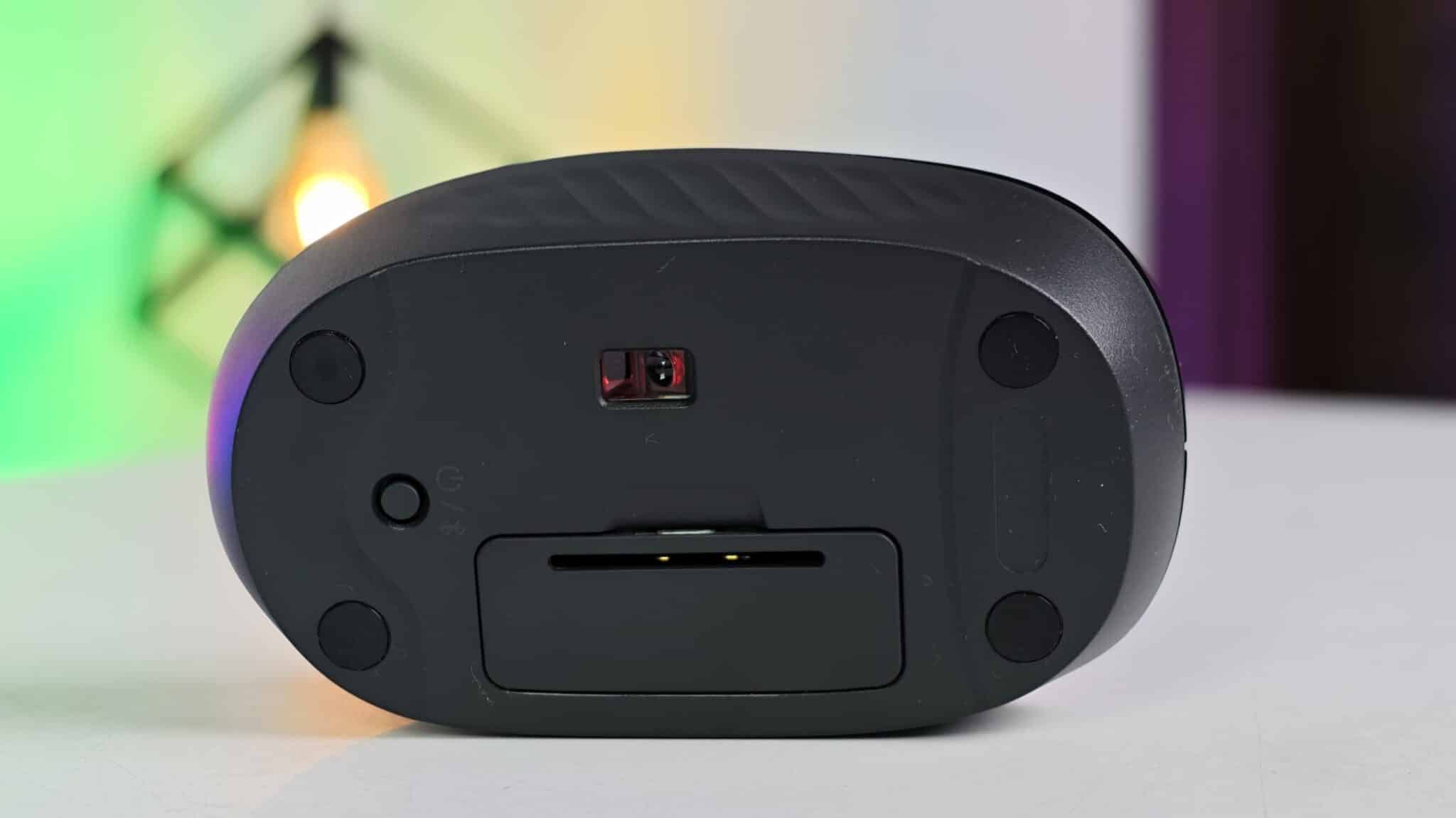
I turned on the mouse and keyboard using their power buttons. Long pressing the power buttons puts the units into pairing mode, indicated by a green connectivity LED flashing on the surface of each unit. I opened the Bluetooth settings menu on my Windows 11 laptop, selected the Logitech MK250 keyboard and mouse, and completed the connection within seconds. I also paired the set with a MacBook Air to test cross platform connection behavior. The direct Bluetooth connection worked without requesting any USB receiver dongles or software downloads. After leaving my desk for lunch, both peripherals reconnected to the laptop almost instantly when I pressed a key or clicked the mouse button.
Keyboard Design Build Quality and Layout
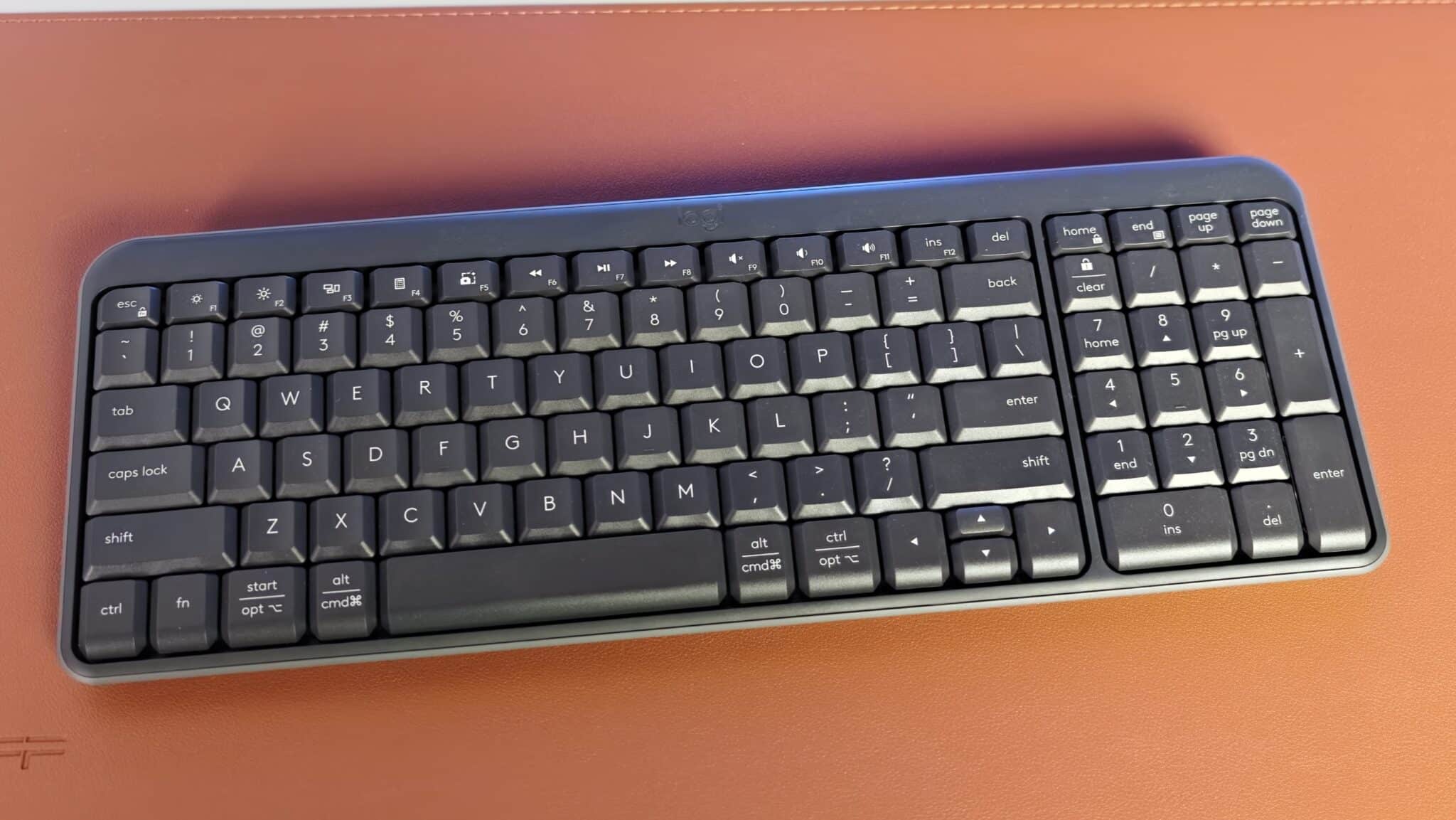
The keyboard measures 136.9 mm in height, 369.9 mm in width, and 22.8 mm in depth, weighing 380 grams. These physical dimensions make it noticeably narrower than a standard full-sized desktop keyboard, making it easy to slip into a backpack or move around a small desk.
The build quality relies on sturdy matte black plastic that feels solid during daily typing sessions. The plastic shell handles daily palm rests without flexing under heavy keypresses or showing oily fingerprint marks. Logitech notes that recycled household plastics make up a portion of the construction, which provides an added environmental benefit for conscious buyers. The keyboard also features a spill-resistant structure designed to protect the internal circuitry against minor liquid splashes on your desk.
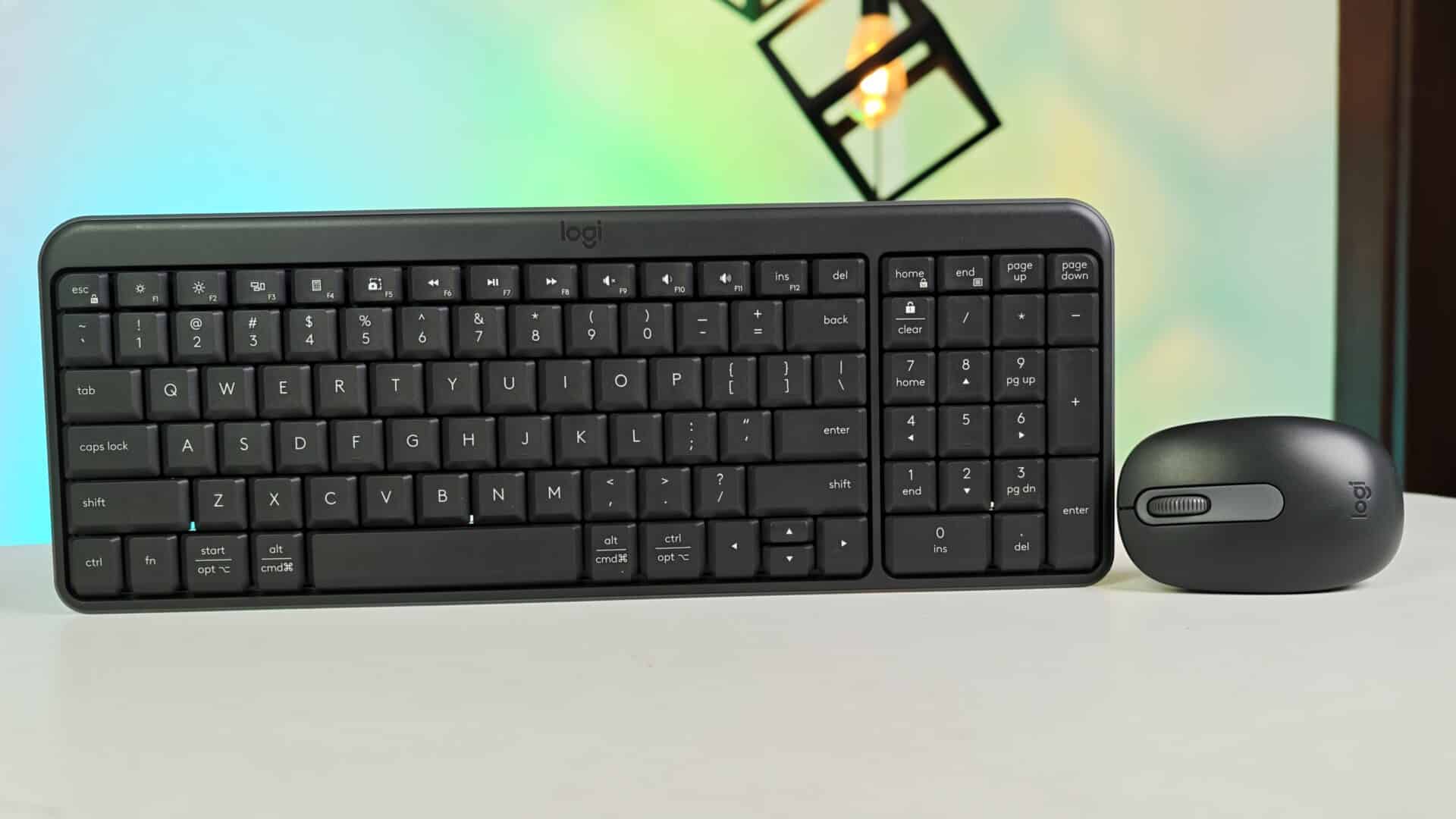
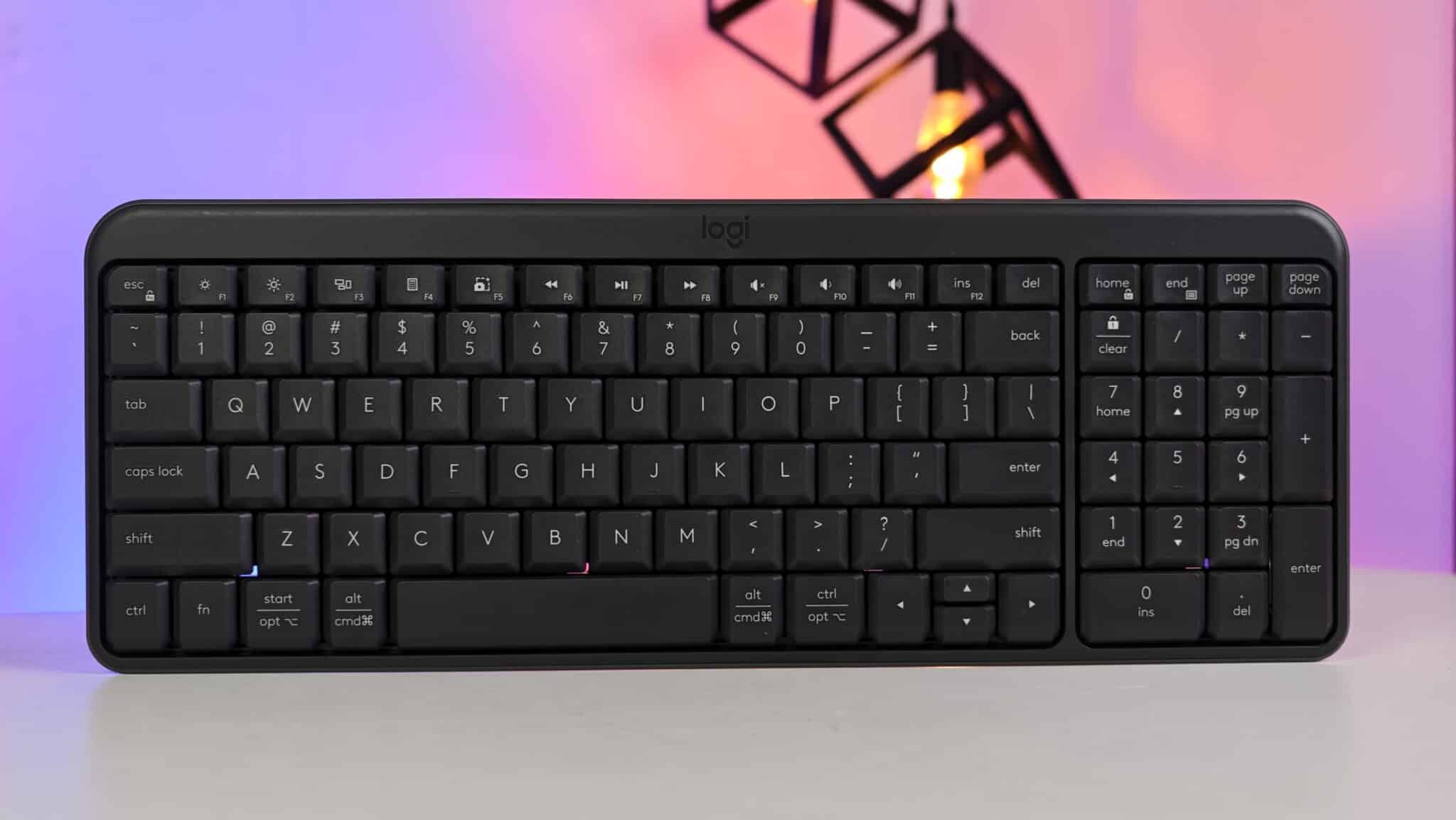
Despite its compact width, the keyboard layout includes a full numeric keypad on the right side. This inclusion proves helpful for financial calculations, spreadsheet entries, and billing work. To fit this number pad into a compact frame, Logitech trimmed the margins around the navigation block and scaled down the size of the directional arrow keys. The key markings display dual OS labels for both Windows and Mac operating systems, showing Command, Option, Start, and Alt legends on the bottom key row.
Typing Feel and Everyday Ergonomic Performance
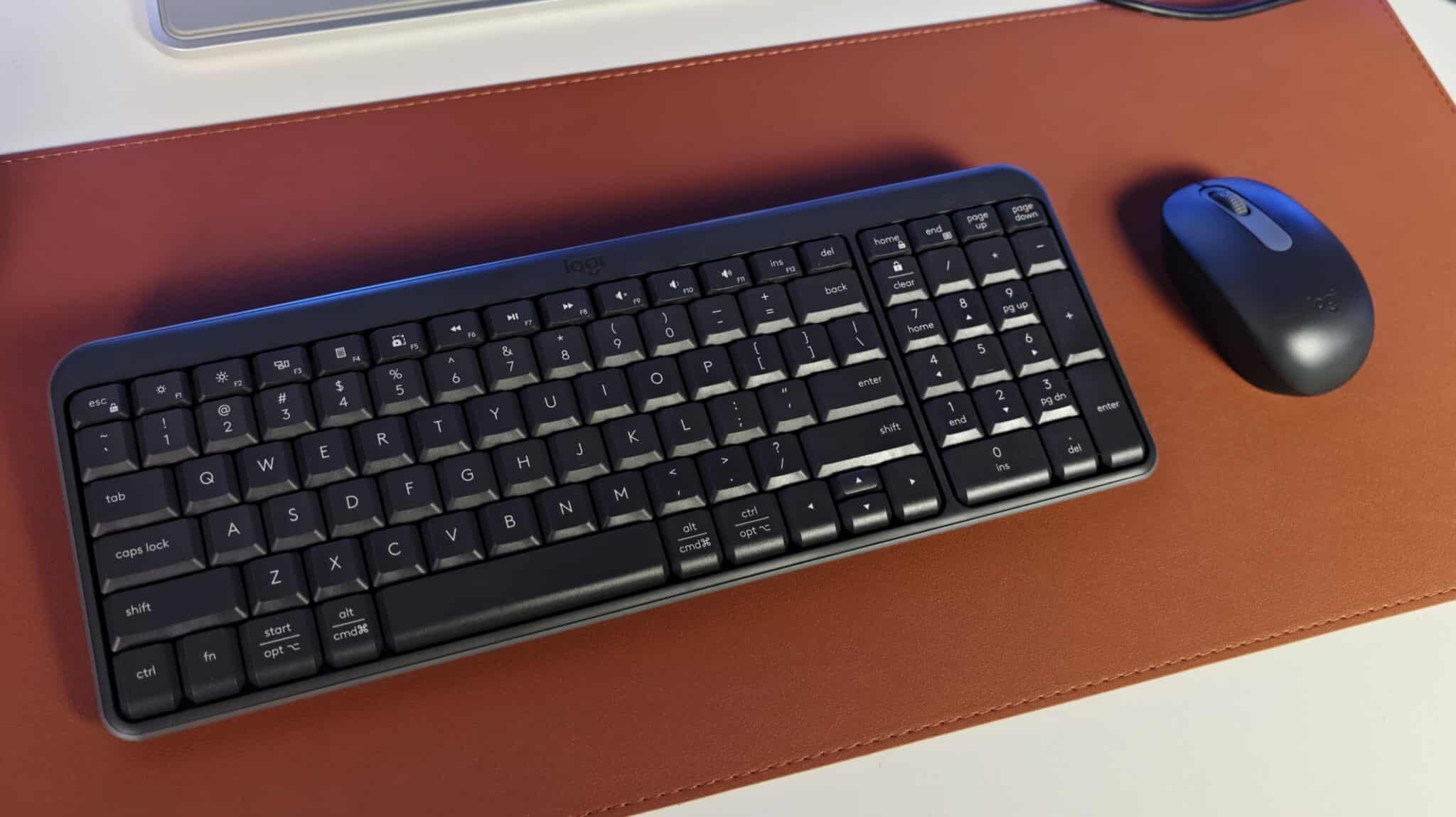
Typing on the MK250 keyboard provides a familiar membrane switch experience. The keycaps feature a deep profile with roughly 2.5 mm of key travel, offering soft tactile feedback upon actuation. If you are used to flat laptop chiclet keys, the deeper travel on this desktop keyboard gives a deliberate typing rhythm that helps reduce typing mistakes.
Noise levels remain low during fast writing sessions. The keystrokes produce a quiet sound rather than a sharp click, making this keyboard suitable for shared office rooms, quiet study libraries, or late night work at home. The tops of the keycaps feature a gentle concave curve that supports finger placement while typing long articles or emails.
Ergonomically, the keyboard includes foldable tilt feet on the bottom casing. Opening these legs elevates the top edge to create a seven degree typing angle. I found this typing angle comfortable for my wrists during long eight hour workdays. My main area of adjustment was learning the position of the compact arrow keys and function keys, which sit closer together than on standard expanded keyboard layouts.
Mouse Performance Tracking and Daily Handling
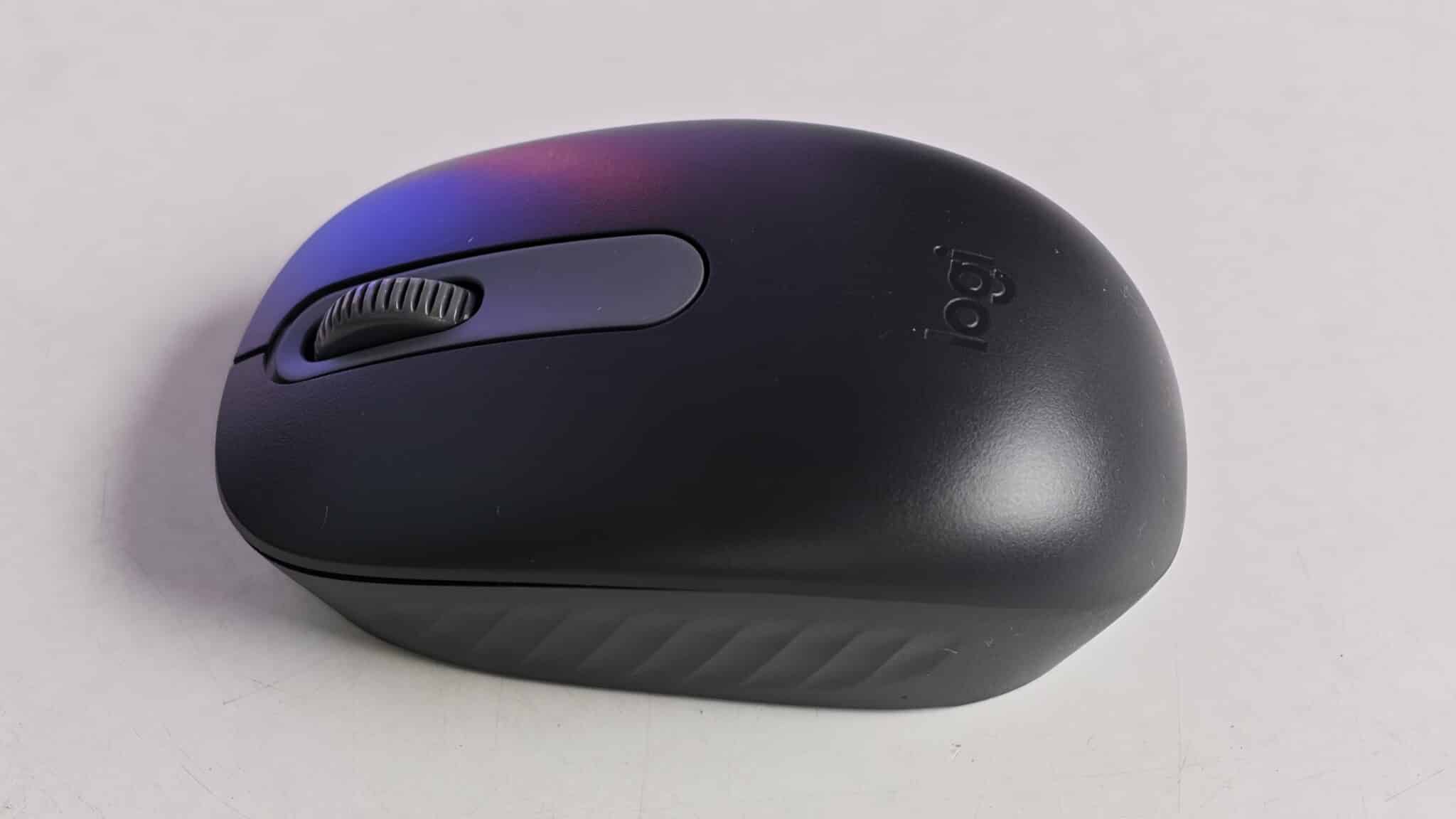
The included wireless optical mouse weighs 76 grams with its single AA battery installed and measures 100 mm long, 60 mm wide, and 38 mm deep. Its symmetrical ambidextrous body sits comfortably in either hand.
Equipped with a 1,000 DPI smooth optical tracking sensor, the mouse handles daily cursor navigation, web browsing, and photo editing tasks reliably. During my testing period, the optical sensor tracked smoothly across various desk surfaces, including finished wooden tables, cloth mouse pads, plastic laminate desks, and printed paper sheets.
The mouse provides three primary buttons: standard left click, right click, and a clickable scroll wheel. The primary buttons offer a firm click feel. The 2D mechanical scroll wheel provides stepped line by line scrolling control, which makes scrolling through long PDF documents and news pages predictable. While the compact mouse body may feel small for users with large hands who prefer a full palm rest style, its portable profile fits claw or fingertip grips nicely and slides into a laptop sleeve easily.
Wireless Connection Reliability and Battery Life
Wireless operation depends on Bluetooth Low Energy technology. The operating range covers up to 10 meters, letting me control video playback on a laptop hooked up to a TV across the room without signal drops or input delay.
By utilizing direct Bluetooth connectivity, this set saves a valuable USB port on laptops that only carry two Type-C ports. I tested the wireless link alongside active home Wi-Fi networks, wireless router gear, and Bluetooth audio headphones without experiencing signal drops or delayed keystrokes.
Battery longevity remains a standout feature of this desk set. Logitech estimates both the keyboard and mouse can operate for up to 12 months using the included alkaline batteries. The physical power switches on both devices allow you to turn off power completely when packing the gear into a bag, preventing battery drain. While there is no detailed software battery gauge included, the physical connectivity LED light alerts you when pairing or power status changes.
Real World Performance in Indian Workspaces

Priced at ₹1,299 in India, the Logitech MK250 sits in an attractive price range for students, remote workers, and office staff needing a dependable brand name wireless set. Many budget wireless combos at this price rely on cheap 2.4 GHz USB dongles that easily get damaged or lost. By offering direct Bluetooth wireless connectivity, Logitech solves a genuine frustration for modern thin laptop owners.
During my everyday testing on a compact desk in a typical home office setup, the compact layout left ample space for a coffee mug, notepad, and mouse pad. The black finish blends neatly with standard monitor frames and laptop shells. However, users who need to switch between multiple computers continuously throughout the workday should keep in mind that this set does not feature multi-device switching buttons. Connecting to a different computer requires re-entering pairing mode manually.
Key Product Specifications
- Available Colour: Black
- Wireless Technology: Bluetooth Low Energy Technology
- System Requirements: Bluetooth Low Energy support, Windows 10, 11 or later, macOS 12 or later, ChromeOS, compatible with MacBook Neo laptops
- Keyboard Dimensions: Height 136.9 mm, Width 369.9 mm, Depth 22.8 mm
- Keyboard Weight: 380 grams
- Keyboard Battery Type: 2 x AAA Alkaline batteries (included in package)
- Mouse Dimensions: Height 100 mm, Width 60 mm, Depth 38 mm
- Mouse Weight: 76 grams
- Mouse Sensor Technology: Smooth optical tracking sensor
- Mouse Resolution: 1,000 DPI
- Mouse Button Count: 3 buttons (Left click, Right click, Middle click on scroll wheel)
- Mouse Scroll Wheel: 2D mechanical line by line scrolling wheel
- Mouse Battery Type: 1 x AA Alkaline battery (included in package)
- Mouse Battery Life: Up to 12 months
- Warranty Coverage: 1-Year Limited Hardware Warranty
Verdict
The Logitech MK250 Bluetooth wireless keyboard and mouse combo achieves a solid balance between price, build quality, and everyday usability. For ₹1,299 in India, it delivers a clean desk setup powered by reliable Bluetooth Low Energy connectivity. The keyboard provides quiet typing, a numeric keypad, and multi OS key legends, while the optical mouse offers reliable 1,000 DPI tracking for standard productivity tasks. While it skips backlighting and instant multi-device switching, its 12-month battery life, sturdy construction, and space-saving layout make it an excellent purchase for students, home office workers, and corporate professionals seeking simple wireless peripherals.
Frequently Asked Questions
Q1: Does the Logitech MK250 come with a USB receiver dongle?
A1: No, the Logitech MK250 connects directly to host devices using Bluetooth Low Energy technology and does not include or require a 2.4 GHz USB receiver dongle.
Q2: How do I pair the Logitech MK250 keyboard and mouse over Bluetooth?
A2: To pair either device, press and hold its power button until the green connectivity LED light flashes. Then open the Bluetooth device menu on your computer or tablet, select the device name, and complete pairing.
Q3: Is the Logitech MK250 compatible with Mac computers and iPads?
A3: Yes, the Logitech MK250 works with macOS 12 or later and ChromeOS devices that support Bluetooth Low Energy. The keyboard keycaps feature printed Option and Command key legends for Mac users.
Q4: What batteries does the Logitech MK250 combo use?
A4: The keyboard uses two AAA alkaline batteries, while the mouse uses one AA alkaline battery. Both sets of batteries come pre-installed in the package and provide up to 12 months of daily operation