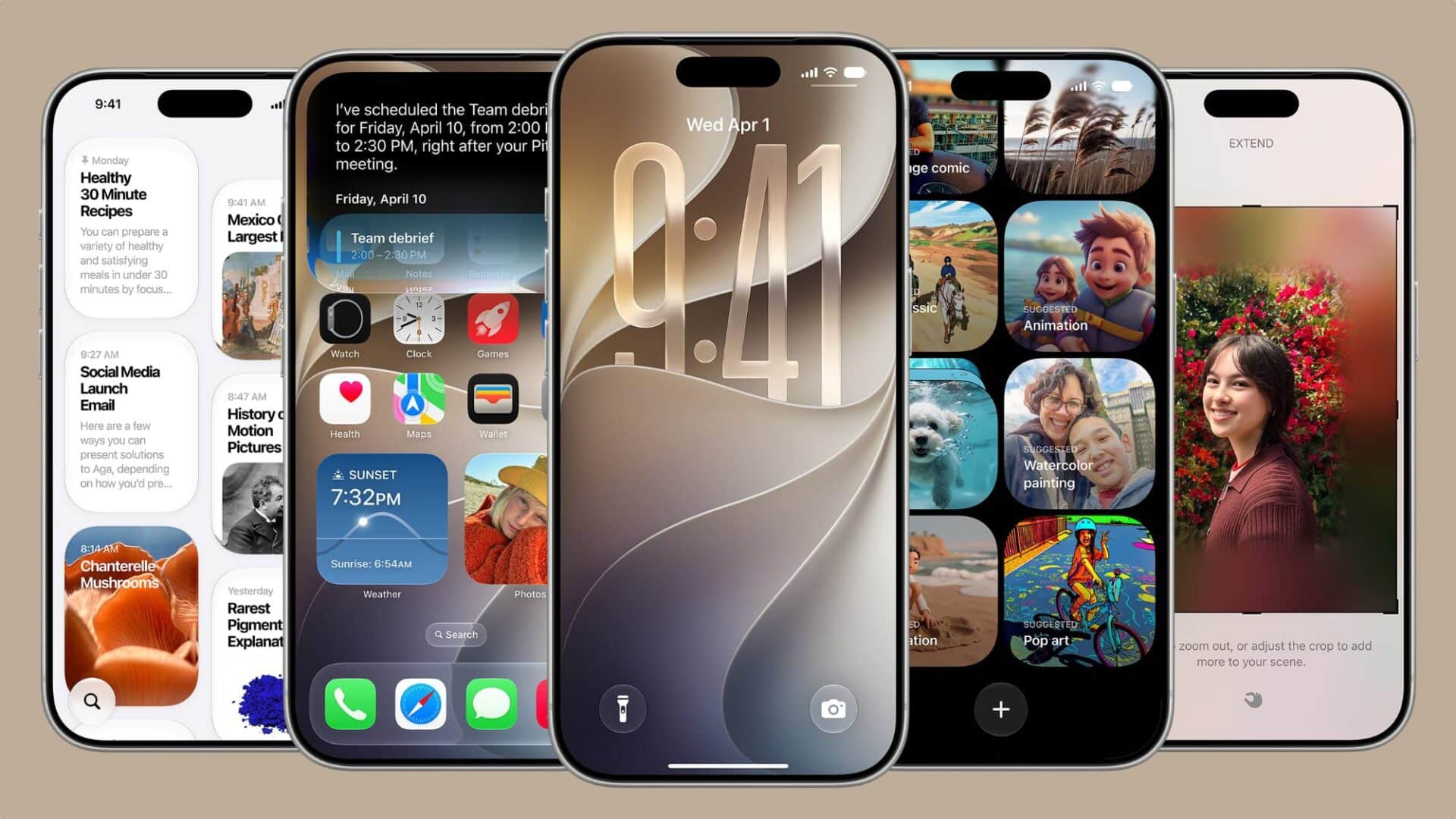
Apple iOS 27 introduces five practical Lock Screen features designed to give iPhone users deeper control over personalization and layout. Unveiled during Apple’s annual Worldwide Developers Conference, the software update focuses on visual flexibility, artificial intelligence tools, and interface decluttering.
Key Takeaways
- Apple Intelligence powers a new Extend tool to fit improperly cropped photos as wallpapers automatically.
- A compact clock option moves the time display into the widget row to show more background detail.
- Image Playground works directly from the wallpaper picker for text-based background generation.
- System-wide Liquid Glass opacity controls let users adjust widget and clock translucency.
- A redesigned Siri interface shifts activity to a compact orb inside the Dynamic Island.
AI Wallpaper Extension
Setting vertical wallpapers often forces awkward cropping or leaves black bars at the edges. The new Extend feature uses Apple Intelligence to generate matching content around the borders of any picture. When an image does not match the iPhone screen aspect ratio, iOS 27 automatically suggests filling the empty areas with generated background details.
Compact Clock Mode
For years, Apple placed a large digital clock in the upper center of the display. iOS 27 adds a compact clock layout inside the Font and Color settings. This shrinks the time readout and places it in line with the top date row, leaving the central display open for photos.
Direct Image Playground Creation
Users can generate custom backgrounds without leaving the Lock Screen setup menu. By opening the wallpaper picker and choosing Image Playground, users type a short prompt to produce artwork in styles like Animation, Sketch, or Illustration.
Liquid Glass Opacity Slider
Under display appearance settings, iOS 27 includes a slider for the Liquid Glass visual theme. Users can make notifications, clock digits, and widgets completely clear or select a tinted, matte texture to improve readability against bright wallpapers.
Dynamic Island Siri Interface
Siri interactions on the Lock Screen now live inside the Dynamic Island. Instead of covering the entire display with glowing edge lines, Siri displays a compact animated orb that keeps background widgets visible.
Frequently Asked Questions
Q1. Which iPhone models support the AI wallpaper extend feature in iOS 27?
A1. The Extend wallpaper tool requires devices that support Apple Intelligence processing, starting with the iPhone 15 Pro, iPhone 15 Pro Max, and newer models.
Q2. How do I move the clock to the top widget bar in iOS 27?
A2. Long press your Lock Screen, tap Customize, select the clock area, and choose the compact layout option in the top right corner of the Font and Color menu.
Q3. Can I dismiss media playback controls from the Lock Screen?
A3. Yes, iOS 27 allows users to swipe left on active Now Playing controls to hide the widget while audio keeps playing.