
It’s a move that gamers have murmured about for years—half wishful thinking, half frustrated plea. And now? Microsoft is actually doing it: Steam games are coming to the Xbox PC app. While it’s currently in early access for Xbox Insiders, this integration could seriously redefine how PC gamers interact with their libraries. Imagine managing Xbox, Game Pass, Steam, and even Battle.net titles all from one unified dashboard. Sounds like a dream? It’s very real and unfolding fast.
Key Takeaways:
- Unified Game Library: Steam and Battle.net titles will now appear alongside Xbox and Game Pass games within the Xbox PC app.
- Early Access for Insiders: Only Xbox Insiders in the PC Gaming Preview can use it for now.
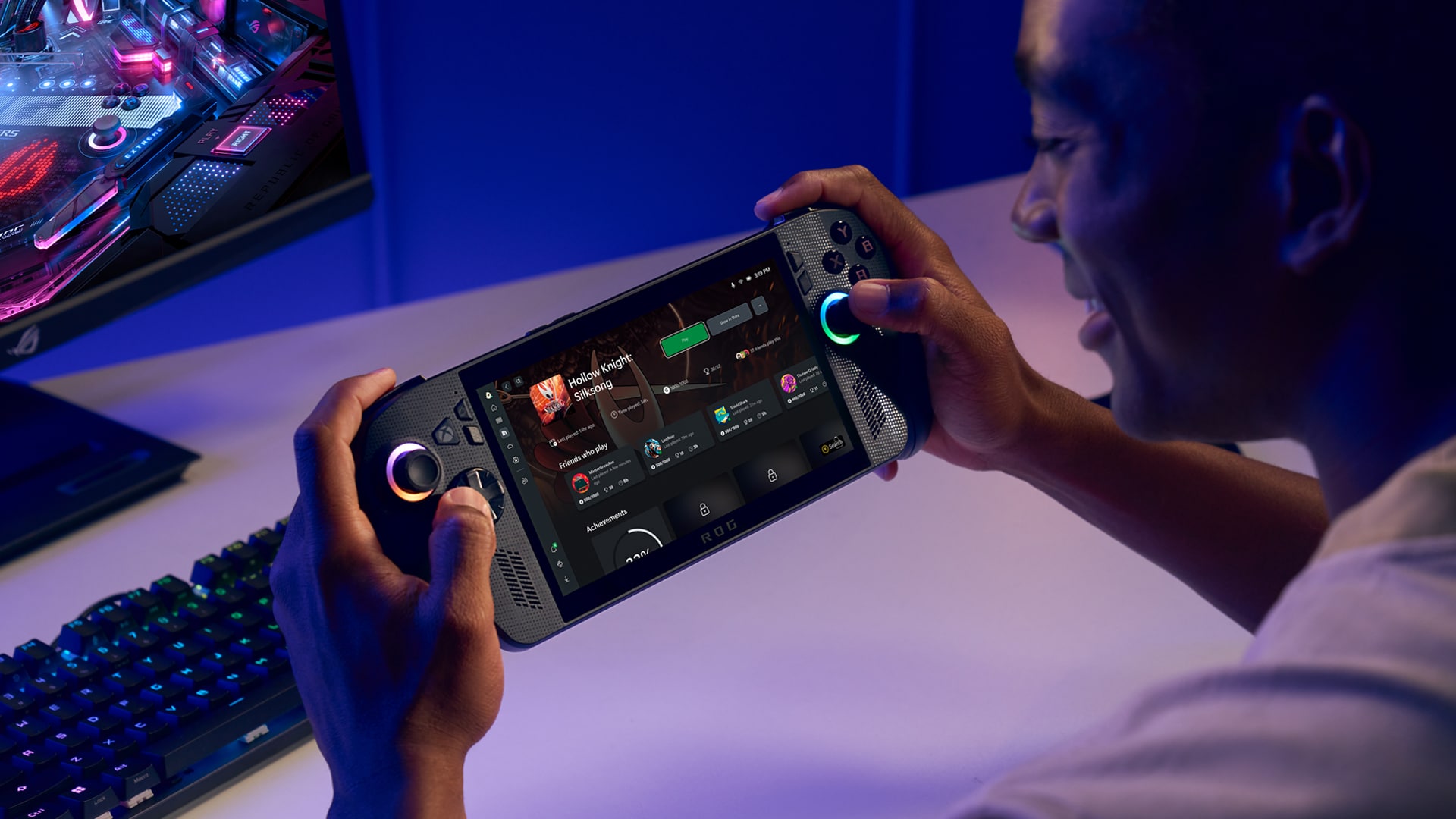
- Handheld Focus: A big win for devices like the ROG Xbox Ally and Ally X, where seamless navigation is key.
- Convenience: All your installed PC games, one place. No more launcher hopping.
- Expansion Coming: More third-party storefronts will be supported soon.
- PC-Only (For Now): This does not apply to Xbox consoles.
Let’s be honest: juggling launchers has always been a bit of a chore for PC gamers. Between Steam, Epic, GOG, Battle.net, and Xbox, the convenience factor has often gone out the window. That’s the pain point Microsoft is targeting. By aggregating these into one experience, the Xbox PC app is setting itself up as the central hub PC gamers didn’t know they needed—until now.
A New Era of PC Gaming Convenience
Here’s how it works: once the integration is active, any supported PC game you’ve already installed through Steam or Battle.net shows up automatically in the Xbox PC app’s “My library” section. Your most recently played games, regardless of origin, even get pinned to the sidebar. It might sound like a small UI update, but it fundamentally shifts how the Xbox app functions—from just a Game Pass portal to a full-blown universal launcher.
And for handheld gaming? This is particularly clutch. Devices like the ROG Ally, which rely on a console-like interface but operate on Windows, really benefit. Switching between launchers on a tiny screen isn’t ideal, so Microsoft is streamlining that friction. The aggregated library should be available right from the start on devices like the ROG Ally X too, offering a smoother, more console-esque experience on the go.
The Mechanics of Integration: How It Works
So how do you get in? First, you’ll need to download the Xbox Insider Hub on your PC and sign up for the PC Gaming Preview. Once in, the Xbox app starts scanning your machine for installed games from supported storefronts. No, it doesn’t magically eliminate the need for those other launchers—you still need to have Steam or Battle.net installed. Think of it more like a smart overlay than a replacement.
Worried about clutter? You can tweak your view. Under “Library & Extensions” in the settings, toggle which storefronts you want to display. It’s surprisingly flexible, letting you keep your view as focused or broad as you like.
Beyond Steam: Expanding the Ecosystem
Steam and Battle.net are just the beginning. Microsoft says support for more platforms is coming, which likely means Epic Games Store, GOG, and maybe even some of the smaller indie distributors down the line. If that happens, the Xbox app could seriously become the de facto launcher for PC gaming on Windows.
This whole approach echoes Microsoft’s broader strategy: stop walling off players and start meeting them where they are. It’s a continuation of a trend—first-party Xbox games launching on Steam, cross-play becoming more common, Game Pass for PC. Now, they’re doing it on the launcher level.
Historical Context and Market Dynamics
Remember when Steam felt like the only real digital game store? Launched in 2003, it pretty much was. Microsoft had Windows but its own storefront? Not exactly beloved. Game Pass was a major step forward, but even that felt siloed compared to Steam’s ubiquity.
This integration flips the dynamic. Instead of trying to compete head-on with Steam or convert users to its own store, Microsoft is saying: use what you like, we’ll help tie it all together. It’s a rare, almost humble, approach in an industry built on ecosystem lock-ins. And it opens the door to some intriguing possibilities down the road—maybe even console-level aggregation, though Microsoft insists that’s not on the table just yet.
Potential Challenges and Future Considerations
Of course, it’s not all roses. Since the Xbox app still relies on the original launchers, users will have multiple processes running in the background. And while launching games is great, features like community tools or modding support still live on the native clients. It’s more of a convenience layer than a full system replacement.
And then there’s the question of future support: Will all major third-party platforms want to play nice with Microsoft? Will this aggregation eventually support cloud saves, achievements, or deeper social integration? Hard to say. But the foundation is there.
What’s clear is that this marks a meaningful pivot in Microsoft’s PC gaming approach. They’re not just promoting Game Pass or their own store; they’re working to unify the messy PC landscape under a more coherent user experience. That could pay dividends in user retention, Game Pass growth, and even Microsoft Store adoption, indirectly.
We’ll see the full rollout later this year, likely aligning with holiday releases and new handheld launches. And while it might not revolutionize gaming overnight, it’s a solid move in the right direction—and one that a lot of PC players will appreciate.
Frequently Asked Questions (FAQ)
Q1: What does “Microsoft adds Steam games to its Xbox PC app on Windows” actually mean?
A1: It means you can now see and launch games you’ve installed from Steam (and Battle.net) directly within the Xbox PC app, making it a one-stop launcher.
Q2: Is this available on Xbox consoles? Can I play my Steam games directly on my Xbox Series X/S?
A2: Nope, this feature is exclusive to Windows PCs and Windows-based handhelds.
Q3: Do I still need Steam installed on my PC to use this feature?
A3: Yes. The Xbox app doesn’t replace Steam; it just detects and launches games through it.
Q4: Which third-party game stores are currently supported?
A4: Right now, it’s Steam and Battle.net. More are coming.
Q5: How do I get this feature now?
A5: Enroll in the Xbox Insider Program via the Xbox Insider Hub app on Windows, and join the PC Gaming Preview.
Q6: When will everyone get access?
A6: Microsoft says the feature will fully roll out later this year, likely by the holiday season.
Q7: Can I customize which stores appear in my library?
A7: Yes. Head to “Library & Extensions” in settings to manage storefront visibility.