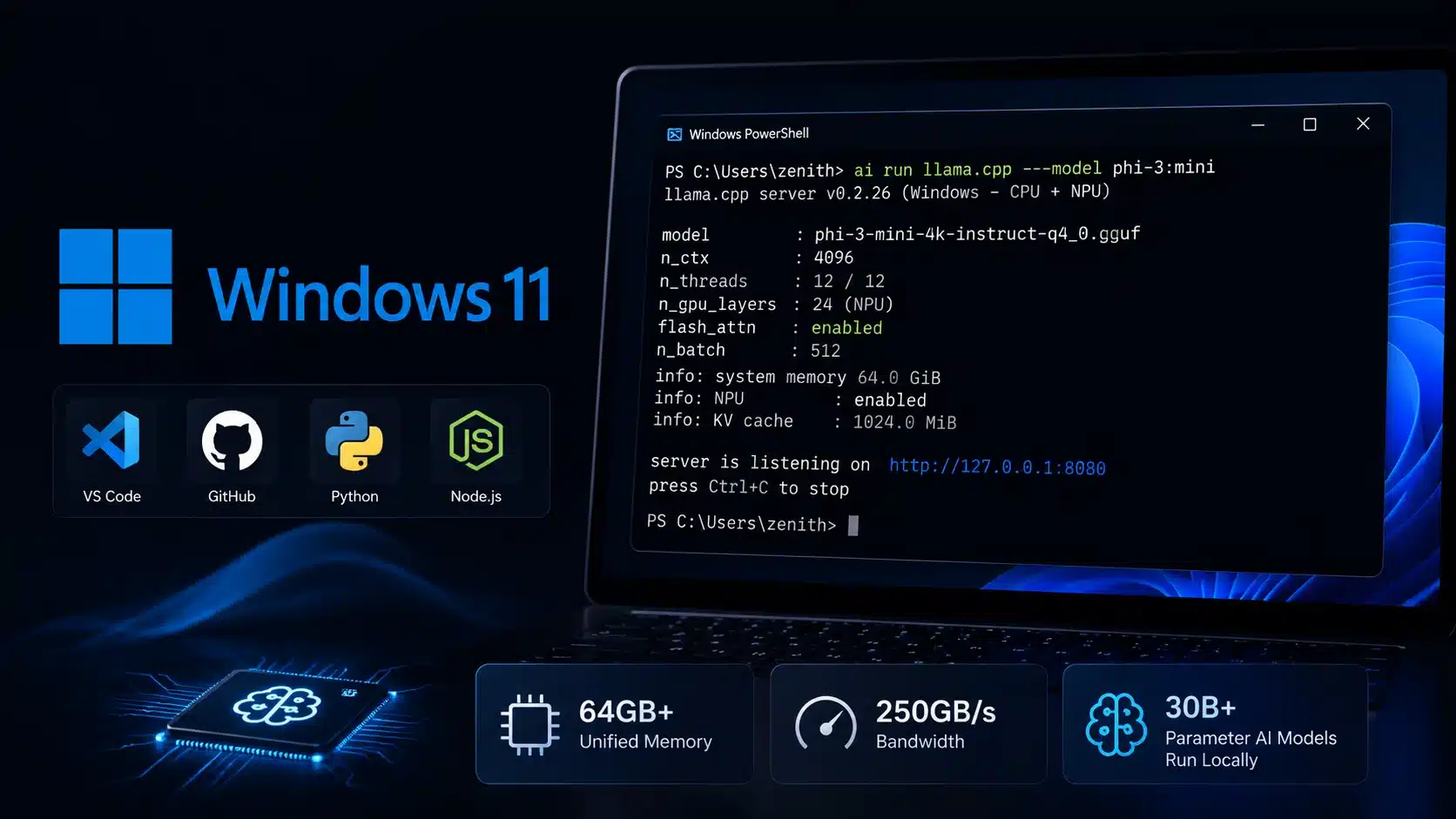
Microsoft announced Project Zenith on September 4, 2026, introducing an out-of-the-box, ready-to-code Windows 11 setup targeted at high-spec developer computers. The program pairs clean operating system defaults with curated programming tools on workstations that meet strict performance thresholds. Rather than launching a separate Windows edition, Microsoft configures its existing operating system to remove promotional clutter and enable developer utilities right from first boot. Machines qualified under Project Zenith require at least 64GB of unified memory and 250 GB/s memory bandwidth, allowing programmers to execute 30-billion-parameter AI models locally without paying for cloud API tokens.
Key Takeaways
- Project Zenith delivers a clean Windows 11 developer environment preloaded with programming tools and distraction-free system defaults.
- Hardware criteria require a minimum of 64GB unified memory and 250 GB/s bandwidth.
- Systems can host 30B+ parameter artificial intelligence models locally without metered cloud access fees.
- Hardware rollout begins with AMD Ryzen AI Halo chips, followed by other silicon and PC makers.
- Developers on existing hardware can apply identical system settings using Microsoft’s open-source Windows Developer Config script.
Hardware Standards and Local Artificial Intelligence
Microsoft is setting a high bar for systems carrying the Project Zenith label. The hardware baseline starts with 64GB of unified RAM and a minimum bandwidth of 250 GB/s. The first wave of supported machines uses AMD’s Ryzen AI Halo processors, with partners like Lenovo and AceMagic preparing initial desktop and workstation units. Further options from other processor vendors will arrive in late 2026.
This memory capacity targets modern software engineers who rely on large language models and autonomous coding agents. Running models exceeding 30 billion parameters on local silicon prevents recurring subscription costs and keeps proprietary code inside local corporate networks.
Software Setup and Configuration Defaults
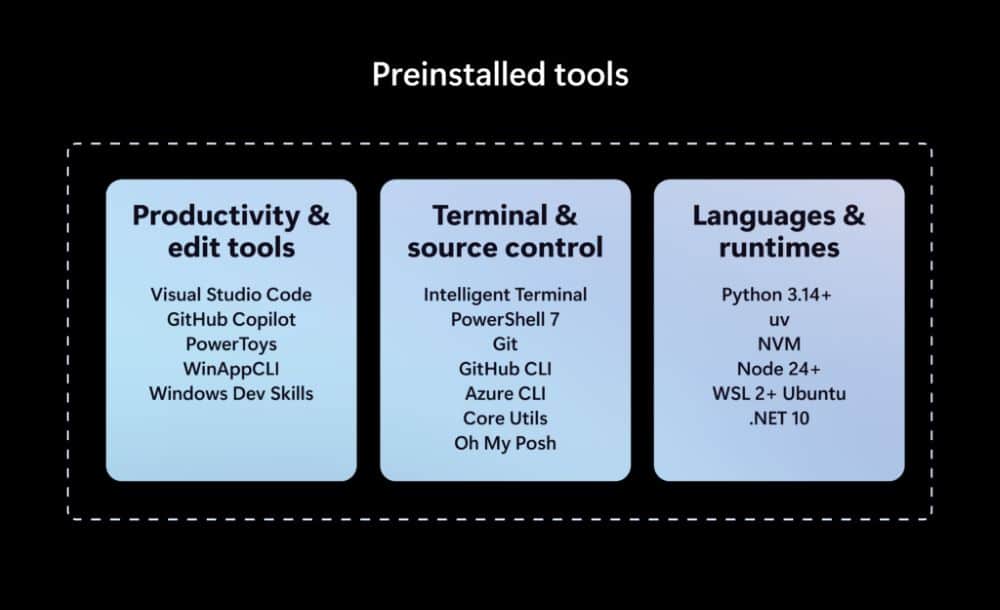
Setting up a new Windows computer for development usually requires manual software downloads and adjustments. Project Zenith automates this setup. Visual Studio Code and Windows Terminal come pinned to the taskbar on launch. The environment bundles runtimes including Node 24+, Python 3.14+, the uv package manager, and Node Version Manager. Microsoft also includes Windows Subsystem for Linux with WSL container support, letting programmers spin up Linux containers directly inside Windows.
System defaults also receive developer-friendly modifications. File Explorer displays file name extensions, hidden files, the full folder path in the title bar, and the details pane by default, alongside native long-path support. Cloud sync tips, account alerts, and Start menu promotional suggestions are turned off. For developers not purchasing new machines, Microsoft published these system adjustments to GitHub as Windows Developer Config, enabling users to apply the setup to existing Windows 11 computers.
Frequently Asked Questions
Q1. What is Microsoft Project Zenith?
A1. It is a Microsoft initiative providing a preconfigured, clutter-free Windows 11 setup on verified workstation computers tailored for software development and local AI workloads.
Q2. What hardware specifications are required for Project Zenith?
A2. Supported computers must include at least 64GB of unified memory and 250 GB/s or higher memory bandwidth.
Q3. Can existing Windows 11 PCs run the Project Zenith configuration?
A3. Yes, developers can apply the exact configuration via Microsoft’s open-source Windows Developer Config script on GitHub, though running 30B+ AI models locally still requires matching hardware.