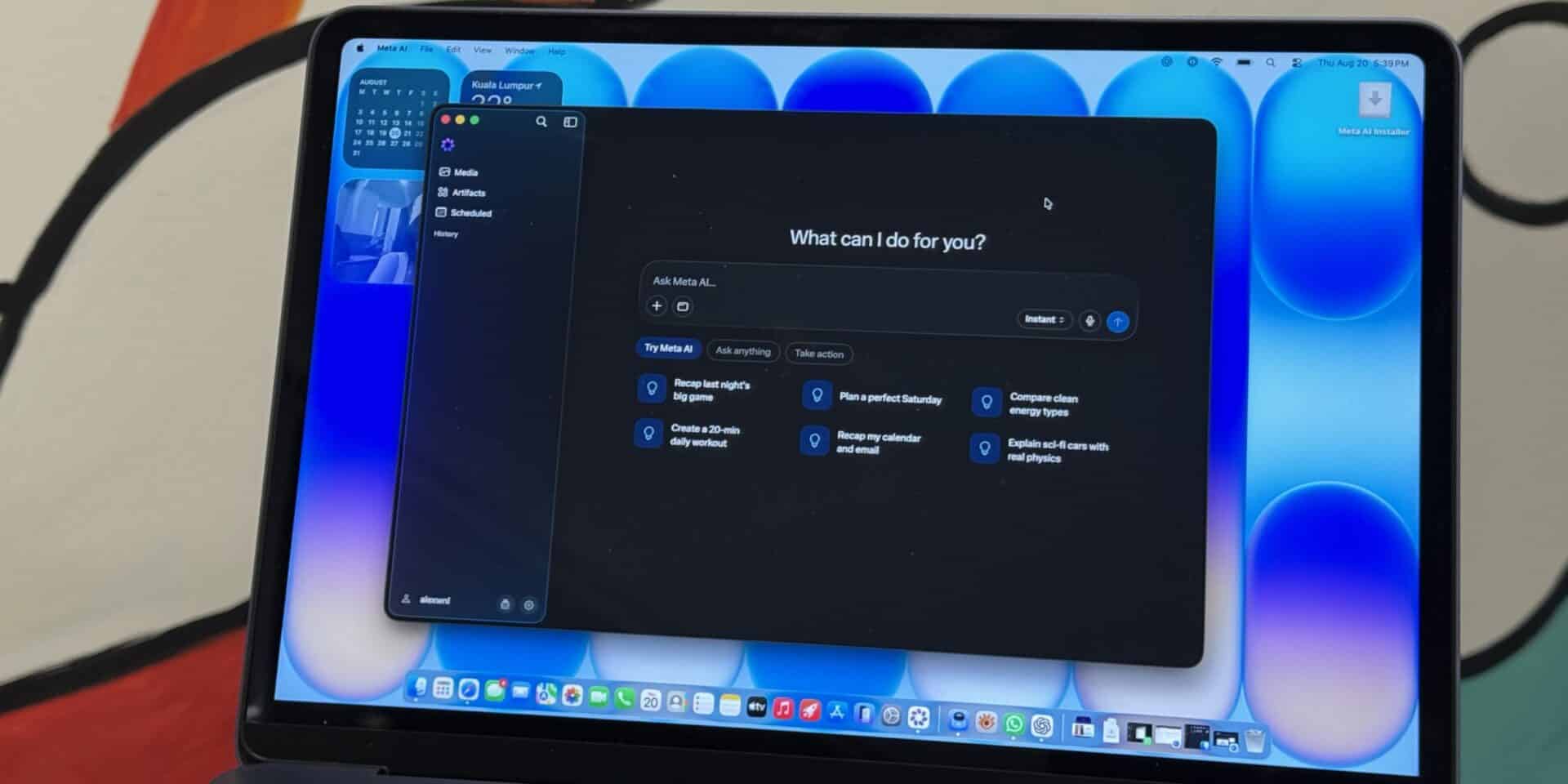
Meta Platforms launched a native desktop app for its Meta AI assistant on Apple Mac computers, rolling out version 1.0 beta as a free download. The app runs exclusively on Apple silicon devices running macOS 15 or later versions, requiring around 16MB of storage space. Unlike web wrappers, the software is built with AppKit and SwiftUI frameworks, allowing users to summon the assistant across the operating system using a quick keyboard shortcut.
Key Takeaways
- Released as version 1.0 beta for Apple silicon Macs running macOS 15 or later.
- Lightweight native build installs at roughly 16MB.
- Quick Invoke shortcut opens the assistant over active apps.
- Screen reading features let the assistant analyze visible text and window contents.
- Users log in with an existing Facebook, Instagram, Messenger, or WhatsApp account.
Desktop Features and System Controls
The desktop app introduces Quick Invoke, which opens a floating search box over any active window when users press Option and Space together. Users can dictate text into other apps, including email clients and code editors, by holding a assigned key.
The app includes a screen-reading function. With Screen Recording and Accessibility permissions granted in macOS Settings, Meta AI captures text and visual context from open windows. This lets users ask questions about documents, web pages, or data sets directly. However, the software only reads context and does not take direct control of mouse or keyboard actions on the machine.
The interface contains a sidebar where users manage media, saved items, scheduled reminders, and conversation history. Users can also hide the Dock icon so the tool runs quietly in the background without cluttering the screen.
Business Tools and Data Policies
Meta built the tool to assist creators and small business operators who manage online stores and social pages. The desktop app connects with Instagram accounts, Facebook pages, Meta ad dashboards, and Google Workspace. This connection allows the assistant to review post reach, analyze audience engagement, draft future post ideas, and prepare summary reports.
According to Meta, user interactions within the app help personalize ad delivery and recommendations across its network. The core application is free to download and use, while high-volume users may face usage limits unless paired with paid account tiers.
Frequently Asked Questions
Q1. Is the Meta AI Mac app free to download?
A1. Yes, the app is free to download and use for all users with a supported Meta account.
Q2. What are the minimum system requirements for the app?
A2. The app requires an Apple silicon Mac (M1 chip or newer) running macOS 15 or later. Intel Macs are not supported.
Q3. How do you open Meta AI quickly on macOS?
A3. Press Option and Space simultaneously on your keyboard to bring up the floating Quick Invoke prompt.
Q4. Can the Meta AI desktop app control your Mac?
A4. No, the app only reads visible on-screen text and captures screenshots for context with your permission; it cannot control apps or click buttons for you