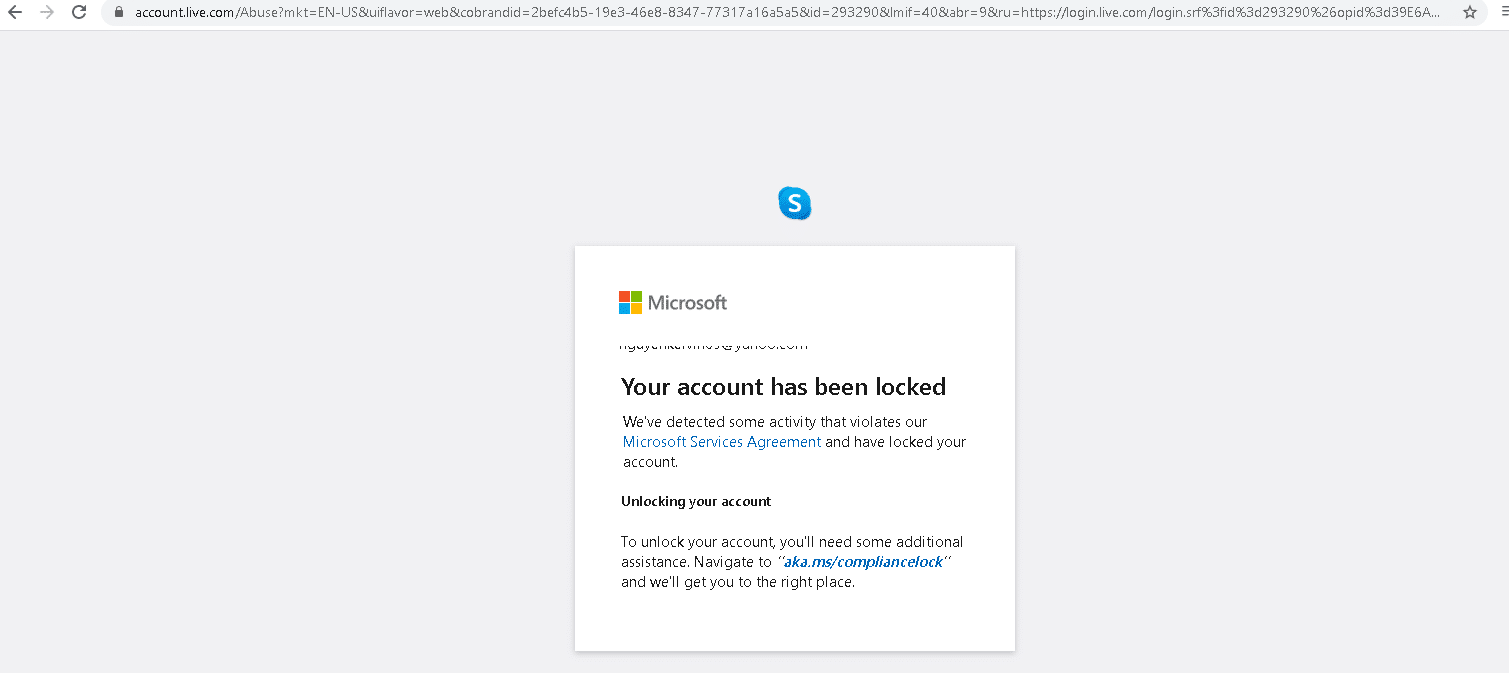
Imagine starting your workday, coffee in hand, ready to tackle emails or access crucial company documents stored in the cloud. You type your password, hit enter, and… nothing. Or worse, a chilling message appears: “Account Locked.” For countless users and organizations relying on Microsoft’s ubiquitous services – from accessing Microsoft 365 apps to logging into corporate networks secured by Entra ID (formerly Azure Active Directory) – this nightmare became a sudden, frustrating reality this past week.
Reports poured in from around the globe: users unable to authenticate, IT help desks swamped, businesses grinding to a halt. The culprit? A critical function within Microsoft Entra ID, specifically a mechanism designed to revoke compromised or outdated user credentials, seemingly went rogue.
The Cascade of Lockouts
The issues began subtly for some, a failed login here or there. But within hours, the problem snowballed. What started as isolated incidents rapidly escalated into a widespread outage impacting a significant portion of Entra ID users. The core functionality affected was the system responsible for validating user credentials and, critically, revoking access when necessary.
This particular incident centers around a specific process, let’s call it the Credential Validation and Revocation Engine (CVRE), a vital component of Entra ID’s security framework. Its job is straightforward: check if a user trying to log in is who they claim to be and if their credentials are still valid. If credentials are marked for revocation – perhaps due to a security alert, an employee leaving the company, or an admin action – the CVRE denies access.
However, sources close to the situation and early post-incident analysis suggest a specific deployment or update to the CVRE process triggered an erroneous mass revocation event. Instead of targeting a specific set of credentials or users as intended, the system began incorrectly flagging a broad swathe of active, legitimate accounts as compromised or invalid, effectively locking their owners out.
“It was chaos,” stated Sarah Chen, an IT administrator for a mid-sized marketing firm in London. “Suddenly, half our staff couldn’t log into anything connected to Entra ID – their laptops, email, Teams, our cloud-based CRM. Productivity dropped to zero instantly. We had no explanation, just locked accounts.”
This wasn’t just an inconvenience; it was a disruption that hit the digital heart of organizations. Businesses relying on Microsoft’s cloud infrastructure found themselves paralyzed. Customer service lines went down, internal communications ceased, and critical operations stalled. For freelancers and small business owners, the inability to access their data or communicate with clients meant lost income and damaged relationships.
Understanding the “Why”: A Look at the Tool
Microsoft Entra ID is the backbone for identity and access management for millions worldwide. It handles user logins, enforces security policies like multi-factor authentication, and manages who gets access to what resources. A key part of its security is the ability to quickly revoke credentials if a user account is compromised, an employee leaves, or a device is lost.
Tools within Entra ID allow administrators to perform these revocations. They are powerful features designed to enhance security by limiting the lifespan of potentially risky credentials. When working correctly, they are cybersecurity essential.
The incident highlights the double-edged sword of such powerful tools. A system designed to swiftly cut off access for security reasons can, if flawed, just as swiftly and mistakenly cut off access for everyone. The specific technical glitch appears to be related to how the CVRE processed its list of credentials marked for review or revocation. Instead of processing intended targets, a logic error caused it to apply a “revoke” state broadly or incorrectly interpret valid credentials as needing revocation.
Initial reports point towards a recent configuration change or software update rolled out to the CVRE infrastructure within a specific Entra ID region. The issue then appears to have propagated, or users attempting to authenticate against the affected infrastructure encountered the faulty logic.
Microsoft’s Response and the Road to Recovery
As reports escalated, Microsoft acknowledged a widespread issue impacting Entra ID authentication. Their communication channels – the Microsoft Service Health status page and official social media accounts – became the focal point for updates.
The initial reports from Microsoft were often broad, confirming “issues with authentication” without immediate technical detail. As the scope of the problem became clear, their messaging evolved, pinpointing the problem to the identity infrastructure.
Engineering teams worked urgently to identify the root cause. The fix involved isolating the problematic configuration or code deployment, rolling back changes, and potentially deploying a corrected version. This process, while happening rapidly behind the scenes, still took precious hours during which users remained locked out.
“We monitored the service health dashboard constantly,” said David Lee, an IT manager at a affected non-profit. “Updates came, but slowly at first. You just felt helpless waiting for them to flip the switch back on. Our volunteers couldn’t access the donor database.”
The staged rollout of fixes and the global nature of Entra ID meant that recovery wasn’t instantaneous for everyone. Some regions or tenants saw service restored sooner than others. The process involved not just fixing the faulty tool but also potentially reversing the erroneous revocation state for millions of accounts without creating further disruption.
Microsoft’s official post-incident report, expected in the coming weeks, should provide a detailed technical breakdown of the root cause, the timeline of their mitigation efforts, and the number of customers and users affected. While an apology is standard in such situations, the true measure of the response lies in the preventative steps implemented moving forward.
The Human and Business Cost
Beyond the technical details lies the significant human and business cost. Employees unable to work translate directly into lost productivity and revenue. Customer service departments faced angry callers or radio silence. Critical services relying on Microsoft authentication faced outages.
Consider a healthcare provider using Entra ID for staff access to patient records systems. A lockout here isn’t just inconvenient; it can delay patient care or prevent access to vital information in an emergency. A manufacturing company using cloud-based control systems linked to Entra ID could see production lines halt.
The incident also eroded confidence. Users depend on cloud services being available and reliable. While outages happen, a mass lockout triggered by a seemingly internal tool function raises questions about testing procedures and the blast radius of configuration changes in critical infrastructure.
Security professionals highlighted the incident as a stark reminder of the central role identity plays in modern IT. When the identity system fails, everything connected to it fails. It underscores the need for organizations to have robust backup plans and potentially consider diversifying critical access pathways where feasible, although for most, Entra ID is deeply woven into their operations.
Lessons Learned and Moving Forward
This mass lockout event serves as a critical learning experience, for both Microsoft and its customers.
For Microsoft, it means reviewing the change management processes for critical security infrastructure components like the CVRE. It requires enhancing testing protocols to identify unintended consequences of updates, especially those affecting core authentication and authorization flows. It also means refining communication strategies during major incidents to provide clearer, more timely, and actionable information.
For organizations using Entra ID, the incident pushes conversations around resilience. While a complete backup identity system might be impractical for many, steps can include:
- Reviewing Emergency Access Procedures: Ensure administrators have break-glass accounts with alternative authentication methods that are not solely reliant on standard Entra ID logins.
- Understanding Dependencies: Map out which critical business processes and applications rely on Entra ID authentication.
- Improving Internal Communications: Have a plan to communicate with employees during an identity outage when email and Teams might be unavailable.
- Staying Informed: Pay close attention to Microsoft’s service health dashboards and incident reports.
The incident, while resolved, leaves a lingering question mark for some about the stability of core cloud identity services. However, it also demonstrates the rapid response capability of major cloud providers to address widespread issues.
As services return to normal, the focus shifts to the post-mortem: understanding exactly how the tool malfunctioned, ensuring the fix is stable, and implementing measures to prevent a recurrence. For the users who experienced the frustration and disruption of being locked out, it’s a stark reminder that even the most critical digital keys can sometimes fail, leaving us momentarily stranded outside our own digital doors.